


Chewtoy
Members
-
Joined
-
Last visited
Everything posted by Chewtoy
-
 You released version 3 after I left my review, I'll see if I have some time to play around with your new version. Fingers crossed
- 149 comments
- 33 reviews
-
-

- 1
-
-
This is very close to a 5 star mod, however there are some issues that need to be ironed out before this can be considered fully functional. I've been testing all versions of this mod, and I love what I'm experiencing. HOWEVER this does have some adverse effects on performance or functionality in some models. I've demo'd a video of the faster lighting with no wig wags to showcase the problems I've experienced. The worst being lag induced from seemingly playing with the carcols. I'm not sure where the problem lies, but I've tried plenty of variable graphics settings from ultra to lowest I will continue to test these mods, take notes and so forth. Only running the lspdfr plugin as well. If the author would like me to continue to test and take notes, don't hesitate to ask as I'd love to be involved.
- 149 comments
- 33 reviews
-
-
- 1
-
-
.thumb.jpg.1db0be3e377ccefdd47e57a95ec56762.jpg) 1.5 and 1.6 seem to have different lighting patterns, not sure if you were aware. The first version is more 'alive' for lack of a better word
1.5 and 1.6 seem to have different lighting patterns, not sure if you were aware. The first version is more 'alive' for lack of a better word- 239 comments
- 70 reviews
-
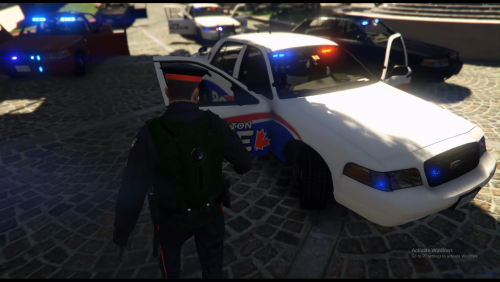 What would you like to know, my friend?
 -
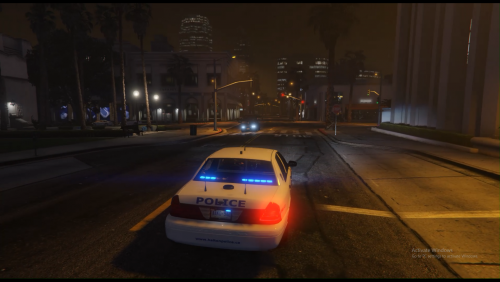 Alternative Lighting colours for BxBugs cvpi1.5u To install: Locate the file's .ytd Open the .ytd texture dictionary file Import the emerglights_emis_arjent file To install the visualsettings(Optional) Navigate to update-update-common-data Import or replace the visual settings Without installing the visual settings: With Installing the visual settings:
- 1 comment
- 1 review
-
3 plain whites 2 ribbons 3 unmarked 1 ghost Locate the file's .ytd Open the .ytd texture dictionary file Import all the files included in the rar Model may be acquired here, though I'd recommend waiting until it's completed as advertised.
-
-
If you find a solution, could you please keep me posted. I'm waiting to release all blues and my local department
- 239 comments
- 70 reviews
-
My dashlights aren't spawning, yet you have them in your screenshots. I've installed both manually and automatically. It's been a real pain in the ass, and I don't know if your misleading us with screenshots, or if the problem is on my end.
- 239 comments
- 70 reviews
-
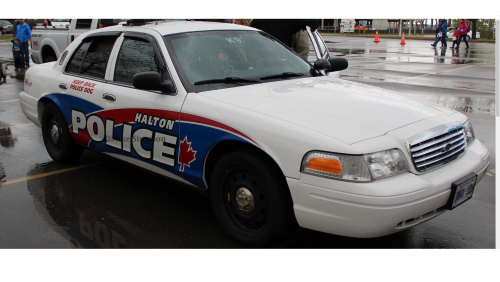 3 plain whites 2 ghosts 4 ribbons (k9 & supervisor) Locate the file's .ytd Open the .ytd texture dictionary file Import all the files included in the rar If you followed the authors' installation instructions, before mine you should be golden IF any problems continue, PM for one on one help Let authors know how you feel about their models Both models may be acquired here:
 -
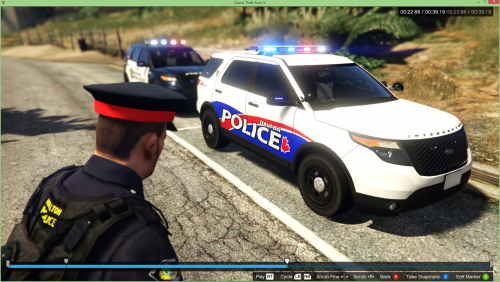 Thank you kindly
 -
My other files have not been deleted, just hidden. I'd like to start a new chapter entailing the utmost accuracy
-
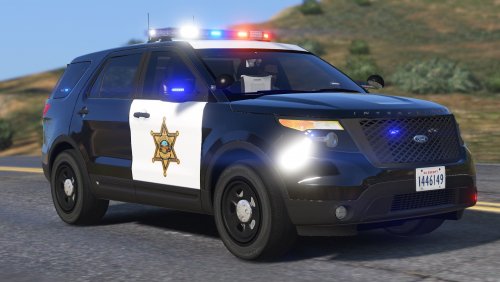 Really enjoying this interceptor. I tried to make a video showcase with a skin I released. Haven't used it too much for a review.. yet Thanks for the content
- 65 comments
- 19 reviews
-
Four black & whites Four ribbons Each with a supervisor Locate the file's .ytd Open the .ytd texture dictionary file Import all the files included in the rar If you followed the authors' installation instructions, before mine you should be golden IF any problems continue, PM for one on one help Let Black Jesus know how you feel about their model For reference:
-
 How? what was the issue? Folk who abandon their solutions are the worst. I'm having difficulties getting this plugin to load, I thought it was my because I was using an old version of GTA, still having the plugin crash whether loaded through startup or console. It does not crash the game mind you, just the mod. I've tried using only the spotlight plugin alongside with lspdfr, still no avail
- 473 comments
- 73 reviews
-
 Hurk, I have another question, it's actually similar to the last time we spoke, I figured I got burried under your fanmail. Anyway I've made some local skins, and one of my skin I have un edited the chest plate it's very minor, but it's also not my creation, with your permission I'd like to offer those skins to the community abroad. I'd credit you adequately, of course.
- 93 comments
- 36 reviews
-
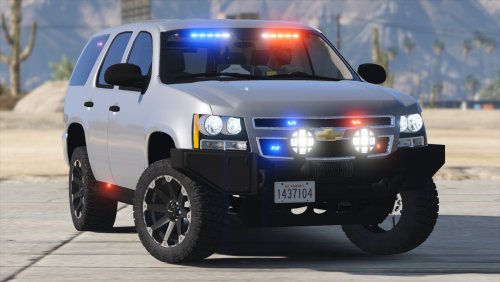 This is my new Pranger. I lost some hours of sleep just fining it nicely in to my backup. A tip for those using wigwag, you can stop the high beams from flashing on this without compromising the script. Just be sure to edit the wigwag ini.
- 36 comments
- 15 reviews
-
-
 Your Tahoe is a gem hidden in what I first skimmed over as a 'pack' Brilliant handling and lighting pattern. My only cripe is that the rambar just flies off on the moment of any sort of impact I haven't used the charger enough for any sort of review
- 66 comments
- 18 reviews
-
 Amazing model! The only criticism I can suggest is that the lighting pattern isn't so hot. Honestly that, and including a handling meta would just be fine tuning. This is a nice model
- 74 comments
- 23 reviews
-
-
-
 Outstanding. Vests look much more realistic than the default. Enjoying this immensely. I personally would love to see the same use of vests for other agencies
- 273 comments
- 61 reviews
-
-
- 2
-
-
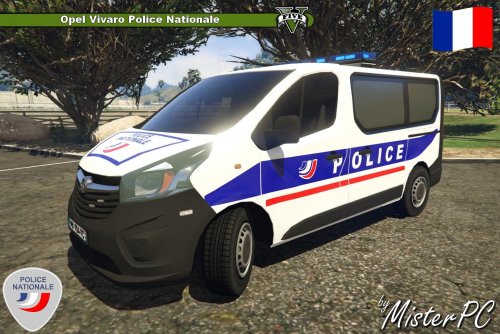 I really enjoy using this model. Vans don't appear to be too popular around these parts. Any way I can change the License plates to North American standards? That's the only protruding annoyance that bothers me, personally. A votre sante provenir de Canada :)
 -
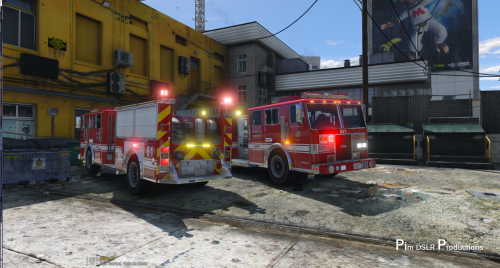 Hey PimDSLR, can I take the ribbon you used to wrap around the base skin for my own local skin to release. Of course you'd be properly credited, if not I understand.
- 58 comments
- 20 reviews

.thumb.jpg.1db0be3e377ccefdd47e57a95ec56762.jpg)
.thumb.png.84adb823f7f653b8d654f1ab13098851.png)

