



Guess1m
Members
-
Joined
-
Last visited
Everything posted by Guess1m
-
-
.thumb.png.656f907bc2febc81911b0b821cb502c8.png) Glad you are enjoying it so far. I plan on adding the ability to display multiple IDs soon, I have a solution that I think would work well. As far as the citation report make sure all the dropdown boxes have something selected or it will give you that message. I will look into it though it is definitely possible I overlooked something. Also those are some good ideas, I could see myself implementing some of them.
Glad you are enjoying it so far. I plan on adding the ability to display multiple IDs soon, I have a solution that I think would work well. As far as the citation report make sure all the dropdown boxes have something selected or it will give you that message. I will look into it though it is definitely possible I overlooked something. Also those are some good ideas, I could see myself implementing some of them.- 339 comments
- 43 reviews
-
-

-

- 6
-
-
I have put up the first public release of ReportsPlus, this is still certainly not a final product and definitely needs some fixing but im releasing it so people can give it a try and help out with development. Consider joining the ReportsPlus Discord server I just made for helping with testing, support, requesting features, and development updates. 👍
-
I appreciate the assistance, after I sort out some issues and make some fixes I will definitely need help from other people with testing, primarily making sure the connection between the client and server is stable and just testing the application in general.
-
I may need some people to do some testing for me soon since there is only so much I can do with just me testing features, especially since the program is now using internal networking which is something that is relatively new to me. These of course will be development versions so there will be some issues which is why I need some people to try out some features for me. If anyone would be willing to help out with testing, shoot me a DM or reply.
-
Ive already established a way to connect into the game, I actually used a very similar method that ExternalPoliceComputer uses, my program is in Java, GTA is C# so there were limited options. It works by having a lspdfr plugin that sends data to a folder that my server picks up which sends data through your network to the actual ReportsPlus client, this is the same way that EPC does it 👍
-
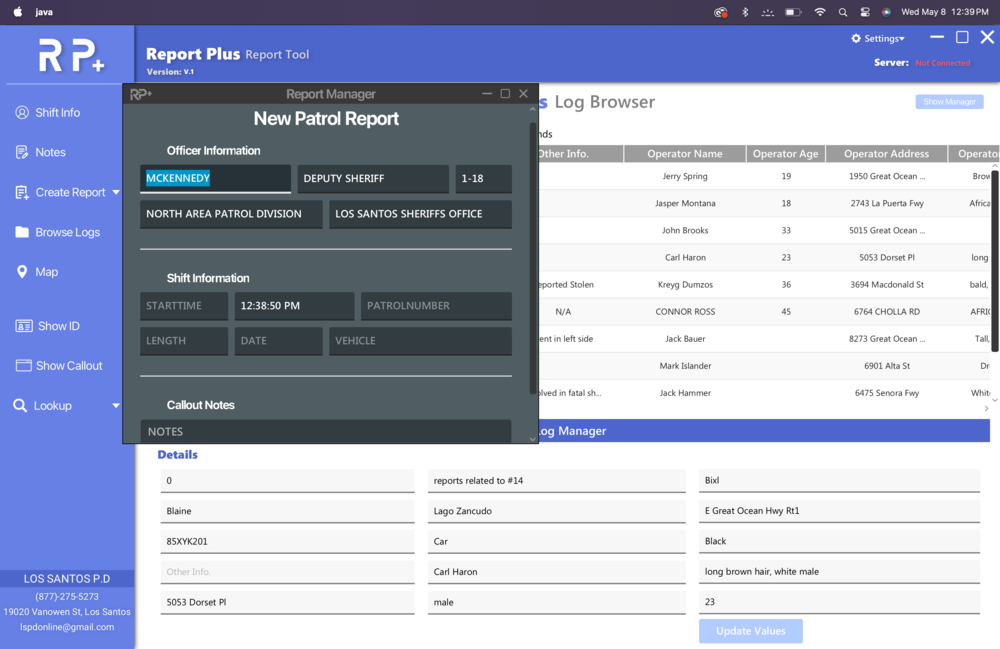
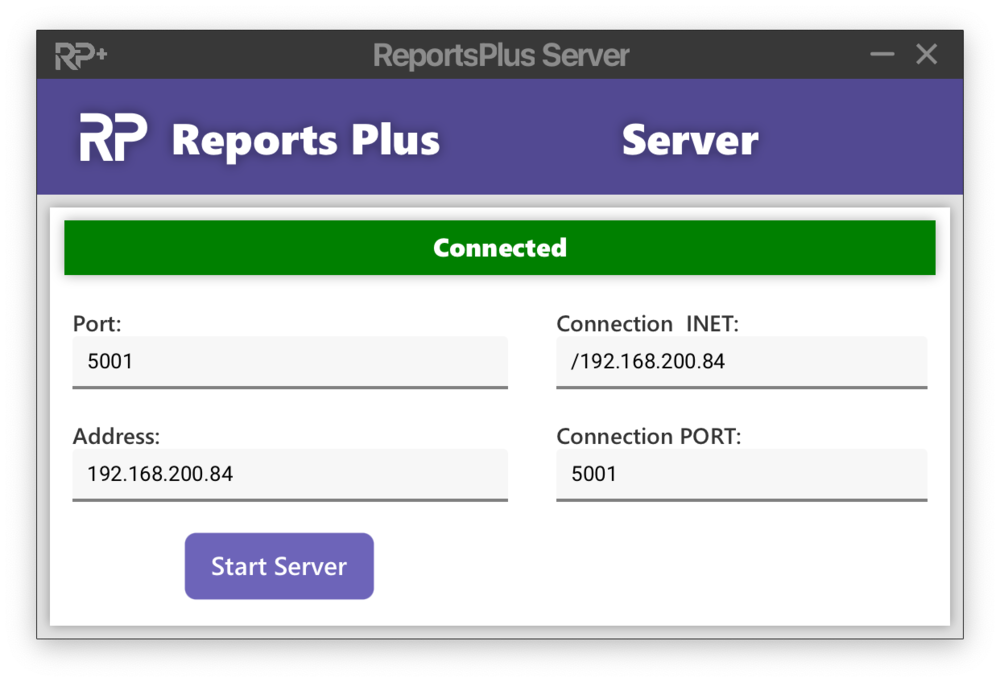
Yep! Created a way to receive game updates through a server that can be installed onto the computer that is running GTA. The server is connected to the ReportsPlus application across your network and transfers files to the client with ped data/vehicle data etc. Currently, I have created a way for callouts to be displayed within the application as well as when you ask a ped for their ID with StopThePed the ID is actually transferred to the application. I have also added a ped lookup feature and plate lookup feature. All of the report creation windows are external now since I made the log browser embedded in the main window instead of an external window. Not sure yet how I feel about the external report windows but it may look better with a different color pallet. Great idea, I am surprised that I hadn't even thought of this.
-
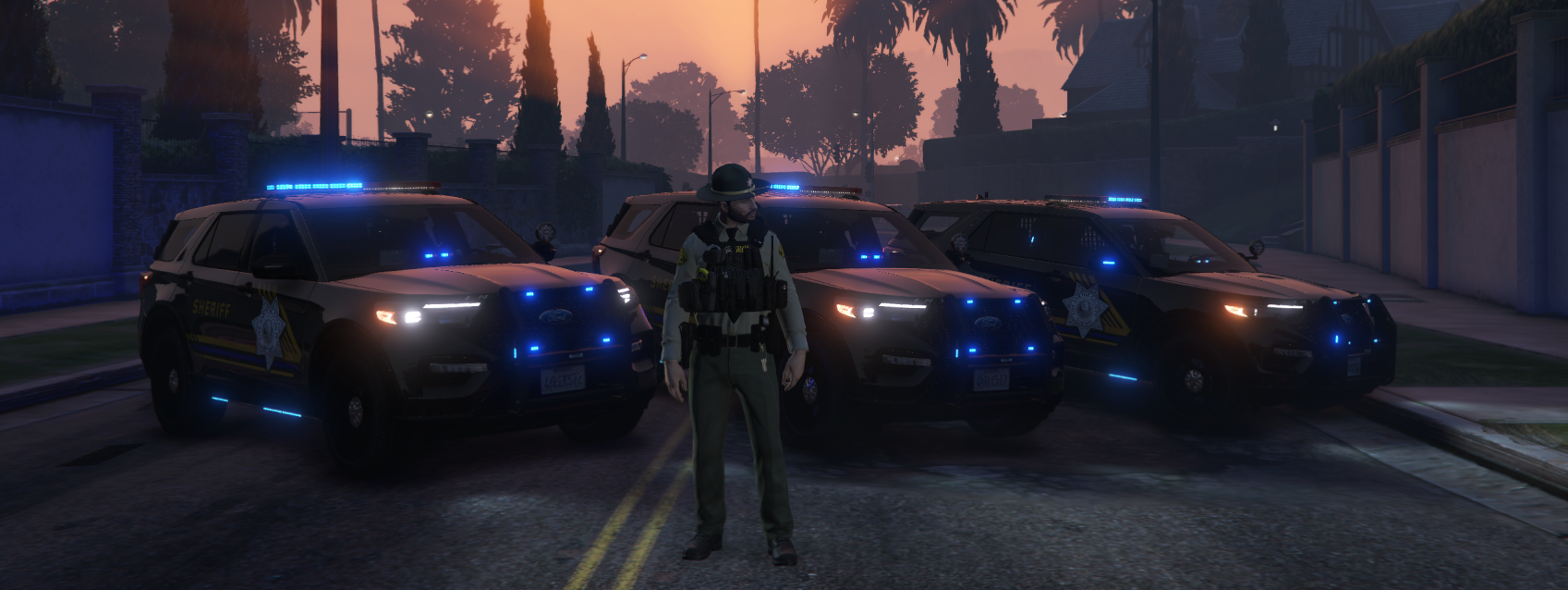
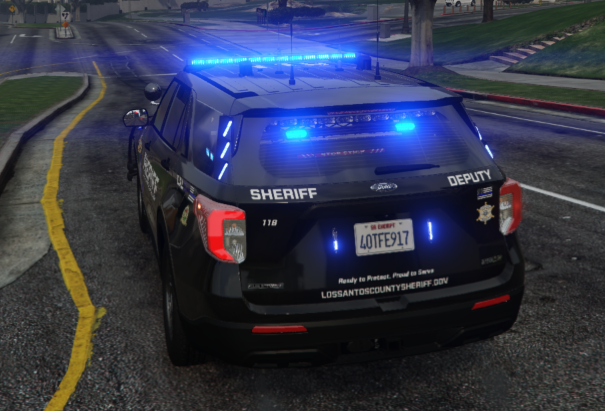
I've always just used Brighter Emergency Lights by MSTB. If you haven't already I would give it a shot I think it looks the best out of all the ones i've tested it gives a good bloom effect during the day and especially during the night. I believe I just use the recommended "Bright" preset they give. I just took a quick ingame screenshot.
-
Which vehicle plate textures are you trying to use?
-
Can you post your Rage Plugin Hook log?
-
Try downloading the latest RPH and replacing the current files that are in your GTA dir.
-
Make sure that you have ran GTA 5 normally at least once.
-
RageNativeUI information can be found here on the thread, you can go to the GitHub and grab the latest version. Updating EUP Menu is simple as well, here is a link to the download page. Take the downloaded files and replace the ones that are currently in your GTA directory.
-
Can you elaborate more? Do you have a log you can share? And what do you mean you crash when you are near a tequila drink, like the drinks you can interact with in the apartment?
-
I'm fine with releasing it any time as long as it is something people would be interested in. This is still an early version, I have a lot of stuff I would like to add still, and update the UI since I don't know how I feel about it in its current standing. Yeah, I was kind of shooting for something that's similar to that. My goal with this project is to make an application that actually functions like an actual police computer, with the ability to incorporate into LSPDFR and have callouts you receive actually go to my application, similar to how ExternalPoliceComputer can be used from another PC and receive information. This would be a feat to accomplish since I mainly program in Java, not C#, but I have some ideas for making it work.
-
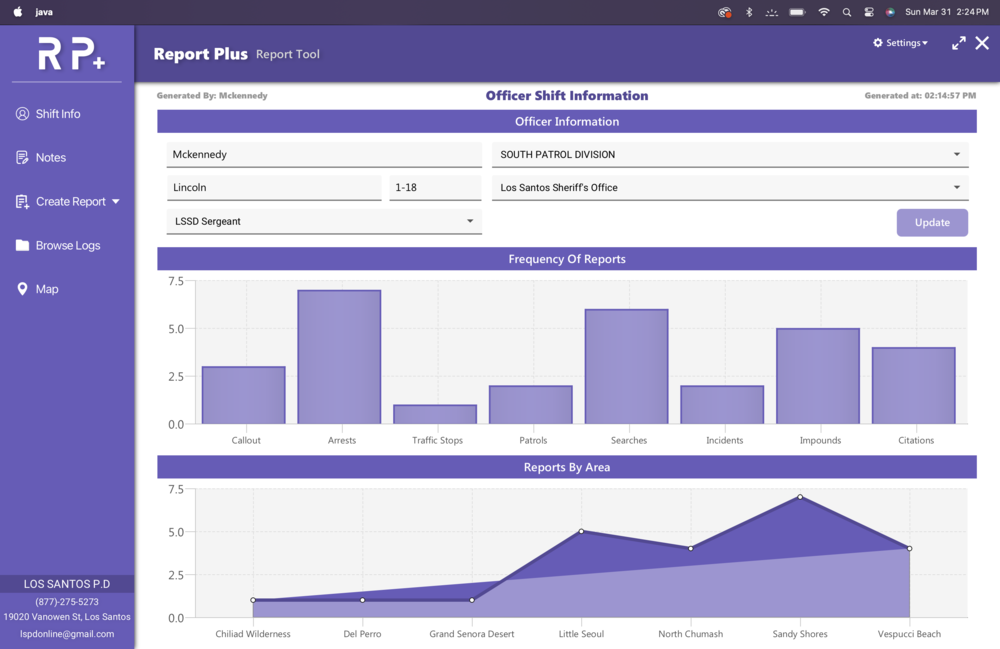
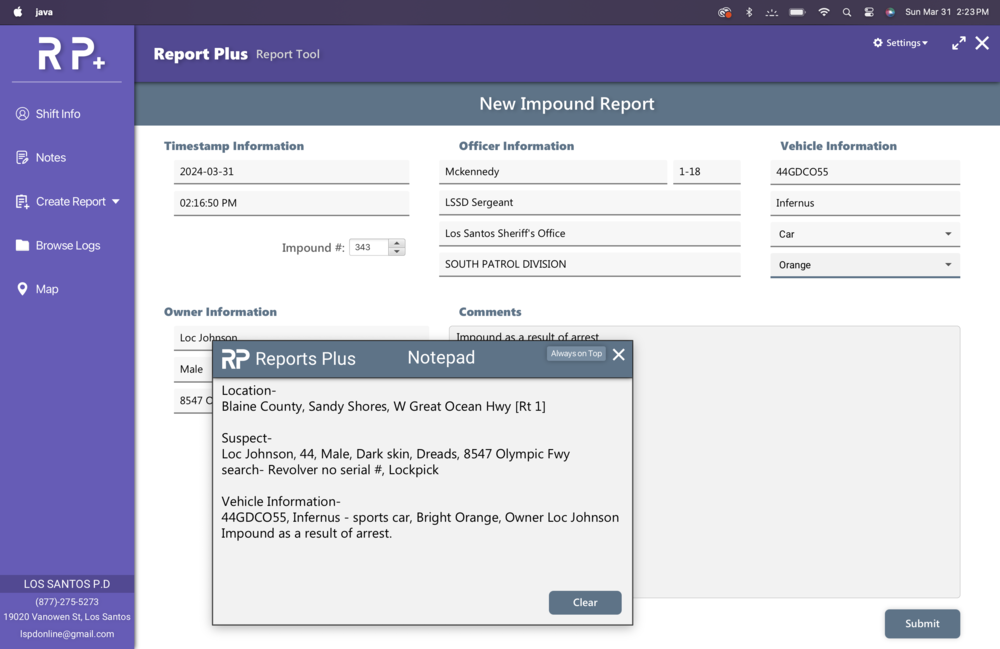
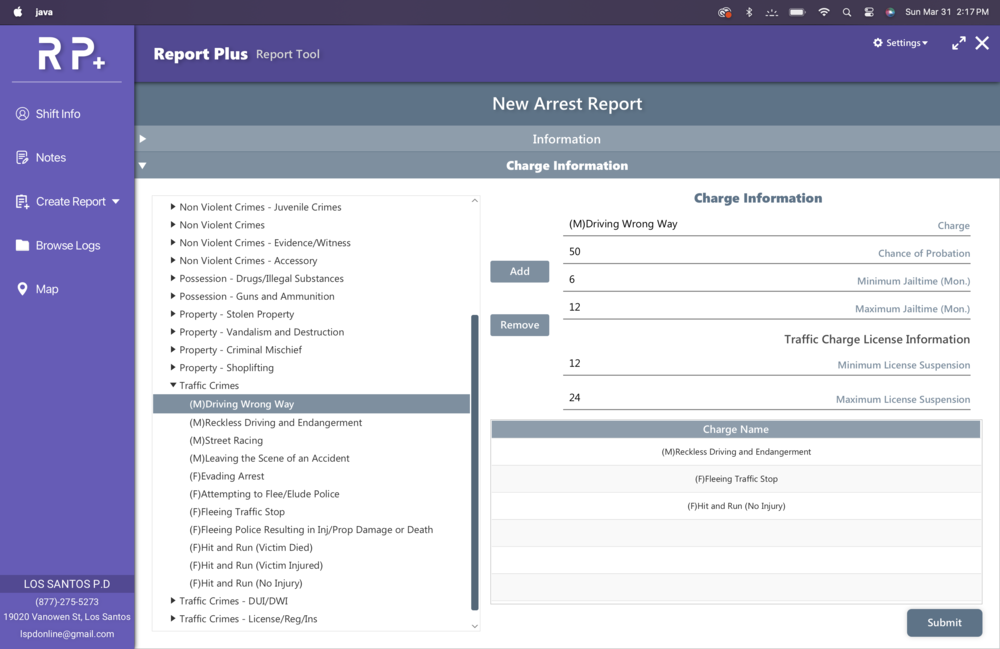
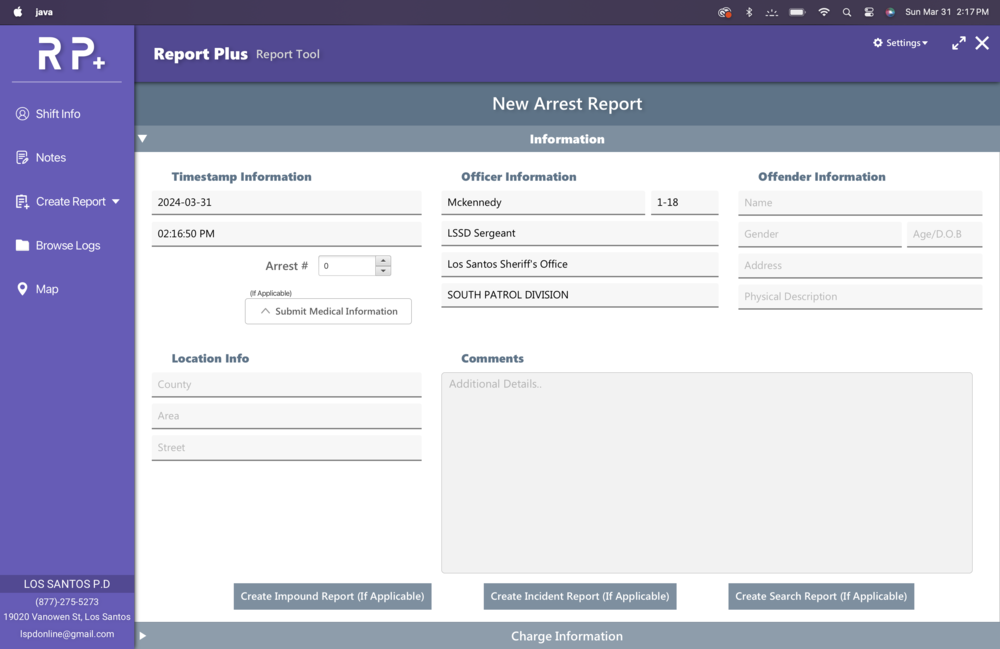
Hello everybody I haven't ever posted on these forums so please excuse me if this post is in the wrong location. I have been working on an application that can be used for doing reports for LSPDFR since I like the realism aspect of it and I feel even using something like Compulite or ComputerPlus isn't as realistic as I would want it. I started working on this project for me and a few friends who I know also wanted the same thing and I wanted to see if it was something anyone else would be interested in. I had never originally planned to release it but I figured I should see if it was something anyone else would be interested. This application took HEAVY inspiration from PaperWorkPlus which is an application I enjoyed while it was active and was a great tool. The program was created in Java and would most effectively be used on another laptop that you have next to you, I use my MAC with it open so it functions similarly to the laptops in patrol vehicles. I have attached some images of the application below, it is fully functional and stores reports in an XML format. some more images here: https://imgur.com/a/V9vBTp9 Features- * Create Reports for Citations, Callouts, Patrols, Traffic Stops, Impounds, Searches, Incidents, and Arrests at the moment. * Fully Functional Log Database which displays all the information for every log. * Make doing the reports faster by transferring information into another report. Say if you created an arrest report you will likely do a search report, so if the create search report button is hit from the arrest report it transfers all the information over like the suspect name, location of arrest, etc. which is a huge time saver. * High-quality zoomable map * Notepad text area, very useful for remembering location info and search items. * Customizable UI, the default is purple, and three different colors can be modified, Main, Secondary, and Accent, I plan on making everything entirely customizable. * Fully Modifiable arrest charges and citations through XML. It follows the same XML format as Compulite, so plugins like Realistic Charges and Citations for Compulite work perfectly for adding a ton of charges and citations. That is what I have loaded in the screenshot. * Tons of Divisions and Agencies to choose from which took heavy inspiration from PaperWorkPlus. * Many more I am looking forward to any feedback on whether this is something any of you would be interested in me releasing.
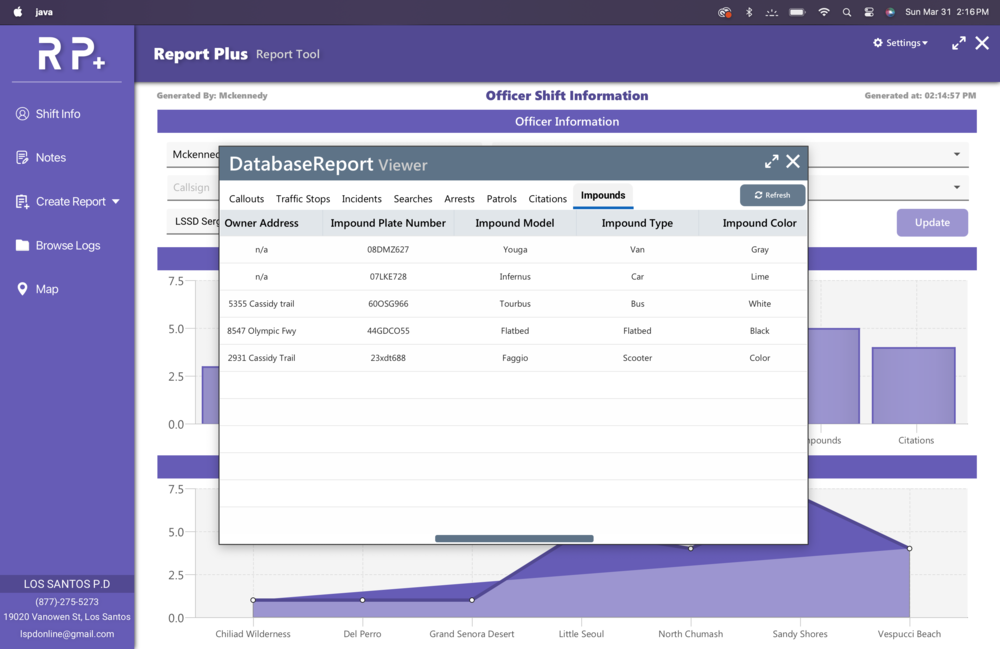
-
EARLY DEVELOPMENT This is an early release of a very in-depth application with a lot of features, there WILL be bugs. Please, before leaving a bad review, leave a comment here or preferably on the ReportsPlus Discord with the issue and I will work to fix it ASAP. Please also let me know any features you would like to see added and I can work to implement them Consider joining the ReportsPlus Discord for helping with testing, support, requesting features, and development updates. Description: - ReportsPlus was designed to act as an external MDT that can be used from another device (Windows/Mac OS) to create reports, receive actual game data, and make the LSPDFR experience much more immersive. - ReportsPlus really shines when used from a separate system you have next to you, as it mimics an actual MDT, however, you can use it from the same system if you don't have access to another laptop you can use. - ReportsPlus is not just typing reports like the name may suggest, as ReportsPlus has a fully functioning court system, lookup system for peds and vehicles, callout popups, ID popups when asking for them, tons of customization, and report types, full language translation, and SO MUCH more than I can list here. - This is not a window that opens in-game such as something like CompuLite, it is an external application that connects to your game to be able to receive actual game data. Key Features: Court System- When creating a Citation or Arrest report, a court case will be created. These court cases will reveal their outcomes over a customizable amount of time, with charge/citation outcomes being taken from your Charges.xml and Citations.xml (Compatible with Compulite Charges/Citations) Ped/Veh Lookup- Peds and Vehicles can be looked up in their respective lookup apps. You can see tons of data for each such as license information, previous charges/citations, times stopped, vehicle registration/insurance information, and much more. Callout Popups- If you have Callout Interface installed, when receiving a callout in-game they will pop up on the Application where you can see their data. They then get put in the Callouts app to be viewed or closed with a Callout report created. ID Popups- If you have STP, when asking a ped for their ID or patting them down, you will have an ID popup in the Application with the suspect's ID and their information. Advanced Notes- Notes can be written in the Notes app, and data can be pulled directly from the notes into report windows when using tags Log Browser- View and edit previously created reports, arrests, and citations. Tons of Customization- You can customize almost everything in the Application. All of the colors can be changed as well as the desktop background color or setting it as an image of your choice. RP supports localization via the locale file to translate almost every piece of text in the entire Application. All dropdown options, Charges/Citations, Agencies/Divisions/Ranks, notifications, and so much more. {NEW} Custom Reports- Create custom reports with completely customizable custom dropdowns which can be shared. For more information consult the User Guide included in the installation. Usage / Installation / Troubleshooting: - Make sure you consult the comprehensive USER GUIDE included in the download and other accompanying materials before attempting to use ReportsPlus. ReportsPlus does have Requirements (Java/JDK), which are explained in-depth in the USER GUIDE Make sure Java is installed FIRST It seems a recent JDK 25 update is causing some people issues, you can download jdk24 here Java Archive Downloads - Java SE 24 If you have an issue please make a Support post in the ReportsPlus Discord * Currently undergoing a complete rewrite into a web-based system, any suggestions will likely go toward this new version *
- 339 comments
- 43 reviews
-
-
-
-

- 88
-
-
 Actually, you have to update your actual LCPDFR not traffic policer to fix that. And I can see you dont have the latest version of it.
- 3,646 comments
- 306 reviews
-
-
After I go to the police station to start my shift. After I get in my car after customizing it, it says: Please help me!!
- 3,646 comments
- 306 reviews

.thumb.png.656f907bc2febc81911b0b821cb502c8.png)


