



Obriant1929
Members
-
Joined
-
Last visited
Everything posted by Obriant1929
-
Okay, I've got a weird one. When I preform a traffic stop, once the car pulls over and I park behind them, AI traffic slows down and moves over into the other lane. Which in all honesty doesn't sound terrible, but after 10-15 seconds they crash into each other so much it causes a pile up right beside me. It's only on traffic stops. If I just sit on the side of the road and activate ELS, they drive right past me like normal. I've looked at all my plugins and everything and cant find where the issue is. I don't recall installing anything that caused it, it just seems to have started randomly. It's a headache and any help is appreciated.
-
-
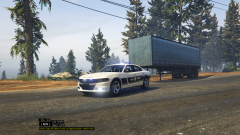
Hey, I can't help you on the modeling of the car part seeing as how I haven't modeled a car since GTA IV days, but if you don't hear from a modeler I may be of some help. If you don't hear from somebody, try to find a charger model that you would be satisfied with using (possibly BxBugs123's chargers?) and send me the link, and I can make a texture for you (you can look on my profile for pictures of a North Carolina State Highway Patrol '15 charger I skinned). You (or I) could also replace Bxbugs123's charger hubcaps textures with a black ones to match the rims in the photos. If you decide to go this route I could have the skin ready in a few hours - a day
-
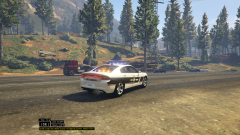
From the album: North Carolina State Highway Patrol
-
Cars I have skinned to resemble/match the NCSHP. PM me for for any skin requests for any department/agency.
-
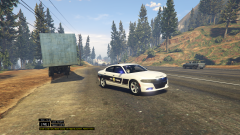
From the album: North Carolina State Highway Patrol
-
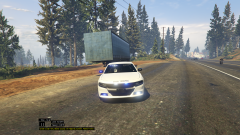
From the album: North Carolina State Highway Patrol
-
From the album: North Carolina State Highway Patrol
-
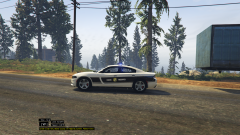
From the album: North Carolina State Highway Patrol
-
 Hey Alex, I wanted thank you for your work and know that this has changed countless people's experience with LSPDFR. I do have one question though, is there a timeline as to when the campaign hats will be fixed and ready to use? No rush, just being curious.
- 2,353 comments
- 238 reviews
-
-

- 2
-
-

