


icanteven
Members
-
Joined
-
Last visited
Everything posted by icanteven
-
It's called LSPD Blue " INSTRUCTIONS: Phone - use Youtube or Vrideo app; Computer - use Chrome or Firefox, click/drag or WSAD keys to look around. THE ARROWS WILL GUIDE YOU! Set quality to highest possible Google cardboard currently only available for Android. iOS users go tohttp://www.vrideo.com/watch/lLcWCSO for VR experience. If screen is BLACK refresh your browser (Firefox or Chrome) " Does anyone know how to record longer for the Rockstar Editor. If I get more ram will I be able to record longer? I've got 16gb of ram and a geforce gtx 660 ti with 2gb of vram
-
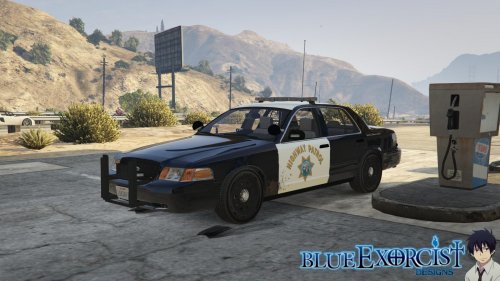 Awesome car! I tried replacing the air freshener with the provided optional PNG but now it just shows up as a black silhouette in the car. Any advice on how to fix this would be greatly appreciated. @quentin23 OpenIV x64e.rpf and go into the vehicles folder to replace
- 77 comments
- 10 reviews

