Skip to content
View in the app

A better way to browse. Learn more.

LCPDFR.com

A full-screen app on your home screen with push notifications, badges and more.

To install this app on iOS and iPadOS
  1. Tap the Share icon in Safari
  2. Scroll the menu and tap Add to Home Screen.
  3. Tap Add in the top-right corner.
To install this app on Android
  1. Tap the 3-dot menu (⋮) in the top-right corner of the browser.
  2. Tap Add to Home screen or Install app.
  3. Confirm by tapping Install.

Iggy Fresh

Members
  • Joined

  • Last visited

Everything posted by Iggy Fresh

  1. This guy thought he could get away!!
  2. We got an alien evade video!!
  3. New Supercar Patrol!!
  4. I brought my Hot Wheels car to a drag meet!!
  5. New bad cop patrol is awesome!!
  6. So I played as a mountain lion in the city!!
  7. My K-9 partner was RAN OVER!!
  8. New Evade episode!!
  9. City patrol gets crazy!!
  10. Police RC Car Patrol!!
  11. Do cops hate seagulls? Oh yes they do!
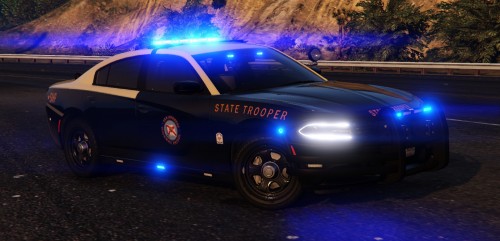
  12. New 2019 FHP Charger by Gump!!
  13. What it’s like being a police officer in GTA5
  14. Another crazy patrol!!
  15. This random guy tried to fight me!!
  16. So I got my license suspended!!
  17. New Supercar Patrol!!
  18. Army of police robots!!
  19. New Corvette Patrol!!
  20. Police ride along goes wrong!!
  21. Robbing a bank with Chop!
  22. Patrolling with my favorite police car!!
  23. SWAT team robs a bank!!
  24. New military police video!!

Account

Navigation

Search

Search

Configure browser push notifications

Chrome (Android)
  1. Tap the lock icon next to the address bar.
  2. Tap Permissions → Notifications.
  3. Adjust your preference.
Chrome (Desktop)
  1. Click the padlock icon in the address bar.
  2. Select Site settings.
  3. Find Notifications and adjust your preference.