


Forklift
Members
-
Joined
-
Last visited
Everything posted by Forklift
-
-
 Did you make a NEW FRESH mods folder and reinstalled this and all other mods?
- 267 comments
- 36 reviews
-
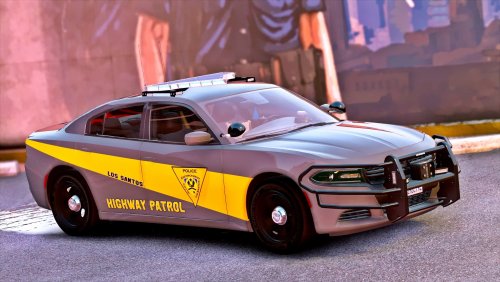 Love this vehicle, only thing I don't like is the see-through tires. You can see it even when car is upright, I just took a screen with vehicle upsidedown so you can see it clearly
- 35 comments
- 37 reviews
-
This makes modding so much easier. Gather all mods in one "patchday" even after updates. Thank you Albo1125 for your superior content!
- 267 comments
- 36 reviews
-
-

- 2
-
-
I had this problem aswell, for me it worked when I did a fresh install of mods folder. Delete mods folder, copypaste x64 and update folder from GTAV Directory, install vehicles fresh into new mods folder. Hopefully it is this easy for you too
-
I solved it. I removed mods folder and started off with a fresh mods folder, reinstalling vehicles and such. Everything works now. Admin can lock this topic
-
I have those installed
-
Reinstalled all plugins, didn't work
-
Hello, I could play perfectly fine two days ago with mods, yesterday game wouldn't load mods folder or any recent dlcpacks. I noticed through trainer and ragehook console I couldn't spawn in vehicles that were in latest patchdays. So basically it won't load in anything after patchday8ng, including own created dlcs. Attached Install location and what version+ RagePluginHook.log where I tried to recreate all problems I have for now Plugins that did not start: PoliceSmartRadio Agency Callouts Arrest Manager Assorted Callouts CodeRedCallouts ComputerPlus LSPDFR+ LPCallouts SearchWarrant Traffic Policer EUP Emergency Pack PeterUCallouts CalloutManager Darkmyre API I also have 4 custom made peds that did not load Note: EUP Menu started Thanks in advance, Regards Forklift RagePluginHook.log gta5installerade.txt
-
I got same issue, I have updated update.rpf in mods folder, but somehow it just won't load within GTAV. No vehicle mods work, EUP won't start anymore
-
Here I will post screenshots from ingame
-
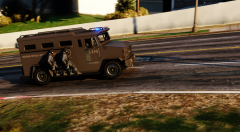
From the album: Forklift's Gallery
Rolling onto a bank heist with my SWAT team -
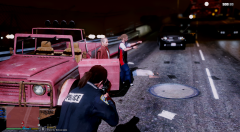
From the album: Forklift's Gallery
Not everyday you get to arrest Trevor Phillips and his gang -
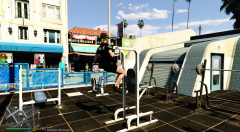
From the album: Forklift's Gallery
Showing off chin-ups at beach gym -
-
-
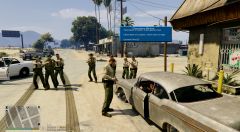
From the album: Forklift's Gallery
I was about to ticket this female for a broken wheel. When 5 squad cars roll up and start fire into 24/7, apparently there was a robber there, which I did not know about. They killed him, and focused on my traffic stop. Which displayed a hilarious scene, where all cops holding that poor woman at gunpoint, while I was writing the ticket. EDIT: Robber can be seen laying in background, shot multiple times. -
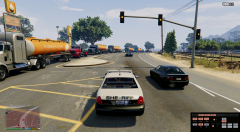
From the album: Forklift's Gallery
High Speed pursuit, and all the RON truckers in oncoming lane. It was quite surprising to see. And more and more spawned in, eventually it stopped. -
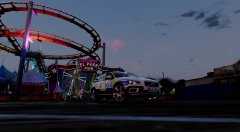
From the album: Forklift's Gallery
Was going for a cinematic shot with Del Perro in background. -
Well, that's too bad. Anyway thank you for your help, even when we went off-topic.
-
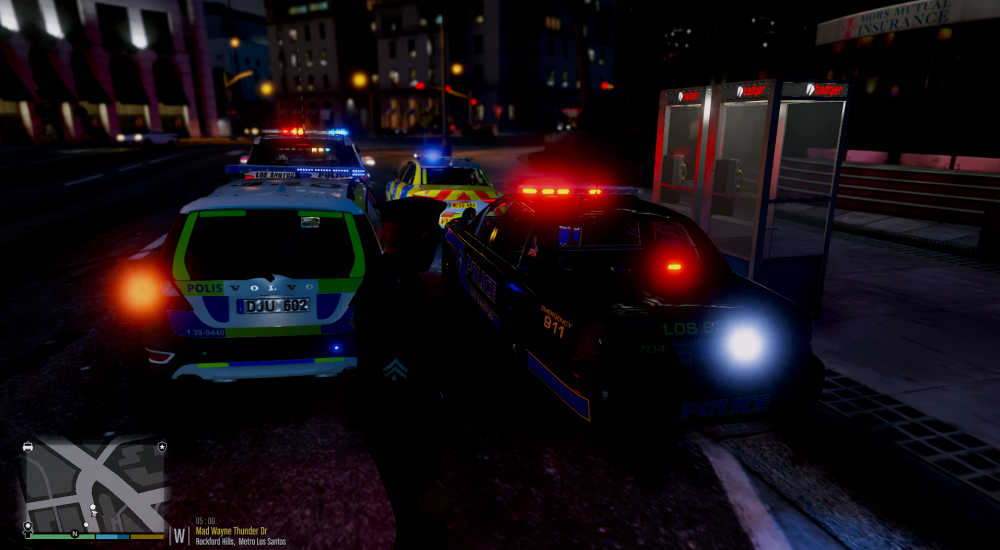
Seems to be original light for that bar as it seems on model creator page. Tail lights, and that flashing reverse light on crown vic. You see how edgy that light of circle is (I totally forgot what it's called)
-
Hmm, then I have to ask model creator if it's possible to get brighter lights. How about those non-smooth backlights, do you have a slight idea what causes it?
-
As you can see in picture, the Volvo lightbar is not as bright as the others. And I also noticed how non-smooth the backlight is, I havn't seen that before, and now that I've seen it, it bugs me. I just installed Radiance V (Very bright) visualsettings.dat
-
That's a relief to read. Now I can continue to configure how to get brighter lights on my Volvo XC70 mod. Maybe you guys should pin ELS light problem to this forum section, seems to be a lot to have similar problem. So you don't get over-swamped with posts like mine
-
I tried that solution some time ago. That did not work. So I tried again after you suggested it, and somehow it magically worked. So strange. Thank you for your quick response Arariel



