


jcmch
Members
-
Joined
-
Last visited
Everything posted by jcmch
-
.thumb.jpg.bfad1c193dd40b9d539eefd7c5187a5a.jpg) FIXED Okay so I was able to fix it thanks to some advice from sircam19 and OfficerArchie. The location of the carvariations.meta wherein I needed to change the lightSettings and sirensettings values was in mpluxe2. After I followed sircam19's instructions with THAT carvar the lights finally work. Woo
FIXED Okay so I was able to fix it thanks to some advice from sircam19 and OfficerArchie. The location of the carvariations.meta wherein I needed to change the lightSettings and sirensettings values was in mpluxe2. After I followed sircam19's instructions with THAT carvar the lights finally work. Woo- 157 comments
- 46 reviews
-
I am having trouble getting the lighting to work (see pictures). Certain lights are floating out in front of the car. Also the light-bar doesn't fully light up, only one of the blue lights on the passenger side lights up.. I've tried editing the carvariations.meta (sirensettings and lightsettings are both set to 1 but I've tried variations with no change in game.) I've tried using the visualsettings.dat file included in the download (I dropped it into mods\update\update.rpf\common\data). The last place I can think the issue resides is within the vehicles.meta for Sheriff? But there's no line provided within the download or the comments so I'm not sure what to edit there. Currently my code for vehicles.meta is from Bxbugs123's 2011 CROWN VICTORIA LASD/LSSD V1.4A. It doesn't help that the "MIF" read-me included is inapplicable to the car... There is no included "flags" line (although I added the one provided by on Mattbravo on page 1 of the comments). The visualsettings.dat file included isn't mentioned in the "MIF" either, likewise with the packager installer (not that I want one). But I really don't get the point of including the read-me like this in the first place as it doesn't actually help you install the car. I currently have BxBugs123's charger, CVPI, and Impala installed, could one of these be conflicting with this sheriff CVPI? Can anyone provide some insight into what I'm missing? Or perhaps share what line you are using for your vehicles.meta? Thanks
- 157 comments
- 46 reviews
-
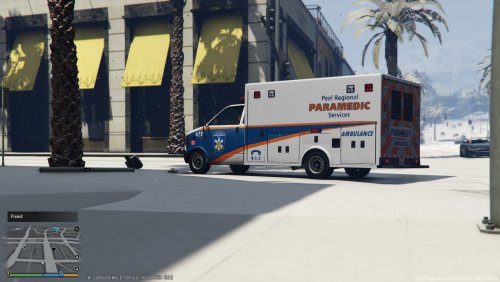 INSTALL: Drag and drop all files in "AMBULANCE" using OpenIV, to: GTA V\mods\x64e.rpf\levels\GTA5\vehicles.rpf\ .. Or if you don't have a mods folder: GTA V\x64e.rpf\levels\GTA5\vehicles.rpf\ Credits: OfficerHJones for original ambulance template

.thumb.jpg.bfad1c193dd40b9d539eefd7c5187a5a.jpg)
