SoleJakey
Members
-
Joined
-
Last visited
Everything posted by SoleJakey
-
Their vehicles are equipped with the Federal Signal SSP2000 siren(s), same with their 2016 (and newer) ford explorers/chargers.
-
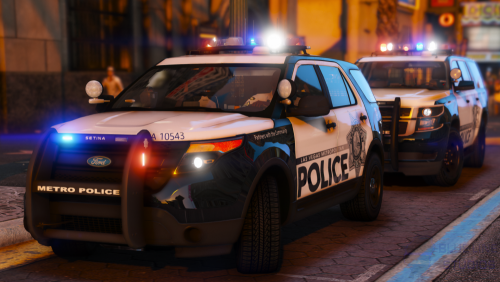 One, I typed and submitted that comment, thus I am not blind. Two, the model has its flaws when it comes to quality and accuracy, but as a resident, it's as accurate aside from the other models on LCPDFR and correctly laid out. With that being said, I'm sure you can replicate this work and make it accurate, yes?
- 67 comments
- 25 reviews
-
-
 No problem! I still think it looks amazing, and I hope to see more from you in the future. Nice work.
 -
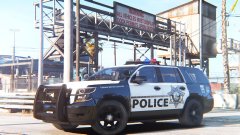
Lacking some accurate parts, including the K-9 sign, but I'd still rock this Tahoe. The Metro logo on the sides look a bit squished though.
-
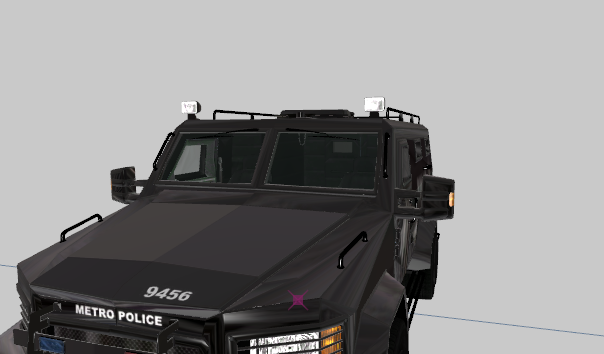
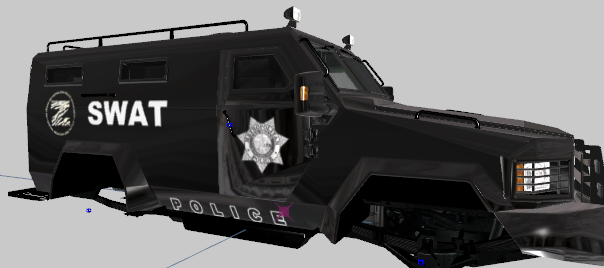
@AussieMerc I forgot about the models as well. Progress, accurate livery for this particular Lenco model:
-
Thank you, as for everyone else. The details really help. I'll try to edit my work
-
Ah, I appreciate the pointer. It might've been a liberty. I'll figure it out when I get the chance. Thanks!
-
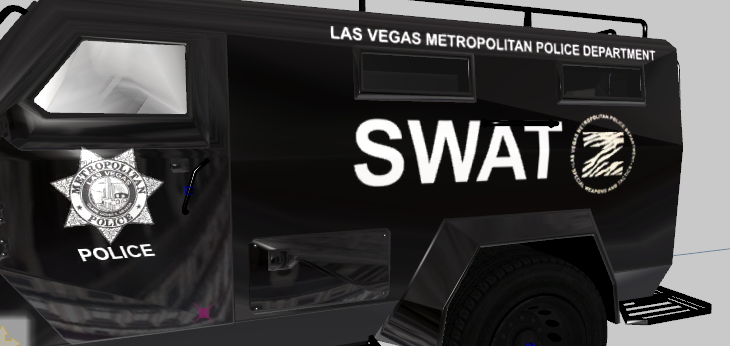
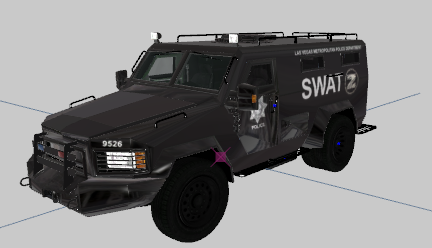
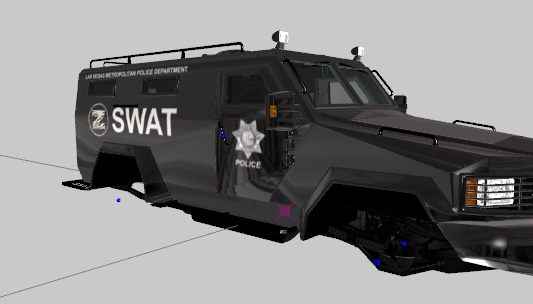
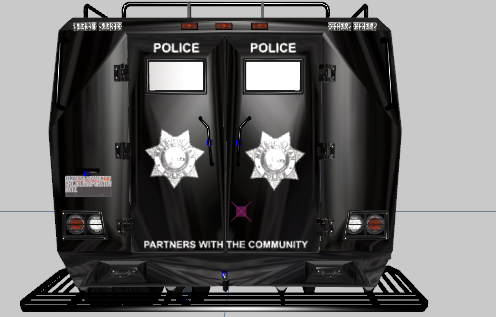
Putting together a Las Vegas Metropolitan Police Department Bearcat using @Cosmo 's Bearcat Variation. I'm planning, or at least trying to develop the LVMPD pack with the correct and accurate parts, but most likely @LVMPDFAN will beat me to it, lol. The model was already loaded when I got it, so I made the texture and all I need is a Whelen Justice? I think. To slap on top of this bad boy. And I cannot emphasize how dead this model looks without the lightbar, even after I add the lightbar I am sure I'll need to break out of accuracy just to make it look "better." Well, here it is... Still in my Zmodeler... Not being tested:
-
Thank you so much! It is very much appreciated.
-
Hello everyone! I'm currently looking for some parts to get me started with a pack for our gaming community, and the general public for proper credits are given. I'm very new to modding, so I have my limitations when it comes to putting things together. What I have absolutely been looking for was an accurate model of the Federal Signal Vision SLR (the one by Otaku is beautiful, but it isn't accurate) , the Setina PB-450L (Mapped or not mapped). I'm also looking for the template for Codex12's F150 if anyone is able to find one. Lastly, my department vehicles have this white rounded cone in front of the lightbar, and I'm sure I can model it through blender, but I don't know what it's called. Any idea? I've got pictures if needed. Thanks!
-
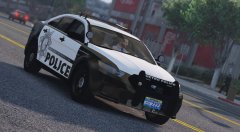 For someone who has seen these models in person (Thanks to the explorer program), this model is close to accurate. The vision SLR is missing some finishing touches, but I don't see why I wouldn't rock this model. I'd say well done, I'm not sure why anyone would bother to even call it inaccurate. It's a waste of time.
 -
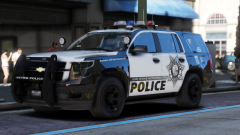 Well my lord. After so many unsuccessful modding, someone is actually working hard for this to happen. My buddy in the explorer program is going to love this. And say, is that a K9 Tahoe?
 -
@ISPfan12 I am actually getting myself back into modding, and I'm starting with this site. I am looking to mod a 2015 Taurus, 2016 Ford Explorer, 2010 F-350, and a Crown Victoria. I might even throw in a Bearcat if I get any better since last year. I will definitely be using the Vision SLR, and proper credit. I had a terrible attempt at making an LVMPD livery. I would love to make the North Las Vegas Police cars too.
-
Very nice, I'll use this along with proper credits. A good touch to a patrol vehicle or an ambulance.
- 2 comments
- 1 review
-
 I'd love a Dashie bobble head in my Crown Victoria.
 -
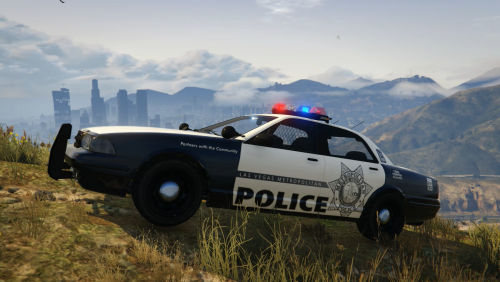 As a Las Vegas resident, I give this an overall five stars. Although you did not use the vector light bar to show off this livery, you did so well, I had to get it no further questions asked. Great job!
- 8 comments
- 2 reviews