LewisTheThird
Members
-
Joined
-
Last visited
Everything posted by LewisTheThird
-
 When she doesnt have money to pay the ticket :3 If you know where this is going
 -
-
![something huge is coming [WIP]](//s3-gallery.int-cdn.lcpdfrusercontent.com/monthly_2016_03/small.test2.png.b70f1239e37c301c0efa402d41ac5468.png) *spongebob sound* 2 months later
*spongebob sound* 2 months later -
-
-
 RIP In Pepperonies
 -
Meh, 6.3/10, will still do it
-
 I dont understand, when I add the carvar file it crashes my game, when I remove it, it doesnt crash the game but lights r fucked up
- 269 comments
- 67 reviews
-
Wait I dont understand, If I choose use this file to make any slot act like sheriff2 does this mean I can still use my Sheriff Tahoe without replacing it? EDIT- I found how this works so nvm
- 269 comments
- 67 reviews
-
In LSPDFR Backup? I tought they already spawn evertime with helmet in vanilla game
-
I was bout to say "No shit, Ive tried that already" but I found one...Sooooo ;-;
-
Im looking for a Sheriff CVPI that would replace Sheriff but I cant seem to find any, are there even any out there?
-
 I like this alot but do you think that the vest(with tazer) can be added to MP Character?
- 273 comments
- 61 reviews
-
-

- 1
-
-
-
-
So I can play for like 4 minutes and the game crashes, not sure is it one of my downloaded mods, plugins or LSPDFR
-
 LSFD in a nutshell
 -
-
 According to the picture EUP 9.0-Weiner Police ;-;
 -
-
So I have installed Ford Explorer and some SUV for Sheriff, so if I change the carvartiations stuff and then add the Sheriff2 files to the thing wouldnt it still replace Sheriff2 or will it replace Police3, idfk
- 269 comments
- 67 reviews
-
 This is some Toys N Rush(Did I wrote Rush?) shit
 -
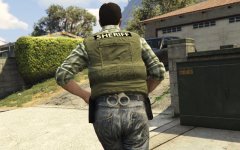 Well, since im a male I rate the ass 2/10, wait thats what youre talking about right?
 -
-
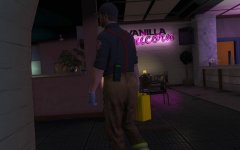 I DIDNT HAVE TO SEE THIS! NO, GOD NO, PLEASE NO! (When you need a part time job)

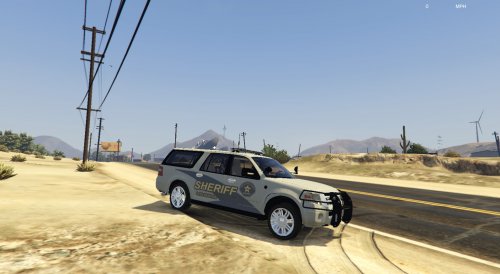
![something huge is coming [WIP]](http://s3-gallery.int-cdn.lcpdfrusercontent.com/monthly_2016_03/small.test2.png.b70f1239e37c301c0efa402d41ac5468.png)