


TL1223
Members
-
Joined
-
Last visited
Everything posted by TL1223
-
-
-
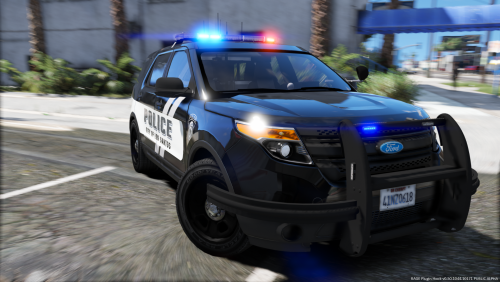 For those who want the WSP style traffic advisory lighting for when you've pulled someone over, set your SCAN pattern in SECL and PRML to 121, 121 and 115. Then change your SECL and PRML's Lstg2 to SCAN. It wont be 100% the same as WSP lights due to the lack of the yellow, but the flashing pattern is pretty darn close.
- 18 comments
- 22 reviews
-
-
 Is there a way to remove the rear window tint? My settings are set to off in the vehicle.meta file but it seems like the model has tint on it. Maybe i need a untinted window file?
- 81 comments
- 25 reviews
-
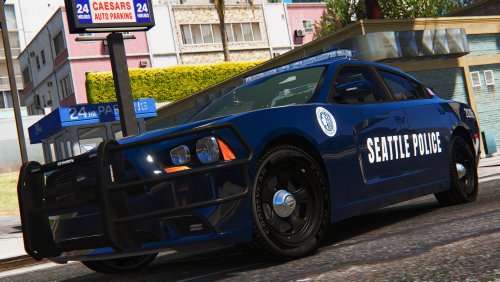 This is amazing! Can also you make a livery to fit By thegreathah 's MCPD FPIU vehicle?
- 21 comments
- 7 reviews
-
-
 Having the same issue as a lot of people. LIghtbar does not work. I've also tried every thing that's suggested and still nothing. I did see that the steady burners lights (scene light?) as well as the interior light do come on.
- 2,700 comments
- 241 reviews
-
 i did that already and it didnt work for some reason. i also searched to see if there were other Sheriff2 models in there to be sure i captured it all and there was only one.
- 85 comments
- 28 reviews
-
Do you know a way to clear the tint so it spawns without the tint? Edit: So I went in to edit the default tint line to spawn without tint however, it still spawns with tint for some reason. I enabled the trainer and the default tine line shows "None". The tint would only disappear when i toggle the tint from "Light tint", "Smokey" or whatever shades there are and then back to "None".
- 85 comments
- 28 reviews
-
thanks for the response @thegreathah. I took a look at the vcf and resolved the issue on the CVPI. As for the Tahoe, I did noticed the Tahoe's light bar was super dark when it spawned so that might be what is causing the light to not emit through.
- 85 comments
- 28 reviews
-
-

- 1
-
-
They are installed. That's how i was able to hit the "[" button for the steady light bar to come on. I can try reinstalling again but i dont think that'll change a thing.
- 85 comments
- 28 reviews
-
me like! I've installed two vehicles so far and I'm having some issues with the lighting. im sure its an installation error. I've tried them in three locations with patchday 13 being my latest Patchday13 being my latest patchday, I've tried them in Patchday3, 11, and 13. Everything else is great. CVPI= When I hit the "[" key for the steady lit light bar, half of the light bar does not light up. It does however light up normally otherwise. Tahoe= The light bar does not turn on. Everything else works. Thoughts?
- 85 comments
- 28 reviews
-
 Oh dang :(. I got so excited because i grew up in shoreline and volunteered with KCSO. Any possibility of sharing them privately?
 -
wow these look amazing! When's the estimate release date? I cant wait!
-
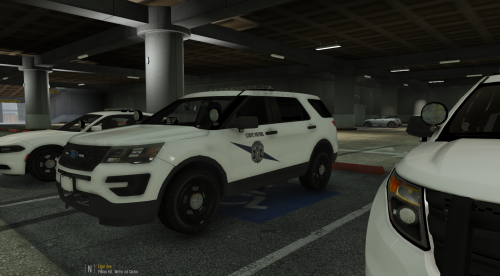 Pretty good! Only thing missing is a license plate and the mid black section on the rear of the CPVI. Any chance you can add those in?
- 3 comments
- 5 reviews
-
 Love everything except one thing... coronas. Anyway to add those in so we can see some lights reflect off the walls at night?
- 74 comments
- 30 reviews
-
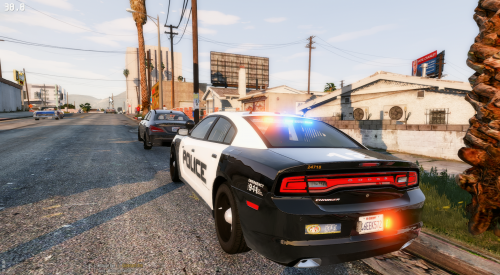 Very nice! It's nice to see models that does not rely on Radiance V for lighting.
- 4 comments
- 7 reviews
-
very nice! Does it support multiple skins? does it fit in the FBI slot as well?
- 4 comments
- 7 reviews
-
-
 Absolutely amazing! Been waiting for a nice Taurus for a long time. Any chance you can release a model with the coronas's raised for those who uses Red and Blue lights only? Having the lights bounce off the walls and objects will make this much more amazing.
- 112 comments
- 36 reviews
-
.thumb.png.647a35b217b2e1fe6e15e0ccc0c77b3b.png) I understand that part and the cars look great, but from the side view, you you couldnt see any red or blue lights on the end of the light bar.
I understand that part and the cars look great, but from the side view, you you couldnt see any red or blue lights on the end of the light bar.- 47 comments
- 18 reviews
-
Nice cars, but the lack of lights visible on the side was the deal breaker for me.
- 47 comments
- 18 reviews
-
 Are you able to make an option where the reverse light flash in the wigwag fashion as well? Whether it is linked to the speed of the headlight or on its own light the indicator lights. This would complete the look on the police vehicles.
- 247 comments
- 45 reviews
-
Wow this is a must have! The video does not do it justice. I was hesitant to get it at first but am really impressed with it. I set my indicator to zero and it's like having a set of free strobes on your car. My headlight wigwags at 275 and is perfect IMO.
- 247 comments
- 45 reviews
-
-
- 1
-
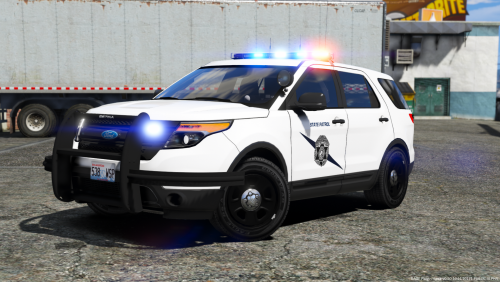

.thumb.png.647a35b217b2e1fe6e15e0ccc0c77b3b.png)
