


Kanyile
Members
-
Joined
-
Last visited
Everything posted by Kanyile
-
-
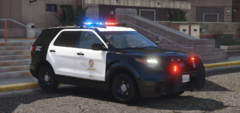
From the album: LAPD 2014 FPIU Pack - Soon
-
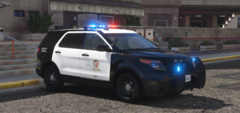
From the album: LAPD 2014 FPIU Pack - Soon
-
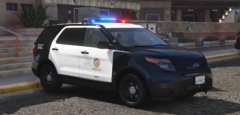
From the album: LAPD 2014 FPIU Pack - Soon
-
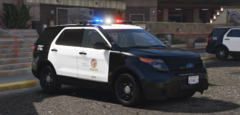
From the album: LAPD 2014 FPIU Pack - Soon
-
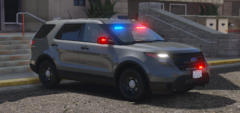
From the album: LAPD 2014 FPIU Pack - Soon
-
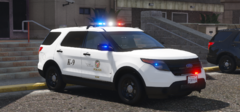
From the album: LAPD 2014 FPIU Pack - Soon
-
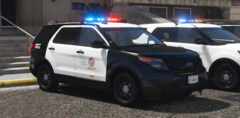
From the album: LAPD 2014 FPIU Pack - Soon
-
-
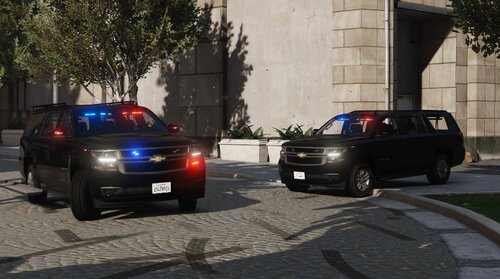
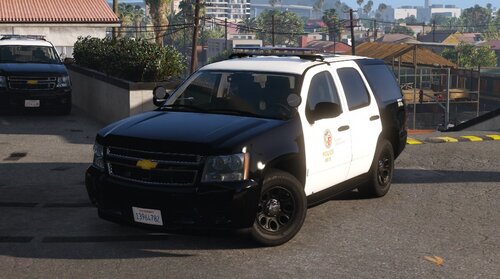 I wanted to try and make one of these after seeing one frequently this month. I'm glad of how it came out, epsecially the lighting. Enjoy the model! How to install: 1.Open "OpenIV" 2.Click Edit mode and follow this path; mods>update>x64>dlcpacks> 3.Drop "lapdtahoe" into dlc packs 4.Go to mods>update>update.rpf>common>data>dlclist.xml and paste <Item>dlcpacks:/lapdtahoe/</Item> 5.Lastly open you ELS folder and drop "lapdtahoe.xml" To make it a replace file just simply rename the "lapdtahoe" in caravations and the vehicle.meta to whatever name you want to change it to, example being (policet) *DO NOT ATTEMPT TO RE-UPLOAD,RIP, UNLOCK OR SELL IT FOR OWN PROFIT*
- 11 comments
- 3 reviews
-
-

-

- 14
-
-
 I could, I would need some lighting videos and a base for it 🙂 That’ll be in an update when I fix the windows
- 19 comments
- 1 review
-
After seeing these vehicles in person I wanted to build it for LSPDFR, it isn't 100% accurate but I work with what I have. This pack comes with 2 suburbans one with the side steps and one without. Enjoy the models! This vehicle is optimized for ELS. Installation Instructions: 1. Open the lapd_sub.rar and click on the folder. 2. Go into OpenIV and on the top right of the screen press "Edit Mode" 3. From there, navigate to dlc packs using this pathway: mods> update> x64> dlcpacks 4. Drag and drop "lapd_sub" After that go you'll have to go into dlclist: 1. mods> update> update.rpf> common> data> 2. Open "dlclist.xml" 3. Add a new line "<Item>dlcpacks:/lapd_sub/</Item>" 4. Press save then close it. ELS: 1. Go to GTAV directory or OpenIV directory and find your ELS folder. 2. Click into "pack_default" and drop the lapdsub and lapdsub2 file in there. *DO NOT ATTEMPT TO RE-UPLOAD,RIP, UNLOCK OR SELL IT FOR OWN PROFIT*
- 19 comments
- 1 review
-
-
-
- 14
-
-
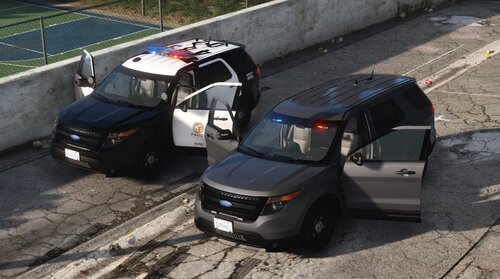
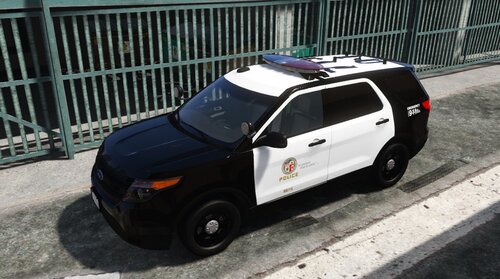 This is my 3rd project I have finished. This project is still a work in progress. It's 90% accurate for the most part. Any issues should be commented below in a respectful manner. This vehicle is optimized for ELS. To replace you need to learn how to do so, there are many tutorials on how to. Installation Instructions: 1. Open the 13piu.rar and click on the folder. 2. Go into OpenIV and on the top right of the screen press "Edit Mode" 3. From there, navigate to dlc packs using this pathway: mods> update> x64> dlcpacks 4. Drag and drop "13piu" After that go you'll have to go into dlclist: 1. mods> update> update.rpf> common> data> 2. Open "dlclist.xml" 3. Add a new line "<Item>dlcpacks:/13piu/</Item>" 4. Press save then close it. ELS: 1. Go to GTAV directory or OpenIV directory and find your ELS folder. 2. Click into "pack_default" and drop the 13FPIU.xml file in there. *DO NOT ATTEMPT TO RE-UPLOAD,RIP, UNLOCK OR SELL IT FOR OWN PROFIT*
- 18 comments
- 4 reviews
-
-
-
- 9
-
-
 All you have to do is rename the name of the car, as well as rename the vehicle.meta and caravations Thx! Maybe soon!
- 20 comments
- 5 reviews
-
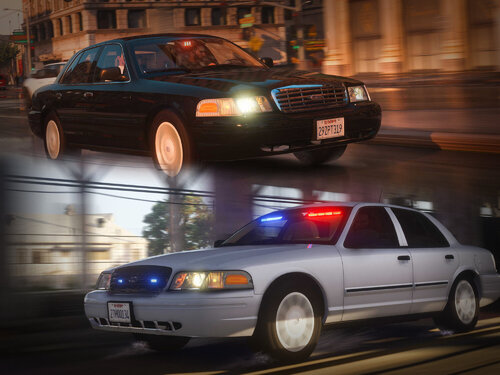
This is my 2nd project I have finished for the most part. It is still a WIP but I figured I would release it in the current state since I'm satisfied with the progress. I know it isn't 100% accurate but whatever lol. This vehicle is optimized for ELS. If you use it any videos, please I'd like to see credit in your video description *DO NOT ATTEMPT TO RE-UPLOAD,RIP, UNLOCK OR SELL IT FOR OWN PROFIT*
- 20 comments
- 5 reviews
-
-
-
- 17
-
-
.thumb.jpg.99cb3a6cc6b7b83827e5834dc6ecf813.jpg) I'm confused, what are you trying to say? It's fictional because there aren't parts for it yet. I'm aware of what lightbar it is, that's why it says MX7000 on the file information.
I'm confused, what are you trying to say? It's fictional because there aren't parts for it yet. I'm aware of what lightbar it is, that's why it says MX7000 on the file information.- 27 comments
- 5 reviews
-
Yeah I will fix that in the next update Yeah I'll be sure to fix in the next update coming soon
- 27 comments
- 5 reviews
-
 Alright I’ll try that, thank you. Which part im the ELS folder would I change the color, tried it earlier but I couldn’t really figure out what to change. Thanks for the response!
- 53 comments
- 10 reviews
-
Amazing model! I just used the older vic and it was absolutely stunning. Is there any way I could change the color of the lights when I activate them? I'm trying to make it a sea blueish green haha. Awesome work again and I can't wait to see more projects from you!
- 53 comments
- 10 reviews
-
-
-
It's been awhile since I've updated or even touched this tahoe on my computer, mostly I was just waiting for parts. The model is way more advanced than my initial release a couple months ago. Obviously it isn't 100% accurate but I'm satisfied with the progress I've made, so much that I decided to release. Lmk what you think like always, use this Tahoe in game for anything! This vehicle is optimized for ELS. If you use it any videos, please I'd like to see credit in your video description 🙂 *DO NOT ATTEMPT TO RE-UPLOAD,RIP, UNLOCK OR SELL IT FOR OWN PROFIT* How to install: 1.Open "OpenIV" 2.Click Edit mode and follow this path; mods>update>x64>dlcpacks> 3.Drop "lapd06" into dlc packs 4.Go to mods>update>update.rpf>common>data>dlclist.xml and paste <Item>dlcpacks:/lapd06/</Item> 5.Lastly open you ELS folder and drop "lapd06.xml"
- 27 comments
- 5 reviews
-
-
-
- 9
-
-
Haha true! Thank you again!
-
Alright thank you, btw would you happen to know if lml game config still works for version 2215?
-
Nope still crashes when I load up regular gta

.thumb.jpg.99cb3a6cc6b7b83827e5834dc6ecf813.jpg)
