
nocitylimits
Members
-
Joined
-
Last visited
Everything posted by nocitylimits
-
-
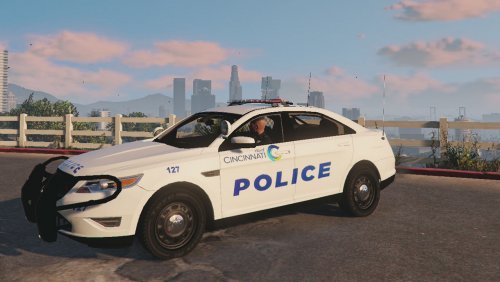 I didn't make the car only the skin. I made the skin at the request of a friend and he was happy with it so I'm happy with it as well, thank you for the feedback though!!
 -
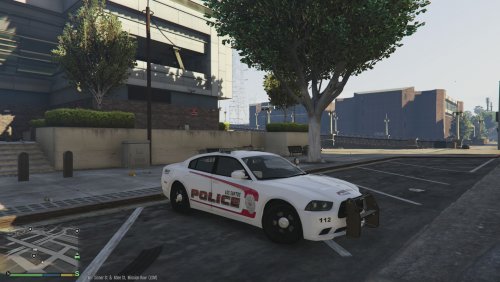 Let me see what I can do. This skin was designed to fit the body lines of the charger so I'll have to do some photoshop work to make it possibly fit other vehicles
 -
For vehicle ... All install instructions are included in the file. If you use this skin on a patrol and record it lemme know!!
-
-
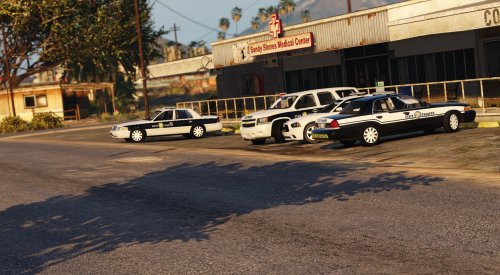
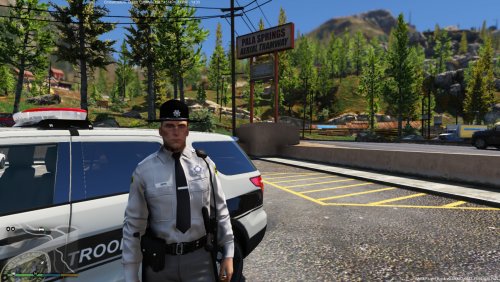 As a North Carolina resident, this looks really good. Haven't used it in game yet but looking forward to it!
- 11 comments
- 5 reviews
-
-

- 1
-
-
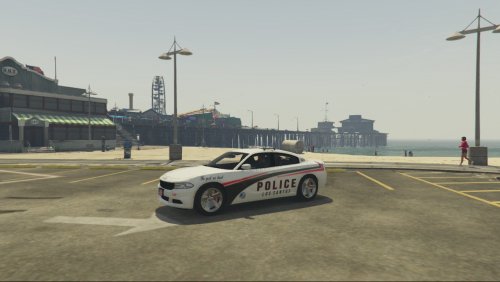 For vehicle - ALL INSTALL INSTRUCTIONS ARE BASED ON THE FACT THAT YOU FOLLOWED THE INSTALL INSTRUCTIONS GIVEN BY THE VEHICLE MAKER / MODELER YOU MUST USE OPEN IV ALWAYS ALWAYS ALWAYS BACK UP FILES!! To install – 1. Click update 2. Click x64 3. Click dlcpacks 4. Click patchday3ng 5. Click dlc.rpf 6. Click x64 7. Click levels 8. Click gta5 9. Click vehicles.rpf 10. Replace vehicle textures in police2.ytd with the ones from this download
 -
I can make the skin easily, havent learned how to make cars yet though
-
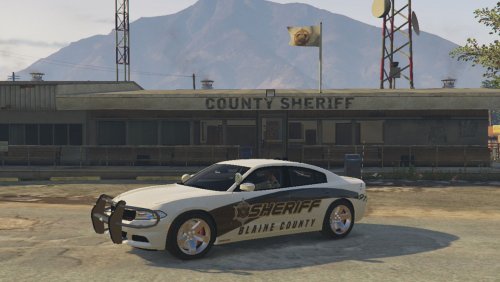 Yea guess that could be confusing. Sorry about that, ill change it. You dont actually have to replace all 4, just replace at least 1 of the 4
- 4 comments
- 3 reviews
-
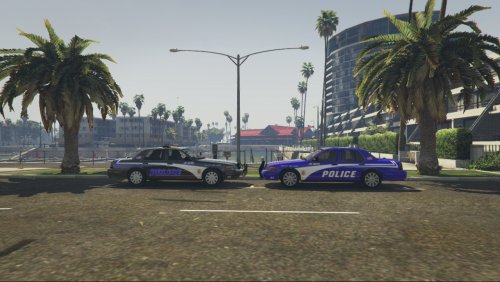 NOCITYLIMITS LOS SANTOS POLICE SKIN INSTALL ALL INSTALL INSTRUCTIONS ALSO INCLUDED WITH FILE AND ARE BASED ON THE FACT THAT YOU FOLLOWED THE INSTALL INSTRUCTIONS GIVEN BY THE VEHICLE MAKER / MODELER YOU MUST USE OPEN IV ALWAYS ALWAYS ALWAYS BACK UP FILES!! F5544's CVPI Nightkid's CVPI To install on nightkids CVPI model 1. Click x64e.rpf 2. Click levels 3. Click gta5 4. Click vehicles.rpf 5. In your police4.ytd file replace the file titled cvpi_sign_1 with either one of the templates in this download To install on F5544 model 1. Click update 2. Click x64 3. Click dlcpacks 4. Click patchday4ng 5. Click dlc.rpf 6. Click x64 7. Click levels 8. Click gta5 9. Click vehicles.rpf 10. In your police.ytd replace vehicle textures with either of the templates in this download
 -
Thats all you need, this isnt the file for the actual charger, it is just a skin. To get the charger, use the link in the description and download it from F5544
- 4 comments
- 3 reviews
-
I can certainly try! I havent done any pedestrian mods yet but give me a couple of days and lemme see what I can come up with
-
This was made at the request of a friend / LSPDFR community member! This skin is for F5544's 2012 Ford Taurus Interceptor only Install instructions are also included in the read me file of this download TO INSTALL 1 - YOU MUST USE OPEN IV 2 - CLICK UPDATE 3 - CLICK X64 4 - CLICK DLCPACKS 5 - CLICK PATCHDAY4NG 6 - CLICK DLC.RPF 7 - CLICK X64 8 - CLICK LEVELS 9 - CLICK GTA 5 10 - CLICK VEHICLES.RPF 11 - REPLACE ALL VEHICLE TEXTURES WITH THE ONE IN THIS DOWNLOAD
-
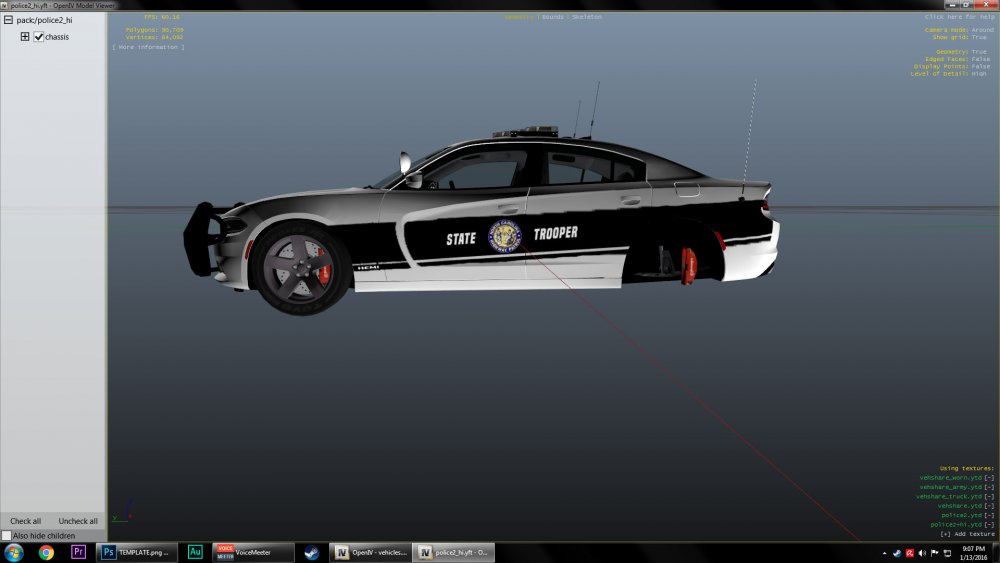
ALWAYS BACK UP YOUR ORIGINAL FILES This is my first COMPLETED skin / texture! It is only for F5544's dodge charger. Since this is my first texture it isn't perfect by no means and needs some minor detail work. I am always open to suggestions or comments! Install instructions are also included. F5544's Charger link - To install texture - YOU MUST USE OPEN iV !! 1 - ONCE THE OPEN iV PROGRAM IS OPEN, CLICK ON THE EDIT MODE BUTTON 2 - CLICK THE UPDATE FOLDER 3 - CLICK X64 4 - CLICK DLCPACKS 5 - CLICK PATCHDAY4NG 6 - CLICK DLC.RPF 7 - CLICK X64 8 - CLICK LEVELS 9 - CLICK GTA5 10 - CLICK VEHICLES.RPF 11 - LOOK FOR THE POLICE.YTD FILE AND DOUBLE CLICK IT 12 - ONCE IT OPENS, REPLACE ALL VEHICLE TEXTURE FILES WITH THE .png FILE IN THIS DOWNLOAD (SHOULD BE 4 OF THEM TOTAL)
- 4 comments
- 3 reviews
-
-
- 1
-
-
Thank you! I will have it uploaded within a couple of days. I still need to work on a few jagged lines and other minor details
-
It still needs a LOT of work but not bad for a first try? I welcome any and all criticism and/or advice
-
 When I trying to use the mimick/follow me feature the stopped vehicle does nothing. It will pop up and say "the vehicle is now mimicking/following" but when I move the vehicle just sits there. I've ran your troubleshooter and it came back with 0 errors
- 3,646 comments
- 306 reviews
-
Still having issues with the mimick and follow features of this mod. I've completely uninstalled everything, including my GTA 5 steam installation. The only mods I have now are the LSPDFR and the traffic policer, anyone have any ideas? RagePluginHook.log
- 3,646 comments
- 306 reviews
-
Hey Albo, First off, let me thank you for all of your hard work!! For some reason the mimick me and follow me functions aren't working for me. I've unloaded all plugins except LSPDFR and traffic policer with no luck. I've tried using your troubleshooter and it comes back with no errors. When I try to use either function the stopped vehicle just sits there, any ideas? I'm using RPH 0.29. Thank you for any help! RagePluginHook.log
- 3,646 comments
- 306 reviews
-
-
My very first attempt at a skin, still needs a lot of work, lots of jagged edges!