Skip to content
View in the app

A better way to browse. Learn more.

LCPDFR.com

A full-screen app on your home screen with push notifications, badges and more.

To install this app on iOS and iPadOS
  1. Tap the Share icon in Safari
  2. Scroll the menu and tap Add to Home Screen.
  3. Tap Add in the top-right corner.
To install this app on Android
  1. Tap the 3-dot menu (⋮) in the top-right corner of the browser.
  2. Tap Add to Home screen or Install app.
  3. Confirm by tapping Install.

GammaError

Members
  • Joined

  • Last visited

Everything posted by GammaError

  1. Hi TreadRed! Thanks for the reply. I had not noticed that there were other active options! I did as you suggested and finally everything works. I'm also testing other mods and scripts and everything seems stable. Thanks a lot!!!
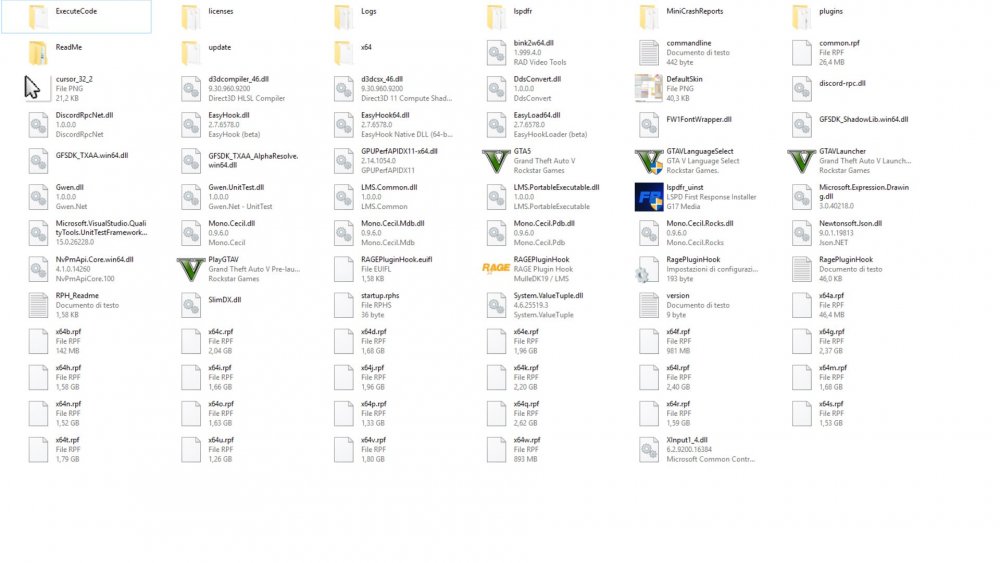
  2. Hello everyone! Unfortunately I can not find a solution to this problem. I have already cleaned up the Gta folder from any other mod or plug in and followed the instructions in the FAQ, but LSPDFR continues to crash when loading. After the first start and the creation of the character, unfortunately he crashes at the next starts. I attach the RPH report in case it could serve and a screen of the Gta folder. Thank you Lspdfr Crash report.txt
Account

Navigation

Search

Search

Configure browser push notifications

Chrome (Android)
  1. Tap the lock icon next to the address bar.
  2. Tap Permissions → Notifications.
  3. Adjust your preference.
Chrome (Desktop)
  1. Click the padlock icon in the address bar.
  2. Select Site settings.
  3. Find Notifications and adjust your preference.