Jump to content

116Crew

Members
  • Posts

    30
  • Joined

  • Last visited

 Content Type 

Forums

Gallery

Downloads

Tutorials

News Stories

Wiki

Community Guidelines

LSPDFR BOLO Series

GTA5 Native Database

GTA5 Native Parameters

Release Highlights

LSPDFR Mod Showcase

LML User Contributions

Everything posted by 116Crew

  1. Hey guys, I installed Scene Manager and when i press the defaults keys it doesn't bring it up...And yes it is being loaded by Rage Hook. Also, does anyone have the Discord as the link doesn't work anymore. Thanks!
  2. Thank you so much! Not seeing the default vehicles to overwrite in: GTAV/update/x64/dlcpacks/(Latest patchday)patchday20ng/dlc.rpf/x64/levels/gta5/vehicles.rpf
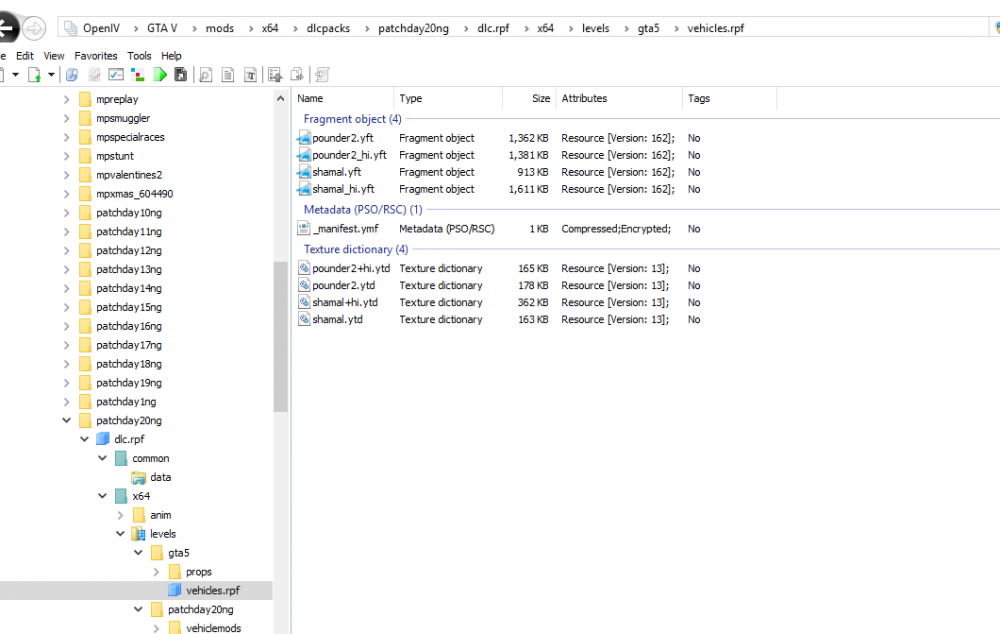
  3. Hello! So I'm back after a couple years away from LCPDFR. I have a few questions. 1) Where do I install over the police cars? Police, Police2, FBI etc....I was only able to install over the FBI. 2) ELS doesn't work. No lights come on. I have read some other thread and my graphic settings are correct and I have scriphook installed. Any help, please. Thanks!
  4. Hello! I wanted to see if there were any news around this. Thanks!
  5. Also, keep in mind that it only allows me to download one file at a time. I also have Comcast, however, I am on other Invision Communities and this does not happen. Ony here. Thanks for looking into this!
  6. Hello! I am getting VERY slow downloads. Takes me 15mins to download a 30mb file. This only happens here. I can also onl download one file at a time. Is that normal? Thanks, Clem
  7. Hello! I'm trying to install some police cars such as the BCSO Vehicles and for some reason, the default police cars still appear. Could someone please help me? And yes ASI loader and all that is installed. Also, should you always install new vehicles in your latest patchday? What would be the best place to install police cars? Thanks! Clem
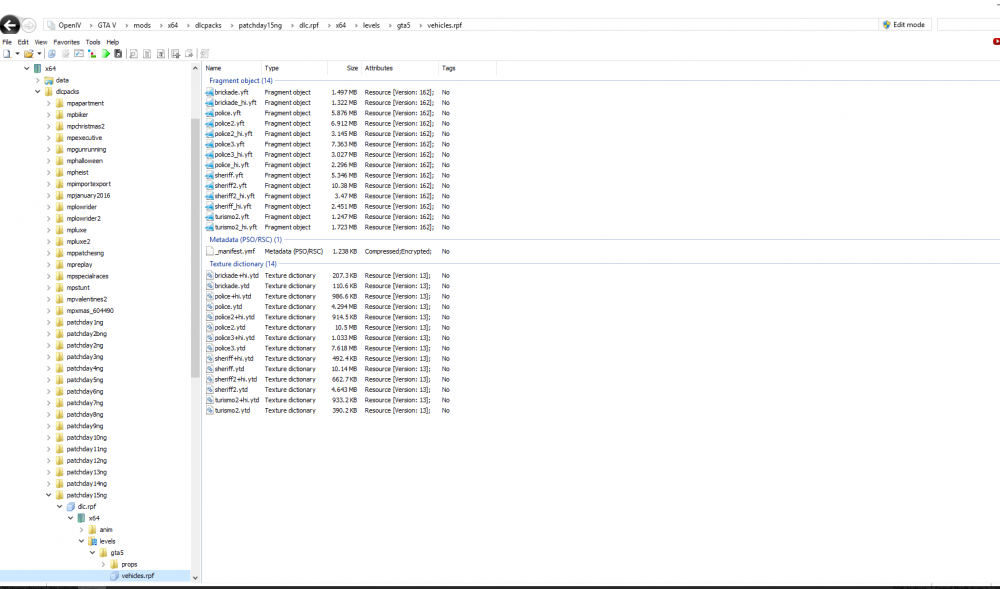
  8. @BradM Thanks! I tried that but still the default models. The files however, now don't get deleted.
  9. Hello! Trying to add these to my patch15 however, after I add them and I start GTA, I still get the default police cars. When I go back into openIV, they files are gone. And yes, I am in edit mode before I add them. Any would would be appreciated. Thanks! Clem
  10. Thanks! Once thing I can't seem to find is the ELS folder to install VCF files. I see a few different car mods asking me to install files there. This is pretty new, right? Would you please be able to point me in the right direction? Thanks!
  11. Hello Everyone! It's been a white since I've played GTAV and LCPDFR. I formatted my computer and I need to reinstall everything. I forgot how to install mods and all that good stuff. I wanted to see if someone would be willing to help me over teamviewer. Thanks! Clem
  12. Note that GTA will also crash without RAGE.
  13. Hi, I've updated everything and it seems to still be crashing. THANK YOU for your help. [2/15/2016 8:30:08 PM.326] Started new log on 2/15/2016 8:30:08 PM.325 [2/15/2016 8:30:08 PM.332] ==================================================================================================== [2/15/2016 8:30:08 PM.308] Log path: C:\Program Files\Rockstar Games\Grand Theft Auto V\RagePluginHook.log [2/15/2016 8:30:08 PM.333] Log verbosity: Verbose [2/15/2016 8:30:08 PM.336] Initializing input system [2/15/2016 8:30:08 PM.340] Initializing game console [2/15/2016 8:30:08 PM.348] Console key has been set to F4 (key code: 115) [2/15/2016 8:30:08 PM.386] Initializing console variable "SkipGameIntro". [2/15/2016 8:30:08 PM.387] Type: System.Boolean, Reading section: "Miscellaneous", key: SkipGameIntro [2/15/2016 8:30:08 PM.389] Read value: <null> [2/15/2016 8:30:08 PM.389] Initializing console variable "DisableRenderVersionText". [2/15/2016 8:30:08 PM.389] Type: System.Boolean, Reading section: "Miscellaneous", key: DisableRenderVersionText [2/15/2016 8:30:08 PM.393] Read value: True [2/15/2016 8:30:08 PM.393] Setting value of console variable "DisableRenderVersionText" to stored value. [2/15/2016 8:30:08 PM.393] Initializing console variable "ConsoleKey". [2/15/2016 8:30:08 PM.393] Type: System.Windows.Forms.Keys, Reading section: "Miscellaneous", key: ConsoleKey [2/15/2016 8:30:08 PM.394] Read value: F4 [2/15/2016 8:30:08 PM.394] Setting value of console variable "ConsoleKey" to stored value. [2/15/2016 8:30:08 PM.394] Console key has been set to F4 (key code: 115) [2/15/2016 8:30:08 PM.394] Initializing console variable "PluginTimeoutThreshold". [2/15/2016 8:30:08 PM.394] Type: System.Int32, Reading section: "Miscellaneous", key: PluginTimeoutThreshold [2/15/2016 8:30:08 PM.394] Read value: 10000 [2/15/2016 8:30:08 PM.394] Setting value of console variable "PluginTimeoutThreshold" to stored value. [2/15/2016 8:30:08 PM.395] Initializing console variable "AlwaysShowConsoleOutput". [2/15/2016 8:30:08 PM.395] Type: System.Boolean, Reading section: "Miscellaneous", key: AlwaysShowConsoleOutput [2/15/2016 8:30:08 PM.395] Read value: <null> [2/15/2016 8:30:08 PM.395] Initializing console variable "StartWithDeveloperModeEnabledId". [2/15/2016 8:30:08 PM.395] Type: System.String, Reading section: "Miscellaneous", key: StartWithDeveloperModeEnabledId [2/15/2016 8:30:08 PM.395] Read value: <null> [2/15/2016 8:30:08 PM.395] Initializing console variable "ShowConsoleCommandInfoOnPluginLoad". [2/15/2016 8:30:08 PM.395] Type: System.Boolean, Reading section: "Miscellaneous", key: ShowConsoleCommandInfoOnPluginLoad [2/15/2016 8:30:08 PM.396] Read value: False [2/15/2016 8:30:08 PM.396] Setting value of console variable "ShowConsoleCommandInfoOnPluginLoad" to stored value. [2/15/2016 8:30:08 PM.397] Initializing console variable "ShowOnScreenWarnings". [2/15/2016 8:30:08 PM.397] Type: System.Boolean, Reading section: "Miscellaneous", key: ShowOnScreenWarnings [2/15/2016 8:30:08 PM.397] Read value: <null> [2/15/2016 8:30:08 PM.397] Console initialized [2/15/2016 8:30:08 PM.397] Initializing forms manager [2/15/2016 8:30:08 PM.399] Version: RAGE Plugin Hook v0.36.877.6833 PUBLIC ALPHA for Grand Theft Auto V [2/15/2016 8:30:08 PM.403] ================ RAGE Plugin Hook ================ [2/15/2016 8:30:08 PM.407] Command line option -disableCustomLoadingScreen is specified; disabling custom loading screen rendering. [2/15/2016 8:30:08 PM.408] Checking game support [2/15/2016 8:30:08 PM.504] Product name: Grand Theft Auto V [2/15/2016 8:30:08 PM.504] Product version: 1.0.617.1 [2/15/2016 8:30:08 PM.504] Is steam version: False [2/15/2016 8:30:08 PM.505] Initializing DirectX [2/15/2016 8:30:08 PM.506] Initializing Direct3D [2/15/2016 8:30:08 PM.506] Loading C:\Windows\system32\d3d11.dll [2/15/2016 8:30:08 PM.507] Loaded at 0x7FFEF5210000 [2/15/2016 8:30:08 PM.507] D3D11CreateDeviceAndSwapChain at 0x7FFEF522A190 [2/15/2016 8:30:08 PM.507] Creating Direct3D 11 device and swap chain [2/15/2016 8:30:08 PM.514] Swap Chain created: 0x1A00D2F5BD0 [2/15/2016 8:30:08 PM.514] Swap Chain VTable: 0x1A00D2F5BD0 [2/15/2016 8:30:08 PM.514] Swap Chain VTable_2: 0x7FFEF5132D80 [2/15/2016 8:30:08 PM.514] 0x57565520245C8948;0x5741564155415441;0xEC8148D9246C8D48 [2/15/2016 8:30:08 PM.514] D3D11Present: 0x7FFEF50D11A0 [2/15/2016 8:30:08 PM.514] D3D11ResizeBuffers: 0x7FFEF50E7CB0 [2/15/2016 8:30:08 PM.515] D3D11ResizeTarget: 0x7FFEF5122820 [2/15/2016 8:30:08 PM.515] D3D11SetFullscreenState: 0x7FFEF50E7910 [2/15/2016 8:30:08 PM.519] Direct3D initialized [2/15/2016 8:30:08 PM.519] Initialized DirectX [2/15/2016 8:30:08 PM.520] Direct3D watcher thread spawned [2/15/2016 8:30:08 PM.795] PTR: 0x0 [2/15/2016 8:30:09 PM.372] Getting device [2/15/2016 8:30:09 PM.372] Retrieved device [2/15/2016 8:30:09 PM.373] Creating wrapper [2/15/2016 8:30:09 PM.419] Wrapper created [2/15/2016 8:30:09 PM.422] Effect created [2/15/2016 8:30:09 PM.423] Creating buffer [2/15/2016 8:30:09 PM.423] Created buffer [2/15/2016 8:30:09 PM.423] Creating blend state [2/15/2016 8:30:09 PM.424] Created blend state [2/15/2016 8:30:09 PM.424] Done with creation [2/15/2016 8:30:09 PM.448] Initializing texture system. [2/15/2016 8:30:09 PM.448] Initializing texture system; phase 1 [2/15/2016 8:30:09 PM.448] Initializing texture system; phase 2 [2/15/2016 8:30:09 PM.453] Initializing texture system; phase 3 [2/15/2016 8:30:09 PM.453] Initializing texture system; phase 4 [2/15/2016 8:30:09 PM.460] Initializing texture system; phase 5 [2/15/2016 8:30:09 PM.462] Initializing texture system; phase 6 [2/15/2016 8:30:09 PM.463] Initializing texture system; phase 7 [2/15/2016 8:30:09 PM.464] Initializing texture system; phase 8 [2/15/2016 8:30:09 PM.465] Initializing texture system; phase 9 [2/15/2016 8:30:09 PM.466] Initializing texture system; phase 10 [2/15/2016 8:30:09 PM.468] Initializing texture system; phase 11 [2/15/2016 8:30:09 PM.468] Initializing texture system; phase 12 [2/15/2016 8:30:09 PM.470] Initializing texture system; phase 13 [2/15/2016 8:30:09 PM.470] Initializing texture system; phase 14 [2/15/2016 8:30:13 PM.520] Direct3D watcher thread ended [2/15/2016 8:30:40 PM.830] Initializing game support [2/15/2016 8:30:41 PM.442] Compatibility level: 0 [2/15/2016 8:30:41 PM.443] Supported version detected [2/15/2016 8:30:41 PM.443] ================================================== [2/15/2016 8:30:41 PM.694] Patched IsDebuggerPresent [2/15/2016 8:30:41 PM.945] Waiting for game initialization [2/15/2016 8:30:42 PM.296] Initializing hook [2/15/2016 8:30:42 PM.546] Completing interoperability [2/15/2016 8:30:42 PM.547] Initialization code 1. [2/15/2016 8:30:42 PM.547] Initialization code 2. [2/15/2016 8:30:42 PM.547] Initialization code 3. [2/15/2016 8:30:42 PM.554] 1 Address: 0x00007FF708C51028 [2/15/2016 8:30:42 PM.554] Calling func 1 [2/15/2016 8:30:42 PM.567] 2 Address: 0x00007FF7097051DE [2/15/2016 8:30:42 PM.567] 3 Address: 0x00007FF708285C76 [2/15/2016 8:30:42 PM.590] Address: 0x00007FF70970517C [2/15/2016 8:30:42 PM.590] Unknown var: 0x00007FF70A5D0900 [2/15/2016 8:30:42 PM.591] Initialization code 4. [2/15/2016 8:30:42 PM.591] Completing interoperability, phase 1 [2/15/2016 8:30:42 PM.591] Completing interoperability, phase 2 [2/15/2016 8:30:42 PM.591] Completing interoperability, phase 3 [2/15/2016 8:30:42 PM.591] Completing interoperability, phase 4 [2/15/2016 8:30:42 PM.591] Completing interoperability, phase 5 [2/15/2016 8:30:42 PM.592] Completing interoperability, phase 6 [2/15/2016 8:30:42 PM.592] Completing interoperability, phase 7 [2/15/2016 8:31:00 PM.430] Initializing console variable "TimeScale". [2/15/2016 8:31:00 PM.431] Type: System.Single, Reading section: "Miscellaneous", key: TimeScale [2/15/2016 8:31:00 PM.431] Read value: <null> [2/15/2016 8:31:01 PM.796] ERROR! For security reasons, variable 'IsDeveloperModeEnabled' cannot be set from a script. [2/15/2016 8:31:01 PM.807] [2/15/2016 8:31:01 PM.808] Loading plugin from path: C:\Program Files\Rockstar Games\Grand Theft Auto V\Plugins\Emergency Strobes.dll [2/15/2016 8:31:03 PM.110] <UNLOADED PLUGIN>: Initializing input system [2/15/2016 8:31:03 PM.112] <UNLOADED PLUGIN>: Initializing game console [2/15/2016 8:31:03 PM.113] <UNLOADED PLUGIN>: Initializing forms manager [2/15/2016 8:31:03 PM.128] Plugin "Emergency Strobes" was loaded from "Emergency Strobes.dll". [2/15/2016 8:31:03 PM.129] [2/15/2016 8:31:03 PM.129] Loading plugin from path: C:\Program Files\Rockstar Games\Grand Theft Auto V\Plugins\LSPD First Response.dll [2/15/2016 8:31:04 PM.443] <UNLOADED PLUGIN>: Initializing input system [2/15/2016 8:31:04 PM.444] <UNLOADED PLUGIN>: Initializing game console [2/15/2016 8:31:04 PM.446] <UNLOADED PLUGIN>: Initializing forms manager [2/15/2016 8:31:04 PM.493] Plugin "LSPD First Response" was loaded from "LSPD First Response.dll". [2/15/2016 8:31:04 PM.675] --------------------------------------------------------------------- [2/15/2016 8:31:04 PM.675] LSPD FIRST RESPONSE [2/15/2016 8:31:04 PM.675] Version 0.3 [2/15/2016 8:31:04 PM.675] A G17 Media Modification [2/15/2016 8:31:04 PM.675] - Developed by LMS & Sam [2/15/2016 8:31:04 PM.675] - Special thanks to Cyan, Lt.Caine, Alexander Blade, The OpenIV Team, LukeD & MulleDK19 [2/15/2016 8:31:04 PM.675] © Copyright 2015-2016, G17 Media, www.lspdfr.com [2/15/2016 8:31:04 PM.675] --------------------------------------------------------------------- [2/15/2016 8:31:04 PM.675] [INFO] Running LSPD First Response 0.3(0.3.33.5355) [2/15/2016 8:31:04 PM.675] [INFO] Copyright © 2015-2016, G17 Media, www.lspdfr.com [2/15/2016 8:31:04 PM.804] [2/15/2016 8:31:04 PM.899] C:\Program Files\Rockstar Games\Grand Theft Auto V\lspdfr\lspdfr.ini [2/15/2016 8:31:04 PM.899] C:\Program Files\Rockstar Games\Grand Theft Auto V\lspdfr\lspdfr.ini [2/15/2016 8:31:04 PM.901] Callouts: 250
  14. How do you do that? Delete everything, run GTA 5 and then install them again?
  15. I am....Right when everything loads it crashes.
  16. You need to create a mod folder in your main GTA5 folder. Look for a tutorial on Youtube for more details.
  17. Thanks but still nothing.... I have this installed, not sure if it affects anything. http://www.lcpdfr.com/files/file/7715-improved-spotlight-and-led-lighting-new-version-8/
  18. For some reason my lights are not working. And yes, I did this overwrite carvariations.meta in (for correct lightsettings);GTA V/update/x64/dlcpacks/mpluxe2/dlc.rpf/common/data/
  19. So every time I put cones down to block traffic, cars always run into them or go around. Why is the AI so dumb? Can't they see the road is closed? Any way around that? Thanks!
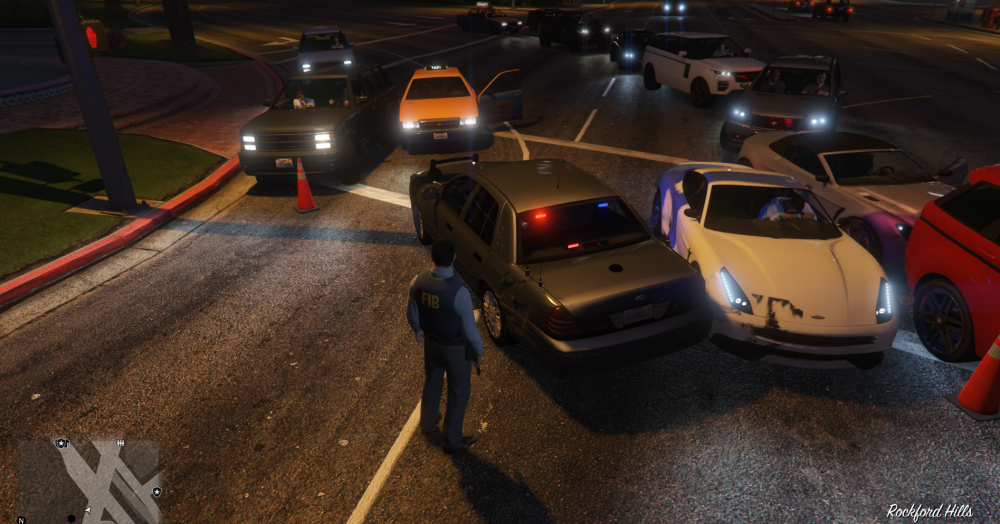
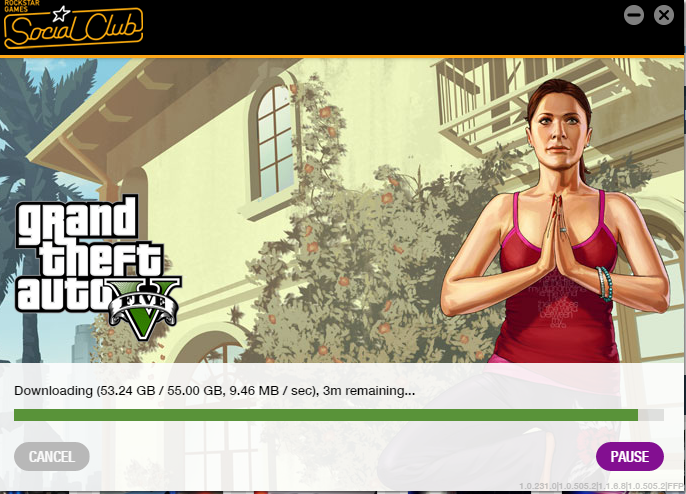
  20. Hi! Installing this > http://www.lcpdfr.com/files/file/9073-unmarked-cvpi-pack/ After I follow the instructions, Rockstar updates and then puts the default police4 car back. Anyone know why?
×
×
  • Create New...