


bony
Members
-
Joined
-
Last visited
Everything posted by bony
-
 still to strong & you can see the problem is not in a Specific car... Even the taxi for example, the light becomes too strong. I'm not sure that someone can solve this problem ... This problem exists in all the MODs that increase the lighting. If you solve this problem you are king! thank you for the quick reply! And your help
- 110 comments
- 23 reviews
-
OK this is screenshots that i took with your mod. Those with strong white at POST FX on "VERY HIGH/ULTRA". And those with normal lighting its when the POST FX ON "NORMAL" The problem that when downloading to POST FX to NORMAL lighting at the lights of the police cars themselves simply too weak ... i tried also Shader Quality on HIGH / VERY HIGH / NORMAL - same problem as the Post FX on HIGH / VERY HIGH its too strong & on NORMAL the police cars siren is too weak. (i have a great graphics card GTX1080 G1, so that's NOT the problem)
- 110 comments
- 23 reviews
-
I do not see any change in the "Fixed headlight fade issue" lighting are To white and I do not see anything... (I'm talking mostly n the add on cars that i have)
- 110 comments
- 23 reviews
-
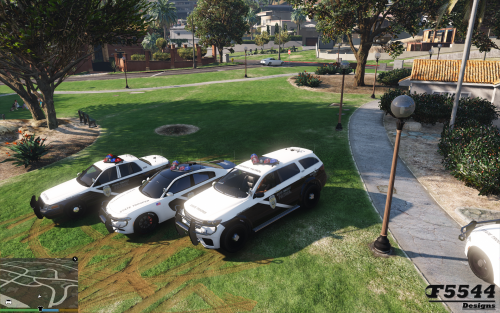 the siren lights working great. but the siren voice in Hwayca2 Hwaycar3 dont work for me, any help why? tnx for this wonderful cars mod!!
- 81 comments
- 9 reviews

