


TheClashingGamer
Members
-
Joined
-
Last visited
Everything posted by TheClashingGamer
-
-log did generate a log in the GTAV Enhanced root dir. The game seems to work as long as a I remove the .log file
-
So I added the -log option and I first removed the current log and it started no problem. I retested again and it worked only after removing the log file. The game does not start if the log file is present. Very weird but this seems to be the fix. I will continue testing, i tried adding -nolog but it still creates a log file. Is there a way to prevent a log file from being created? Otherwise i'd have to delete each time RagePluginHook.log
-
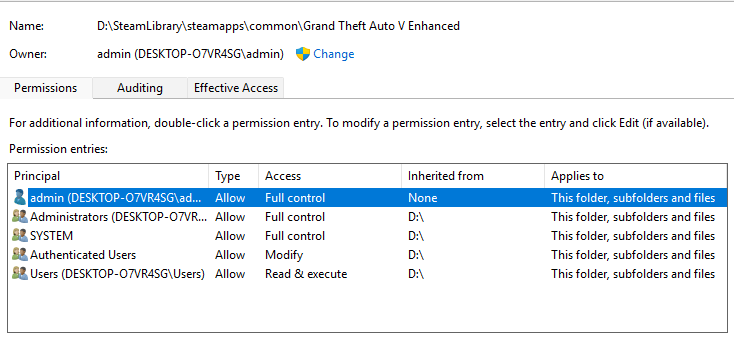
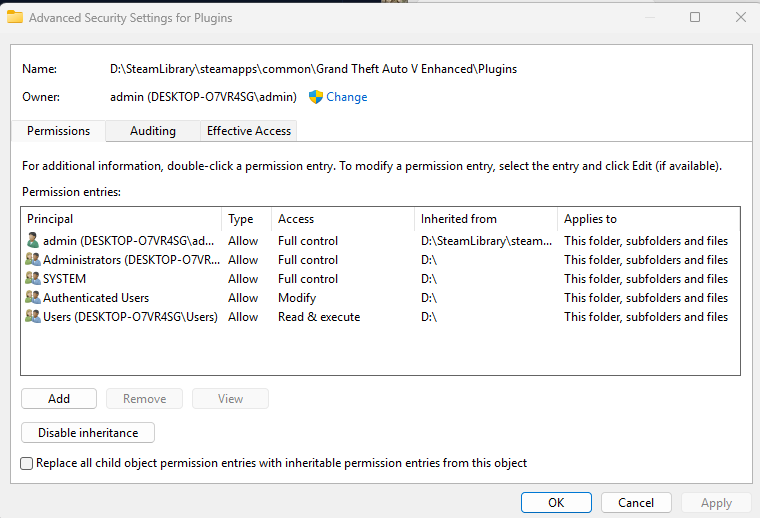
Sorry for the confusion, It only runs normal the first time after a reinstall. I have a backup of a fresh install and drag and drop that backup in then add rage/lspdfr and it only works the first time the game is launched. It crashes on every other startup with everything I've tried so far. I have tried to launch the game first then start RPH from the game menu and with in singleplayer and both cause the game to crash the same way. The log was from the latest run. I just set myself as the owner of the GTA V Enhanced folder and had it set recursively on the files and it crashes the same say. "Could not hook game process. Insufficient permissions or bad anti-virus. Please try again. If the problem persists, please restart your computer."
-
Hey Gan Ceann, Really appreciate you getting back to me on this. What I did was deleted and reinstalled GTAV Enhanced, added the Rage plugin that was linked and as what was happening before the game boots only the first time. After closing and restarting, the game crashes as the window opens. Even if I delete just the rage files then re-add them it crashes. I did try removing rockstar games and the SDK as well as and reinstalling them as well as removing temp files but the issue persist. Any thoughts what else I can try? Its been a few weeks of not being able to enjoy lspdfr and I'm committed to finding a fix just haven't been able to. I also, even though extreme and against my best judgment fresh reinstalled windows and the issue still persist. I also could not get a crash report generated as it never prompt, it said could not hook and to check AV. I'm only using windows defender at the moment and have the folder added to the exceptions. RagePluginHook_23012026_234052.log
-
Still facing this issue, tried the fixes listed in the RPH reddit but still crashing :( Any staff who might be able to provide further assistance?
-
When I copy the files from a fresh install state and add rage/lspdfr the game loads but closing and restarting it crashes. I've disabled anti-virus and rolled back nvidia drivers as well and the issue persist. I'm at a lost of what is happening. I used Winmerge to compare the backup install to a game when I just loaded into story then exited and no files changed, I then added rage/lspfr started then existed and nothing else changed (minus the added files from rage). Even removing the rage/lspdfr files then readding the issue persist. I've been a long time lspdfr user and have never run into an issue like this.
-
yes I have it disable in the rockstar launcher
-
Yes, I did some more testing I reinstalled again launched the game to ensure it works, closed, added lspdfr/rage then started the game it worked then I closed the game and restarted and it fails to start with the same error. I tried clearing rockstar app data and temp folders, removing rockstar launcher and reinstalling and trying the rockstar launcher in offline mode. It crashes on boot each time. Seems like something is being stored somewhere that is causing this to happen
-
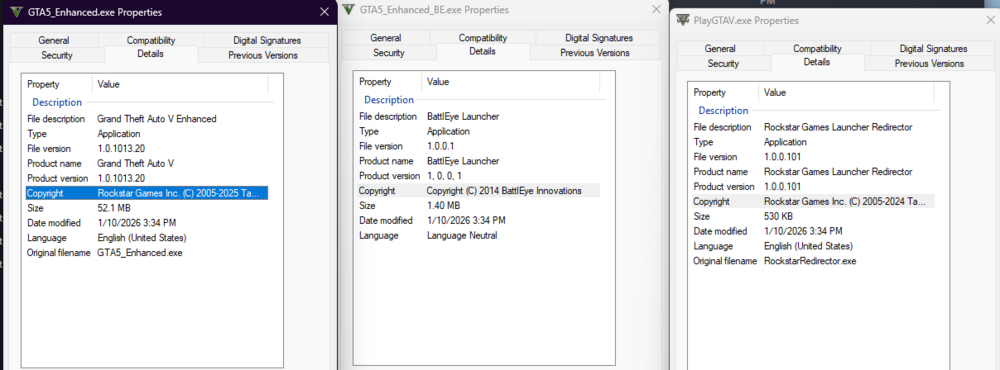
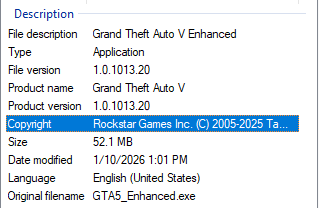
GTA5_Enhanced is the only one, what does your product version show?
-
I followed these exact steps and after I loaded into story mode, exited and added lspdfr/rage plugin hook and started the game it crashes with the same error. Was there indeed a silent update to the game? If so seems like I'll be waiting until Rage is updated again :((
-
-
Just an update to this - I fresh installed again, uninstalling from steam and removing the folder then reinstalling. I loaded the game to ensure it worked, closed the game then dragged and dropped the lspdfr manual install. Still crashing with same error :(( Also made an exception in my anti-virus but same issue. Anybody who can provide support please, really want to get this game working again.
-
This is a new installation, the weird thing is everything was working I had LSPDFR with NVE packages installed and several other lspdfr plugins installed. Then it suddenly started crashing every time I loaded LSDPFR. I tried several steps but decided to fresh install as I wanted the install to be as clean as possible. To my surprise even following the same steps I did previously the game crashes as startup, after the loading screens and I can never get to load in. What I've installed: RAGENativeUI ScriptHookV LSPDFR/Rage Plugin Hook What I've tried: Not loading LSPDFR at startup Fresh installing game and re-verifying game files Trying to hook Rage Plugin after the game has started Adding skipdscheck file (no extension) NVME storage fix asi Loading with/without OpenIV with OpenRPF fix Fresh installing latest NVIDIA Drivers Each time the game crashes when loading Rage Plugin. I'm very confused why this is happening as it was just working a week ago, my only thought at the moment is a silent update was pushed. I had the crash report below and each time I see the following at the end before crashing: Address mismatch: 0x00007FF776F487AC != 0x00000001443DA960 | Address mismatch: 0x00007FF750CA3A48 != 0x0000000142F35548 I tried to download Rage Plugin Hook from the website in case there was an update but it appears the link to download is having a server error. Confused how to proceed, looking for any support on how I can get the game working or if others are experiencing this issue. Thank you. Crash Report.txt
-
Thanks i've already set it to false and im wondering if it is stop the ped, it could be because of the questions i added to have more variety but it could be causing issues to, thanks
-
theirs the readme text and the .log text
-
Those are the settings I have for RPH however it will not let me post the crashreport even in the eye
-
CrashReport_Msi gaming_637065099494746693.txttry chaning it back to a rcr file if u can and I love you videos bro one of best LSPDFR youtubers!
-
Hey I was wondering I have been playing LSPDFR for awhile and when I play I get about 20 or so minutes in and I crash ik ive messed with the gameconfig and added all necessitates to play correctly to get rid of alot of errors however I still crash and it always wants to generate a report I was wondering if someone knows how to idenfity things when looking at the crash report It wont let me post it because its a rcr file so how do u translate it to understand is their a software or something im sure their is but i havent heard about it, thanks in advance!
-
Yes thats fine!
-
Okay I found a work around, basically I loaded LSPDFR manually then I forced duty waited for my plugins to load then I would go in and switch into whatever uniform/department, and It worked! I did this before however I didn't wait for my plugins to load which I think just waiting solved my issue. Thanks for your help!
-
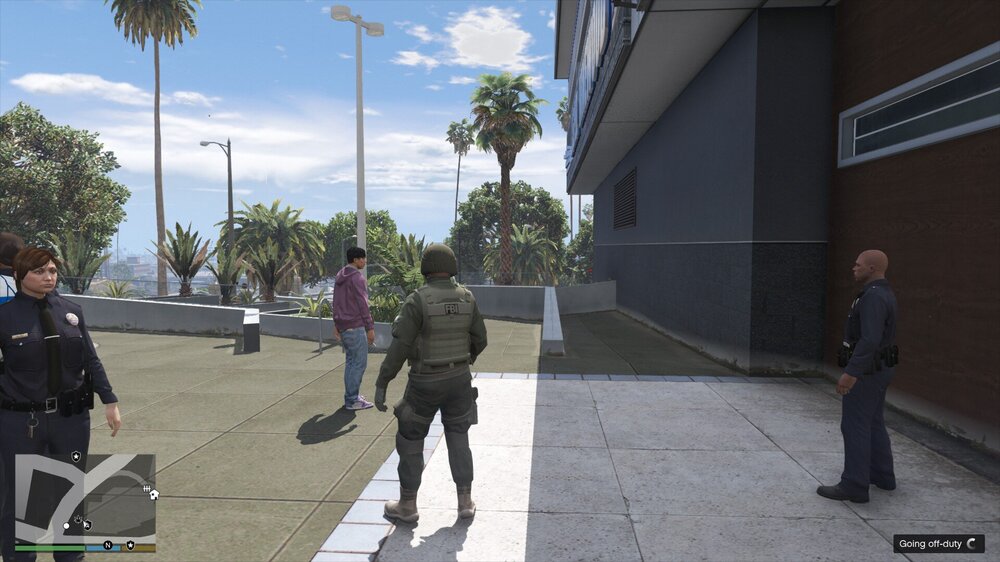
I tried but It just kept whatever the last text was at the bottom and it didnt let me go off duty callouts were still loading, I looked in the command in RPH and nothing had changed, atleast the second time I hit go off duty.
-
Well I never start LSPDFR with my game I manually load it every time, Ill update and see how it goes even after updating is still their
-
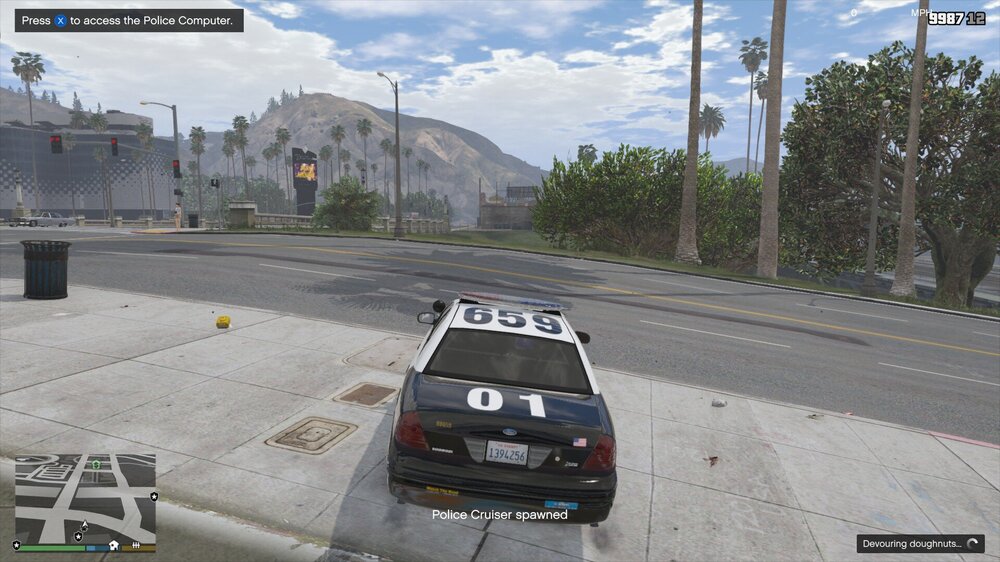
Hello I have been playing LSPDFR for awhile and i'm not new to this. I just started having a issue were at the bottom of the screen it will say devouring donuts for the rest of my play time only when I go to the station and load up, if I force duty it doesn't happen; however I can't select my character without having to go through the trainer which would take to much time. Also possible to note I haven't updated to the newest LSPDFR 0.4.4 i'm still on 0.4.3 because i'm not sure if it supports my callout's or not and if id have to reinstall everything which is ultimately why I haven't updated. I saw things saying it should be fine but the forms also say other wise. So I was wondering if anyone out their was having/had the same issue and could help me through, the game runs good i just want to get rid of the bottom right hand when I load up, its usually their when I first start up then it will go away and then say i'm on duty, but now it doesn't. I have installed many callout's and I tried testing and taking most of my callout's out and it was still happening. And advise would be appreciated thanks for your time, have a good day.
-
-
Has any who's on the newer version experience any conflicts with their callouts?



