
Anthony Ellis
Members
-
Joined
-
Last visited
Everything posted by Anthony Ellis
-
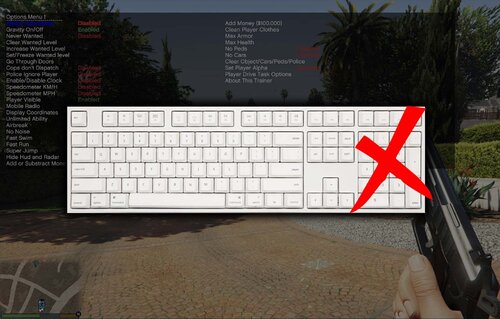 That’s fair, I can send you over a different config if you’d like to change them. Just let me know what keys you’d like.
- 14 comments
- 3 reviews
-
 😃👍
😃👍 -
Interesting, personally I've never had a problem with Stop The Ped, so you might just have to search around on the forums or wait for another reply. Good chance there's a topic somewhere that would help you out.No error messages or loading messages? Just black...And you get the screen after Rage has loaded everything? If so, it could be a problem with one of your LSPDFR data files, make sure you installed the EUP configs correctly.I mean it depends on your specs. Those packs are the ones from the EUP Basic correct?You might want to download a heap adjuster and gameconfig, that's a good amount of cars your installing. Try these: https://www.gta5-mods.com/misc/gta-5-gameconfig-300-cars https://www.gta5-mods.com/tools/heap-limit-adjuster-600-mb-of-heap Let me know.What mods did you install?It may be that you don't have Rage Native UI installed? https://github.com/alexguirre/RAGENativeUI/releases Drop this in your main directory and let me know.
Works for any version of simple trainer. IMPORTANT!!! PLEASE READ Since the inclusion of the Legacy and Enhanced versions of the game to get this to work 100% correctly the installation has changed a bit. Drag and Drop the trainerv.ini I've included into your GTA V main directory (where you installed simple trainer) and replace. Navigate to %appdata% > Roaming > TrainerV > Legacy and/or Enhanced (choose whichever folder is applicable to you). Drag and Drop the same trainer.ini from before and replace. If you do not have the TrainerV > Legacy and/or Enhanced folder, simply create one. Required: Spoiler Keybinds: Spoiler
- 14 comments
- 3 reviews
-
-

- 4
-
If your looking for a replacement. Visit https://www.bejoijo.com/ He'll have most of what you need.It's not too bad. Most of the plugins and scripts they use are going to just be drag and drops. If your looking to install different vehicles, weapons, peds, etc I would suggest Albo's Modding DLC Pack, its great for beginners. Also make sure to read through the config files (ini's) and readme's. Those will give you all the steps you need to get em installed and working properly. If your running a lot of plugins, I would also suggest keeping your keybinds in order, the worst is when your on a traffic stop, go to get their ID and end up calling Fire and EMS outta no where. If you need any help installing them, feel free to message me on here or discord (02amellis#9914). I'd be more than happy to help out.For chases there isn't much, Ultimate Backup and Spike Strips V would be my go to's. Not sure if Spike Strips V is still working with the latest Rage Plugin though. As for taking in criminals, Ultimate Backup again and Stop The Ped could help out with that. You'd really just have to look around, there's plenty of scripts out there that could work.Glad I could help! If you need any other help feel free to message me.Make sure that you are loading the plugin once in game. If you press F4 it should open up a console in game, type in the command: loadplugin "LSPD First Response.dll". If something else goes wrong or need help with something, feel free to just message me on here. Hope it all works out.