SmyDKThx
Members
-
Joined
-
Last visited
Everything posted by SmyDKThx
-
-
-
 Ill give it another shot. I may have saved the carvariations and didnt actually import it with openIV, done that too many times, then I feel like kicking myself....lol
- 42 comments
- 3 reviews
-
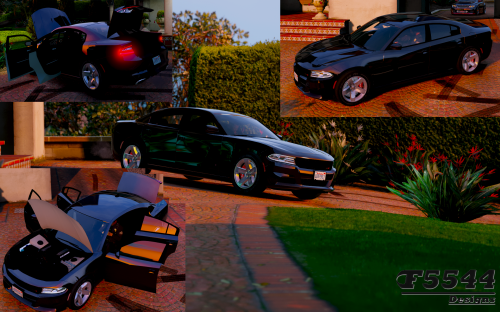
Hmmm....with carvariations installed in mpchristmas2, the brake lights dont work properly. As well as the windows arent breakable when installed to x64e......can anyone confirm features/bugs of this model? Also cant tint, lower, etc.....using enhanced native trainer.
- 42 comments
- 3 reviews
-
Cool deal, Yeah I know the deal with installing vehicles, the carvariations threw me off is all. Thanks!
- 42 comments
- 3 reviews
-
-

- 1
-
-
Never said it wouldnt work, I put the models in x64e, but the word readme I have says it goes in patchday4ng......with the carvariations going in mpchristmas... Dodge charger 2015 civilian.docx
- 42 comments
- 3 reviews
-
I think the install readme is out of date....Where do install this thing?? Along with the carvariations file info......
- 42 comments
- 3 reviews
-
What Nvidia enhancements are you using? Also I use PoV as well but are they not updating that mod anymore??
- 42 comments
- 3 reviews
-
 If thats the case, great work! Its sad seeing so many nice models without LODs and fully working features.
- 202 comments
- 51 reviews
-
@F5544 Do your models, this one included, have breakable glass and full LODs?
- 202 comments
- 51 reviews