


tpbser
Members
-
Joined
-
Last visited
Everything posted by tpbser
-
 any idea how to make it sound like the schafter V12? cant seem to find the sound files for that one edit: figured it out, found the schafter3 sound and oac files and changed the names (also in the oac)
- 43 comments
- 9 reviews
-
 I had the same problem, go to your GTA V main folder, open startup.rphs with a text editor and add the line: LoadPlugin "Spotlight.dll"
- 477 comments
- 73 reviews
-
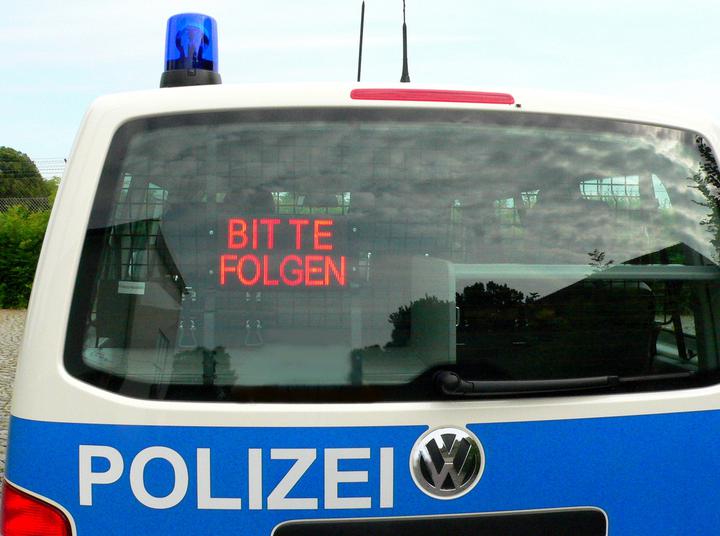
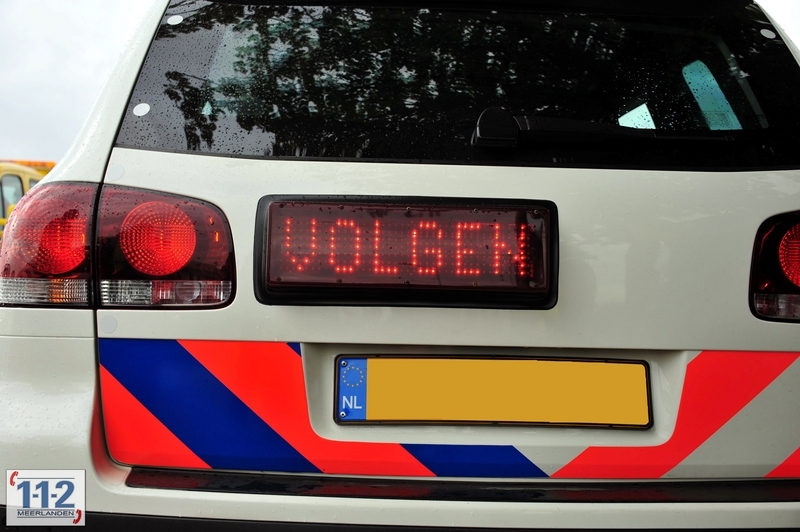
In Germany and The Netherlands marked cars can also have these signs Belgium has them in unmarked cars for sure Folgen and Volgen both mean 'Follow' btw
-
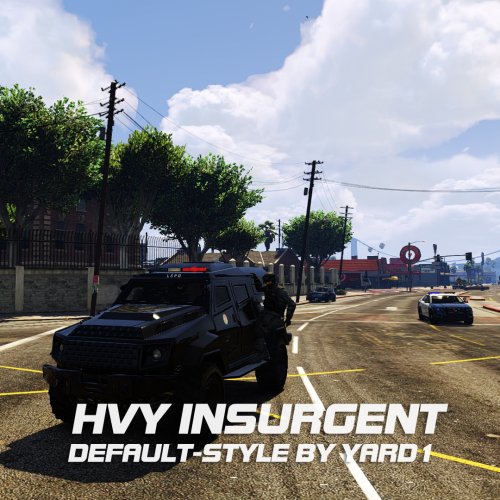 Thanks for the reply! I copied a fresh update.rpf to mods and changed the vehicles.meta in \mods\update\x64\Dlcpacks\mpheist\dlc.rpf\common\data\levels\gta5 and still it doesnt spawn. The suggestion is there in the console though.
- 27 comments
- 5 reviews
-
Just did some more testing with a fresh update.rpf file and the game crashes as soon as I change the vehicles.meta in mods\update\update.rpf\dlc_patch\mpheist\common\data\levels\gta5 Editing the file myself or simply copying the one did the same, crash when loading population. The carvariations and texture files are also in the correct locations and dont result in a crash, this only happens when the vehicles.meta is touched. Without changing/replacing the vehicles.meta and keeping the other files, the game loads and works perfectly but I obviously cant spawn the policeinsurgent now :(
- 27 comments
- 5 reviews
-
To be clear, when the update came, I copied the new update.rpf into my mod folder and edited the (new) vehicles.meta inside. policeinsurgent is still suggested for autofill in rage console, but when I try to spawn one, nothing appears. After the update I had the same problem with the police dominator, but once I edited the vehicles.meta, it spawned just fine. I've tried it from scratch, going through the readme again and again, edited vehicles and carvariations but with no luck. Can anyone please help me fix this, I really love this mod!
- 27 comments
- 5 reviews
-
the car doesnt spawn anymore since the recent patch, is anyone else having this problem? I've already added all files from scratch and nothing...
- 27 comments
- 5 reviews
-
 Copy the files you need to edit from your original GTA folder into the mods folder. The original files can be found following the paths in the readme and just ignoring the /mods/ part of the path. Copy the ones you need to the empty mod folder and start editing :)
- 371 comments
- 38 reviews
-
Is it normal for the CVPI to have a satin/matte black finish instead of a metallic black (like the SAHP Crown Vic?) The CVPI was added as an extra car but even when i replace the police model, it is still not metallic looking. In the attached image you can see the glossy SAHP CV on the left and the CVIP on the right. All files, mods and plugins are the latest versions. I'd really like to have the metallic finish like the SAHP one has, if possible. Thanks in advance!
- 371 comments
- 38 reviews
