sailorpiXel
Members
-
Joined
-
Last visited
Everything posted by sailorpiXel
-
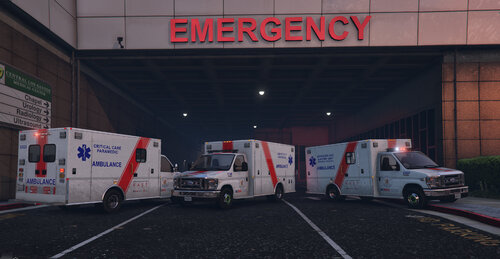 I decided to update my BC Ambulance Skins now that there are better Ambulance Models Available. Originally was a reskin of the basic ambo model. This is a reskin of Keiths E350 Box Ambulance which is a fantastic model and more accurate representation of a couple models used by the BCEHS, in Vancouver and British Columbia Canada. This allowed a more accurate representation of the Livery and this model supports ELS. THIS REQUIRES KEITHS E350 Box Ambulance which can be found here: Includes 3 liveries, Basic Life Support, Advanced Care, and Critical Care variants.
 -
-
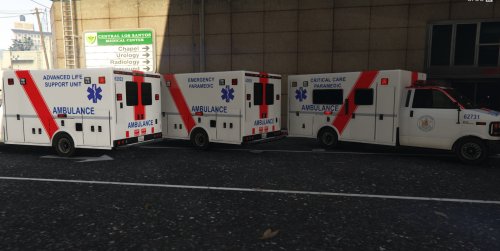 This is my first contribution the GTA community, I hope you all like it. This is a complete reskin of ns0112's Mapped Brute Ambulance. It features three different skins, the PCP/ACP/CCP versions of the BC Ambulance Service Livery. 1. Ensure you have installed ns0112's Mapped Brute Ambulance. (v1.5.1 or later) Available here if not already installed: http://www.lcpdfr.com/files/file/8798-uv-mapped-ambulance/ 2. There are both the BLS/ALS versions of the skin in this texture pack. 3. After choosing, go to - x64e.rpf/ levels/ gta5/ vehicles.rpf then import the ambulance.ytd and ambulance+hi.ytd. 4. Enjoy -Do not re-upload any or any part of the content provided without prior authorization from the author -Editing for personal use is your choice. -Please rate on LCPDFR.com! ggRadar
- 2 comments
- 1 review
-
-

- 1
-
-