


zebby12
Members
-
Joined
-
Last visited
Everything posted by zebby12
-
No. I KNOW how to change textures of the sirens. My questions is, how do I change the color of the Reflections on the ground from the police lights?
-
I dont want to make it brighter, I want to change the color of it.
-
So let's say that the coronas WERE hidden. Now how do i change it?
-
Anyone else knows how to change Reflection light color?
-
Thank you for all your help. I added the .ytd to patchday9ng and it worked. :D . One last thing though, how can I change the reflections COLOR ? I have enb and reshade.
-
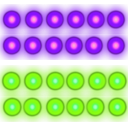
So what can be a possible light bar for this?
-
So do i let the Light bar glass go as it is or do i match it with my siren color?
-
Ahan. Btw, I have Add Ons which the game recognizes as DLC. So do i move the police.ytd to the most recent Addon or the most recent PATCHDAY? Another thing, do i have to change the color of the generic_lightbar_glass?
-
So I was wondering how to change Police bar light colors. I watched a FirstThirtyMinutes video and he went to update's vehicle.rpf and changed the siren texture to his choice. I did the same with Police3.ytd but my colors did not change. Here is the link to my altered texture (just a test texture): http://imgur.com/AQZzk4u I replaced this with the texture in police3.ytd and loaded up the game but the lights did not change. Can someone tell me or make a tutorial and pin it please? My goal is to make the lights magenta and blue.
-
 Ok people, sorry but i forgot to add +livery in vehicles.ide. For all the new to modding people, Go to |Gta IV directory ---> common ---> data ---> vehicles.ide| Now, for the cars you want to have liveries for, skip to the last character of the line (for example you have to find noose for noose cruiser, or polpatriot for the noose patriot) and then you have to add (+liveries) without the brackets. You have to do this for every car which has liveries. AAAAND DONE!
- 62 comments
- 26 reviews
-
Alright can someone please help me. I installed the vehicle pack (all vehicles installed were marked). I download ALM and even enabled the livery function from the trainer.ini of SNT. But when in game, when i go to the SNT menu to change livery, nothing happens
- 62 comments
- 26 reviews
-
-
Before posting this i looked in the whole file structure to find a readme (no offense), but i couldn't find it. I am writing down the steps i did for those a little new to modding GTA IV. Please correct me if i am wrong and tell me how to use different skins. 1- Choose your car of choice. 2- Rename the .wft and .wdt (slicktop means no lightbar on top of vehicle, unmarked means undercover) files to one of the law enforcement vehicles (e.g: police1, polpatriot, noose, fbi etc) 3- Use GTAIVmi(vehicle installer), Open IV or Spark IV to replace those files. 4- Go to your GTA IV directory and go to the ELS folder. Over there, open the default_config.ini and replace the lines with the one in this download.
- 62 comments
- 26 reviews
-
-

- 2
-
