Skip to content
View in the app

A better way to browse. Learn more.

LCPDFR.com

A full-screen app on your home screen with push notifications, badges and more.

To install this app on iOS and iPadOS
  1. Tap the Share icon in Safari
  2. Scroll the menu and tap Add to Home Screen.
  3. Tap Add in the top-right corner.
To install this app on Android
  1. Tap the 3-dot menu (⋮) in the top-right corner of the browser.
  2. Tap Add to Home screen or Install app.
  3. Confirm by tapping Install.

OfficerLando

Members
  • Joined

  • Last visited

  1. I don't usually comment but my god. This is the correct orienation for that generation tahoe.
  2.    Kodah reacted to a comment on a file: 2018 Dodge Charger PPV [Reflective]
  3. Any chance of one without the K9? There are very few high quality models with that lighbar out there. You have the best one by far with this one. Appreciate the car anyways.
  4. Would pay for this car with a Whelen Justice Lightbar. This car is amazing anyways.
  5. I deleted my game and copied over a clean game that works. I will take it step by step again and see if the issue happens again.
  6. I have changed it. I also tested it without loading any plugins at all. I was able to load in for approximately a minute and crashed straight to desktop with no crash report. I then tested it without plugins loaded and without the mods folder and got a corrupt game data error. I have tried the game before without any mods and it had worked fine.
  7. I have the latest version of Regular Callouts already and had my Timeout Threshold on 90,000 before. It just simply freezes at the black screen with "loading lspdfr" in the bottom right corner. I am not always getting a log for it either. It just freezes and I have to force quit the game through task manager.
  8. I've been trying to get my LSPDFR updated and good but I am having a few unknown issues. My LSPDFR freezes on the black screen before I load into the game then either crashes or stays frozen. Before this my game was just randomly crashing with no apparent issues but I was able to load in and go on-duty for a couple minutes. These are my last two logs. One I tried to reload all the plugins to fix but it was still stuck on a black screen. RagePluginHook_07112020_160833.log RagePluginHook_07112020_163255.log
  9. Just figured out installation after I realized they were dds files lmao. Looks solid even though realistically pants and hat should be just slightly darker than shirt. Nice work though.
  10. OfficerLando started following BlueGhost
  11. The taillights on both the 14 Charger and 15+ chargers don't light up, only the brake lights do.
  12. Need to fix taillights on Chargers, the outer ring doesn't light up at night. And the wig wags on charger should be the DRL's and brake lights only.
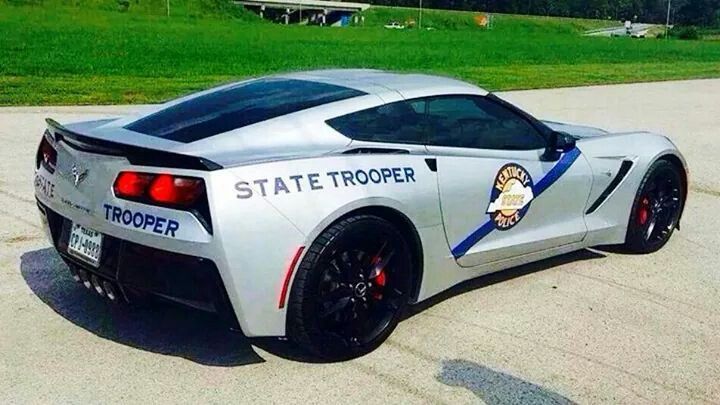
    How can you not give this 5 stars? This is the first KSP pack ever and it is so good. Pretty accurate and so beautiful, but I guess I am biased. *Fixes: Caprice Door, Charger Taillights Wrong, Lighting is not realistic, and antennas aren't quite realistic. But still 5 stars.
  13. I have never seen on without hubcaps, and I really don't know why they decide to have hubcaps on the Chargers. But seriously, thanks a lot for this pack.
  14. I love that someone actually put the time to attempt a KSP Model Pack. I thought it would never happen. Few things I am not sure if you have done: Antennas (one behind lightbar and one to far right of trunk on the Chargers), And must have hubcaps for AWD Newer Charger. I will be putting it into my game and return for a review.
  15. @Kallus Rourke Well, I might just go back to my ELS packs because that just made it instantly crash. Thanks though.
  16. @Kallus Rourke That it what I was trying to say. I took ELS out but the game still crashes so I believe I need something like a gameconfig or something but I don't know the specific files I need.

Account

Navigation

Search

Search

Configure browser push notifications

Chrome (Android)
  1. Tap the lock icon next to the address bar.
  2. Tap Permissions → Notifications.
  3. Adjust your preference.
Chrome (Desktop)
  1. Click the padlock icon in the address bar.
  2. Select Site settings.
  3. Find Notifications and adjust your preference.