


CamTheMan97
Members
-
Joined
-
Last visited
Everything posted by CamTheMan97
-
-
-
 @liamxxsHey, I believe the problem is the carvariations. I'm working on just making the lights "amber"ones without red and blue coronas... As for the arm, I didn't make the truck. I'm guessing you would probably need a script to be made for that to work. Good idea though. I can talk to a couple of people and see if it could be done.
- 21 comments
- 2 reviews
-
-

- 1
-
-
Drag the carvariations file out of OpenIV, open it with something like notepad or an app to edit the text. Search for towtruck model name if edited already. If not copy what is in readme to the carvariations file under variation data. Make sure there are no spaces in between the bottom of the copied text and the next model name. Go to edit or settings and click save. Drag carvariations file back to its location. @DynaRider
- 21 comments
- 2 reviews
-
-
I'm not sure, I don't use RDE @FFD. So you installed the carvariations but the lights pop out of the lightbar?
- 21 comments
- 2 reviews
-
-
-
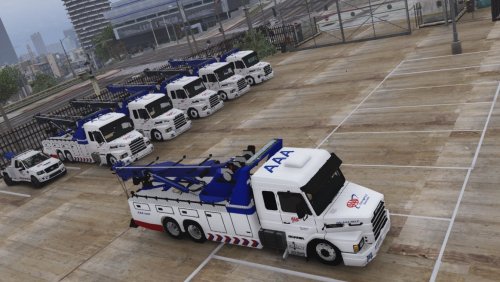
AAA Texture for CristopherIgor's Scania 113H truck. Texture By: CamTheMan97 Conversion from SA: CristopherIgor Edits and template: Mohaalsmeer CHANGELOG: 1.0 - Initial Release 1.1 - Fixed Lightbar with correct carvariations -- Installation -- Open "OpenIV" Put vehicle files in these locations: GTAV/update/x64/dlcpacks/patchday3ng/dlc.rpf/x64/levels/gta5/vehicles.rpf OR GTAV/mods/update/x64/dlcpacks/patchday3ng/dlc.rpf/x64/levels/gta5/vehicles.rpf ******ATTENTION****** *******If you want lights to work correctly, carvariations MUST be installed. I suggest copying and pasting the text in the read me file. ******* Install here: CARVARIATIONS: >>> GTAV/Mods/update/x64/dlcpacks/mpchristmas2/dlc.rpf/common/data -- Known bugs -- Sometimes the arm of the truck spawns in a slightly darker blue than the rest of the truck(rarely). Original model - https://www.gta5-mods.com/vehicles/scania-113h-guincho-4x6-funcional
- 21 comments
- 2 reviews
-
-
- 3
-
-
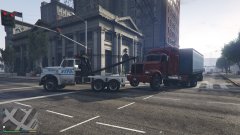 That's a really cool Tow Truck mod, the wrecker. Now it can pick up anything. Great job.
 -
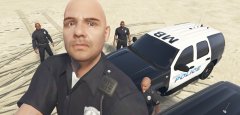
From the album: Manhattan Beach Police on Duty
-
Just another day at the beach... http://www.lcpdfr.com/files/file/11834-andreas-state-patrol-slicktop-tahoe/
-
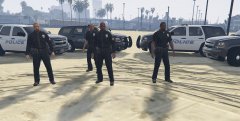
From the album: Manhattan Beach Police on Duty
-
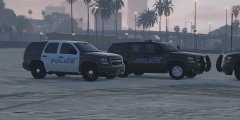
From the album: Manhattan Beach Police on Duty
-
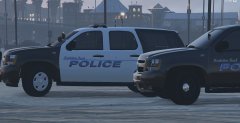
From the album: Manhattan Beach Police on Duty
-
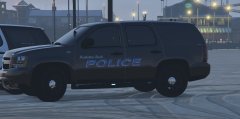
From the album: Manhattan Beach Police on Duty
-
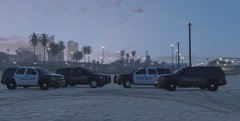
From the album: Manhattan Beach Police on Duty
-
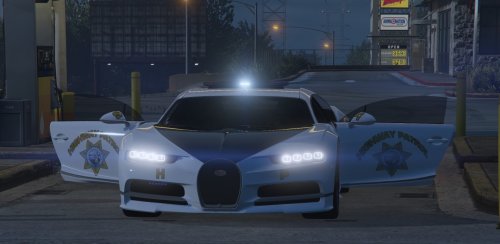 This is my first texture for the Bugatti Chiron (originally created by le__AK and police version by Game68240). It is supposed to resemble the white versions of the California Highway Patrol vehicles. I know the hood of the car is supposed to be white. For some reason, even though I tried to change the color, I could not. Download Here: Stock Version - https://www.gta5-mods.com/vehicles/bugatti-chiron-replace-also-works-on-online Police Version- https://www.gta5-mods.com/vehicles/bugatti-chiron-hot-pursuit-police-add-on-replace-template CHANGELOG 1.0 - Initial Release 1.1 - Added Mirror, Front Decals 1.2 - Enhanced Text, Added Outer Lining To install, Open "police2.ytd" in gta5 \ mods \ update \ x64 \ dlcpacks \ patchday3ng \ dlc.rpf \ x64 \ levels \ gta5 \ vehicles.rpf Replace texture "Template1" and "Template2" with mine. Do the same for "police2+hi.ytd"
 -
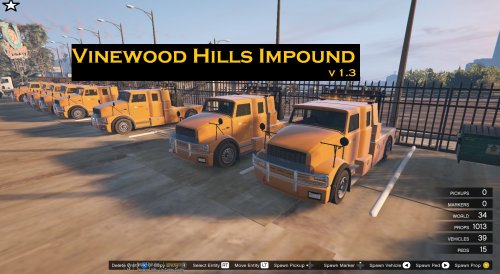 Hey @FirstThirtyMinutes, I think I figured out the issue you were having with the map. Some of the props were interfering with LSPDFR's loading process causing that message to pop up. It will still load the map by the way. I've updated the map for LSPDFR users...Had to remove some props. The message may still pop up but the map should load...
 -
-
 Muchas gracias @alexdeejay16
 -
Ok. Sounds good. Thank you for downloading! @FirstThirtyMinutes
-
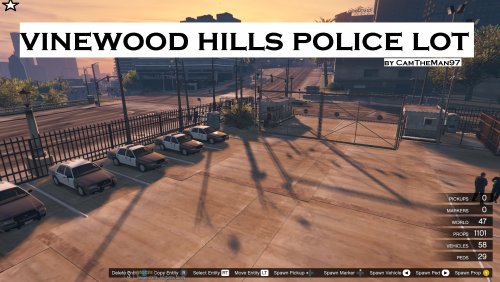
-Vinewood Hills Police Lot 1.0 by CamTheMan97- ***THIS MOD IS LOCATED IN THE SAME POSITION AS MY OTHER MOD, "VINEWOOD HILLS IMPOUND" DO NOT LOAD BOTH MAPS AT THE SAME TIME*** Are you getting tired of loading up LSPDFR the same way? Picking an outfit...then picking a vehicle out of a seemingly small garage? Want to add a bit of visual eye candy to the whole setup part to LSPDFR? Well, I present to you, the first ever Parking Lot for Police Vehicles. Here, you can find any police vehicle in the game. Even older ones(Policeold1, Policeold2). In the folders, there are two files. One(vinewoodpolicelotall) has all types of police vehicles (including older ones), while the other(vinewoodpolicelotnew) just has the new generation vehicles we would typically see in LSPDFR today. Whichever floats your boat. Note, when using the "vinewoodpolicelotall" xml, with all vehicles, there are less of each vehicle to compensate for the older ones and more in the other file(vinewoodpolicelotnew) ...Unfortunately, map editor currently only supports up to 63 vehicles in game, hence the somewhat slight in depth of cars.I tried to map a separate map of cars to have more but it didn't work...Also, let me know if you guys would potentially be interested in me adding a helipad with some choppers. Here's how to install: Drag either "vinewoodpolicelotall" or "vinewoodpolicelotnew" .xml file from zipped file to GTA 5 directory.To load in game, open map editor with F7, click "Load Map", and type in either "vinewoodpolicelotall" or "vinewoodpolicelotnew". REQUIREMENTS - MAP EDITOR BY GUADMAZ -BUGS- Left front gate may open randomly and repeatedly over time -Changelog- 1.0 - Initial Release -DO NOT EDIT OR RE-UPLOAD MY MOD TO ANOTHER SITE WITHOUT MY PERMISSION-
-
@FirstThirtyMinutes Hmmm, that's strange...Ok let me know if anything changes... If that still doesn't work, I'll re-upload another version @FirstThirtyMinutes.
-
Thanks @Gallonman20.

