



legionarius
Members
-
Joined
-
Last visited
Everything posted by legionarius
-
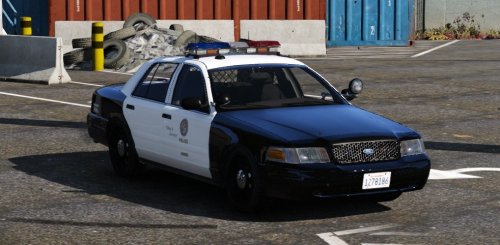 sorry guys, as already mentioned I do not like too many lights in this car, especially in the rear and frontal windscreen
- 49 comments
- 19 reviews
-
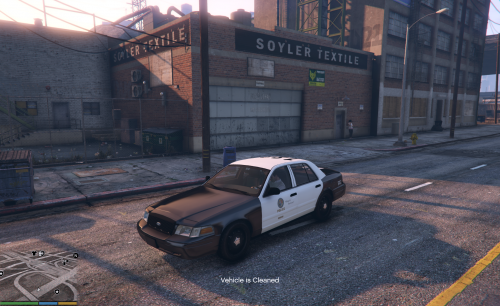 awesome car for dev, and very important the car have all lods (it is fundamental for a good mod and game stability), i see many good car but without lods, not good for the game engine illuminati confirmed?
- 17 comments
- 10 reviews
-
oh shit, man, now I remember, you saved my pc from a bulldozer run
-
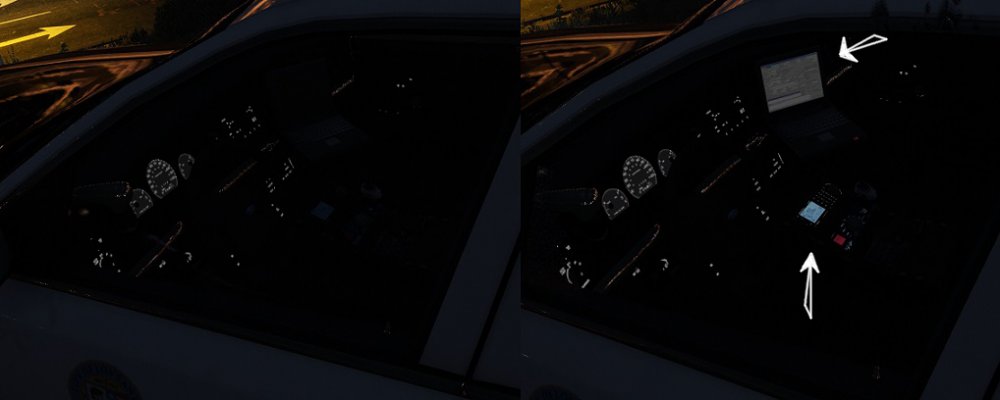
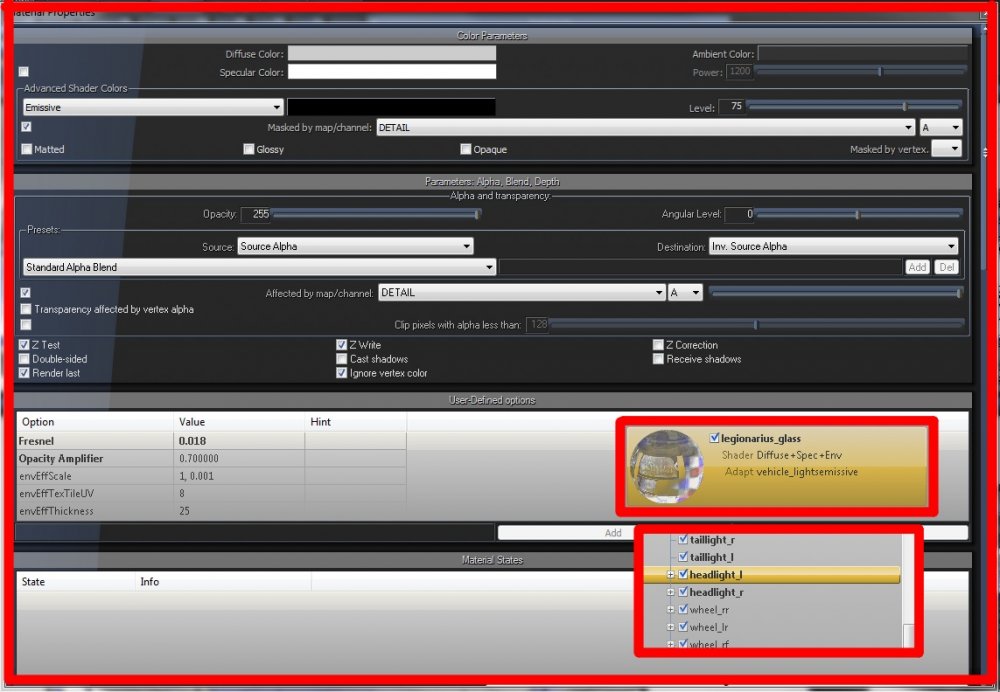
can someone tell me why I can not see the lights of console and laptop through the glass? the material is a copy of other lights you can see in the pic (vehicle_lightsemissive), and polygons dont have an ID I have to break the glass to see them I did a lot of tests, but nothing I remember the same frustration with zmodeler2, but dont remember the solution :\
-
maybe i can add a '99 version with chrome grille, and some other chrome parts
- 49 comments
- 19 reviews
-
-
-
thank you for the pic, I do not like too many lights in this car maybe I can add a Console like this: http://www.lcpdfr.com/files/file/7201-cm-console/ the car have pushbar, ALPR, working spotlight and some antenna for now
- 49 comments
- 19 reviews
-
-

- 1
-
-
-
-
hi, can you show me the right position please? a little more towards the outside? I really appreciate your comment, thx
- 49 comments
- 19 reviews
-
original model: Ford CVPI [DEV] 1.2.0 By F5544 http://www.lcpdfr.com/files/file/8765-ford-cvpi-dev/ this is my version, it's nothing of special, but was fun to play with ZModeler, and now I want to share it -many small changes -added some details -reworked headligths and indicators (I know, it's not like the original, but I like it so) -3 in game variants with pushbar with scanner without pushbar and scanner -work in progress NOTE (optional): if you want to use this car like a sheriff car launch OpenIV Mods\update\update.rpf\common\data\levels\gta5 extract and edit vehicles.meta, search sheriff and change this line from <handlingId>SHERIFF</handlingId> to <handlingId>POLICE</handlingId> save and import, because the sheriff handling is different and you can see the rear suspension a little bit lower Credits CVPI: -Ford CVPI from Driver San Francisco -Ported to GTA IV by F5544. -Edited to police version by Cj24 and KevinDV. -Ported to GTAV by F5544. -Liveries by BogdanM. -Beta tested by PimDSLR, Dbock1989, Prophet. -Interior parts made by Bxbugs123/Scheafft with permission to use. -edited by legionarius OTHER: -MX7000 lightbar.(LAPD version) by F5544 -ms_alpr (apr) scanner r1 by Martin Stainman -spotlight handle: WHELEN LED PAR 46 SPOTLIGHT DEV_WHELEN_PAR-46_SPOTLI By EVI -spotlight by legionarius -Go Rhino pushbar by legionarius -Police Equipment 2.0 By Sheriff Van Dyck -antenna from ALPR System 0.1 By Martin Stainman -0taku - BlackJesus1 technical advice DO NOT RE UPLOAD, THX
- 49 comments
- 19 reviews
-
-
-

- 6
-
-
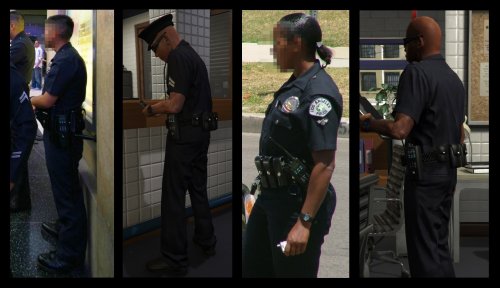 hi, read some comments above, I suggest to install my archive then replace the other custom textures or you can extract my textures and follow this procedure: extract 6 textures -task_diff_000_a_uni -task_diff_001_a_uni -task_normal_000 -task_normal_001 -task_spec_000 -task_spec_001 IMPORT (not replace) the 2 main textures (task_diff_000_a_uni and task_diff_001_a_uni) and when OpenIV ask to choose import option you have to choose textures format A8R8G8B8 (not DTX1) IMPORT (not replace) task_normal_001 (s_m_y_cop_01 only) and when OpenIV ask to choose import option you have to choose textures format DTX1 (not ATI2) you can replace normally task_normal_000 task_spec_000 task_spec_001 It is a process a little tedious, but prevents problems of low quality textures, or worse this:
- 20 comments
- 5 reviews
-
done Many thanks if someone needs
-
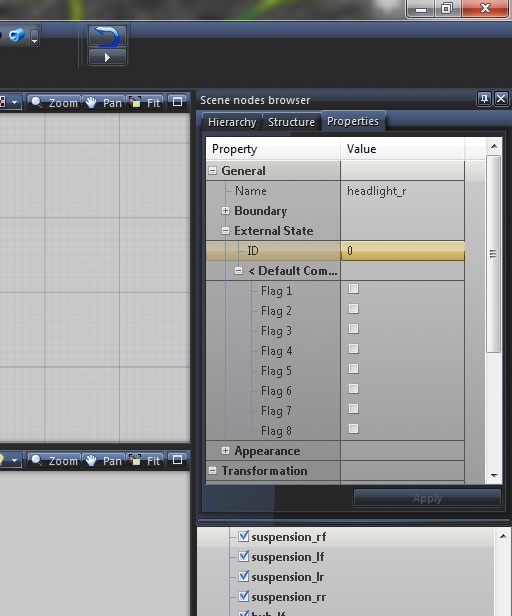
probably I've done that a few years ago with zmodeler 2, but I do not remember much, where is the ID under scene nodes browser or in the material browser? you can add a pic? and the right setting? thanks for the reply
-
someon can help me, why my headlight is always on, I used the right material and compound, I forgot some steps? thx
-
-
mmm I dont see any edit to click, I see quote multiquote share report but not edit, strange, I wanted to fix the comment with missing pictures, thx anyway
- 20 comments
- 5 reviews
-
hi, thx to you, the files in the rar are correct and easy to install, the discussion is about of a hypothetical installation of loose textures. Can you help me? how i can edit/delete a comment here? im a noob :)
- 20 comments
- 5 reviews
-
-
hi, I would do it but (I do not know why) sometime when you replace a texture can happen this: or worse, if you replace the specific texture task_normal_001 (s_m_y_cop_01 only) can happen this: I found a method, the 2 main textures (task_diff_000_a_uni and task_diff_001_a_uni) need to be convert with format A8R8G8B8 (not DTX1) and task_normal_001 (s_m_y_cop_01 only) you need to delete it and import the new texture with format DTX1 (not ATI2) I think is a procedure a bit complicated or boring for most of people I suggest to install my archive then replace the other textures (uniform, faces, ecc....), I think it's better way imho But if you vant textures only you can extract it from my archive and do some test for the voice you can use Simple Trainer main menu\model spawning\voice menu\ and choose one of the cops voice (cop, sheriff, hwcop)
- 20 comments
- 5 reviews
-
-
- 1
-
-
-
Hi, I'm glad you like my mod, you have installed my files? or you have extract the textures and put them in another .ytd archive? if you do so you need to extact 6 textures -task_diff_000_a_uni -task_diff_001_a_uni -task_normal_000 -task_normal_001 -task_spec_000 -task_spec_001 and IMPORTANT when put task_diff_000_a_uni and task_diff_001_a_uni do not replace, delete these 2 textures in your archive, and IMPORT my 2 textures, and when OpenIV ask to choose import option you have to choose textures format A8R8G8B8, you can replace normally the other 4 textures, try so or (even easier) install my archive and replece the other textures you want to install I hope you understand, my English is very bad
- 20 comments
- 5 reviews
-
a small improvement for cop belt optional folder includes a Radio skin if you are using Police Radio by FinKone installation guide in archive IMPORTANT Police Radio mod was updated (V.0.40 - 10/31/2015) if you are using my skin when you are in game press left control + left shift + Z for adjust the size and the position of radio and display. DO NOT RE UPLOAD, THX
- 20 comments
- 5 reviews
-
-
- 6
-
-


