
legionarius
Members
-
Joined
-
Last visited
Files posted by legionarius
-
This mod add some peds to the game so you dont have to replace any existing peds
-new male sheriff (with hat and without boots)
-new female cop (without hat for now)
-new female paramedic
Installation in the archive
im using this peds for a bit of variety in my backup scenario with LSPDFR, male sheriff and female cop in
Grand Theft Auto V\lspdfr > backup.xml
female paramedic with better ESM in
Grand Theft Auto V\plugins\LSPDFR\EMSmod > EMSUnits.xml
plans: improve female cop female paramedic (I'm too lazy for now)
add more peds
- 853 Downloads
- 17 Comments
Updated -
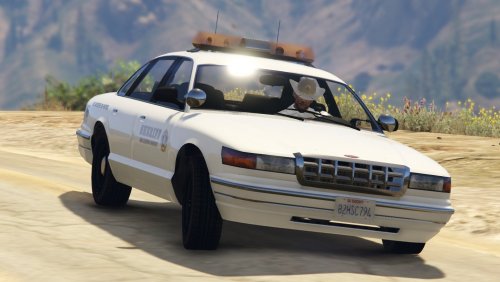
This mod is designed to be used with Arrest Manager so you can use this unit as prisoners transport
CAR
amber lightbar, all lods, multy livery, Template,
installation option "without sirens sound" so you can choose, without sirens sound is like rl volunteers car counterpart (thx to @11john11 for tips)
PEDS
peds are set like civilians and unarmed, like rl counterpart, with only the voice from cop (thx to @Schecter004 for tips)
- 605 Downloads
- 16 Comments
Updated -
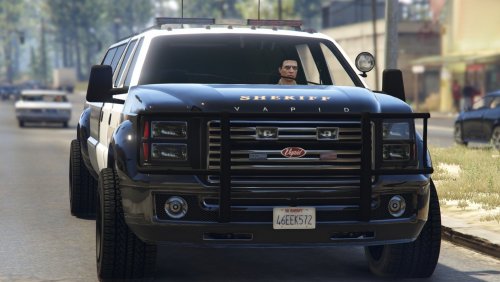
lore friendly LSSD SandkingXXXL
All lods
Multy livery
Installation instructions in archive- 1,044 Downloads
Updated -
original model:
Ford CVPI [DEV] 1.2.0 By F5544
http://www.lcpdfr.com/files/file/8765-ford-cvpi-dev/
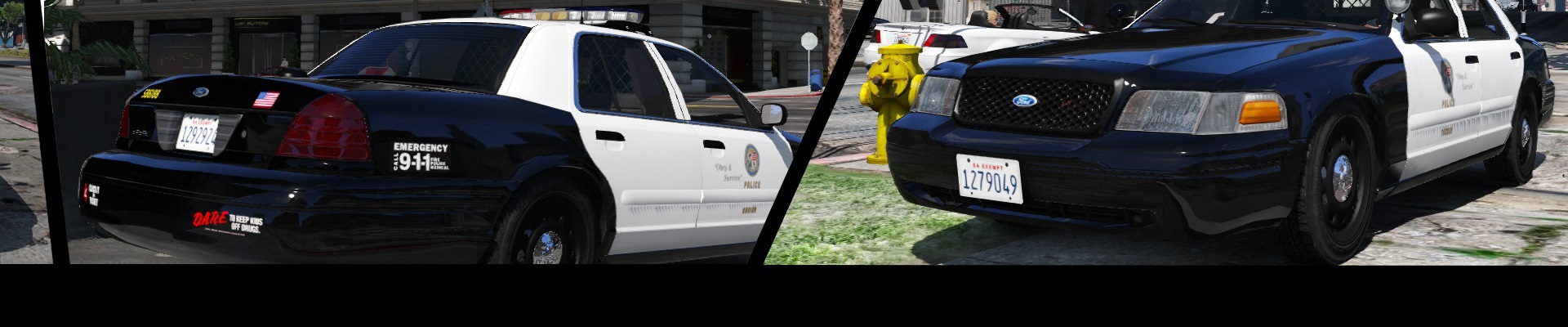
this is my version, it's nothing of special, but was fun to play with ZModeler, and now I want to share it
-many small changes
-added some details
-reworked headligths and indicators
(I know, it's not like the original, but I like it so)
-3 in game variants
with pushbar
with scanner
without pushbar and scanner
-work in progress
NOTE (optional):
if you want to use this car like a sheriff car launch OpenIV Mods\update\update.rpf\common\data\levels\gta5 extract and edit vehicles.meta, search sheriff and change this line from <handlingId>SHERIFF</handlingId> to <handlingId>POLICE</handlingId> save and import, because the sheriff handling is different and you can see the rear suspension a little bit lower
Credits
CVPI:
-Ford CVPI from Driver San Francisco
-Ported to GTA IV by F5544.
-Edited to police version by Cj24 and KevinDV.
-Ported to GTAV by F5544.
-Liveries by BogdanM.
-Beta tested by PimDSLR, Dbock1989, Prophet.
-Interior parts made by Bxbugs123/Scheafft with permission to use.
-edited by legionarius
OTHER:
-MX7000 lightbar.(LAPD version) by F5544
-ms_alpr (apr) scanner r1 by Martin Stainman
-spotlight handle: WHELEN LED PAR 46 SPOTLIGHT DEV_WHELEN_PAR-46_SPOTLI By EVI
-spotlight by legionarius
-Go Rhino pushbar by legionarius
-Police Equipment 2.0 By Sheriff Van Dyck
-antenna from ALPR System 0.1 By Martin Stainman
-0taku - BlackJesus1 technical advice
DO NOT RE UPLOAD, THX
- 13,014 Downloads
- 49 Comments
Updated -
a small improvement for cop belt
optional folder includes a Radio skin if you are using Police Radio by FinKone
installation guide in archive
IMPORTANT
Police Radio mod was updated (V.0.40 - 10/31/2015) if you are using my skin when you are in game press left control + left shift + Z for adjust the size and the position of radio and display.
DO NOT RE UPLOAD, THX
- 2,612 Downloads
- 20 Comments
Updated