


magee9889
Members
-
Joined
-
Last visited
Everything posted by magee9889
-
 I usually use OPEN IV and go to tools>search> then type in 'swift' and it should come up.
- 3 comments
- 1 review
-
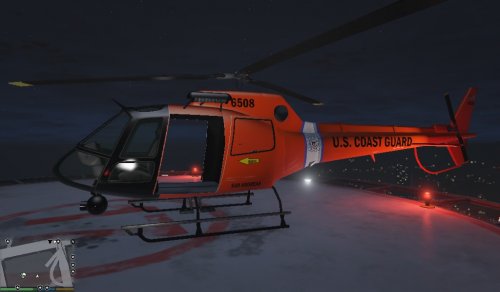 This is a Coast Guard texture for Yard1's mapped Police Maverick which can be found here. Instructions in the readme. This download is exclusive to LCPDFR.com and GTA5-mods.
- 1 comment
- 1 review
-
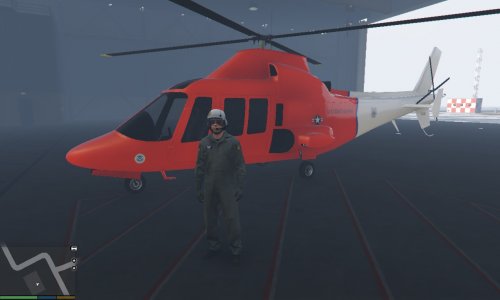
Just a basic US Coast Guard texture for the Swift. This is my first texture/model creation in GTA, I realize it looks a little rough. I wanted to make the nose black and make the back tail more orange like the real USCG Dolphins. If anyone knows how to do that I'd appreciate it... Anyways enjoy! Installation: 1. Use OPEN IV and navigate to swift.ytd 2. Open swift.ytd and replace swift_sign_2 with the .png in the download That should be it!
- 3 comments
- 1 review

