



LoneWolfSpecter
Members
-
Joined
-
Last visited
Everything posted by LoneWolfSpecter
-
I have no jokes and no memes but here is a heartfelt speech by this wise man https://www.youtube.com/watch?v=oxGTuKwuWz8 If that wasnt funny then here is this one. I enjoyed watching this video and found it funny.
-
Someone hacking is spawning giant boulders throughout the whole city Going back home to Paleto Bay Sold all my cars for a feltzer, still didn't have enough.. so I bought this.
-
This GTA V Feltzer converted to IV by someone on gta4-mods. I really like this car and will be buying one in gta online as soon as I do 100 missions and dont get player killed by people in tanks. I refuse to buy shark cards.
-
From the album: The GTA models Gallery
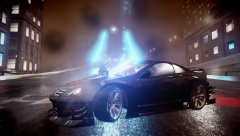
ENB test. mix matching ENB files, visualsettings and timecycl -
From the album: The GTA models Gallery
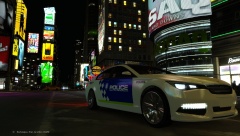
based of City of Barcelona,Spain Police Using Yard1 Ubermacht Oracle Gen 2 ELS -
Just did it and man am I having fun anyone knows the code for the black cop in the background and in my profile pic.. or the one with body armor?
-
From the album: The GTA models Gallery
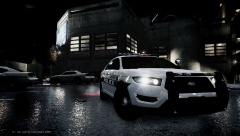
Vapid Interceptor by Yard1, Texture by me loosely based of Clearwater Florida PD -
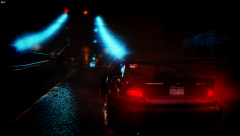
From the album: The GTA models Gallery
Taking a 2013 Benefactor Feltzer for a late night drive. -
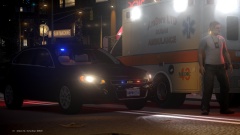 wow I haven't seen an Impala picture in months. Its been explorers and chargers for weeks now. great picture too! What ENB are you using?
 -
flying by the military base Over Los Santos final approach into rwy 35L
-
Its the one you linked me to Its the one you linked me to
-
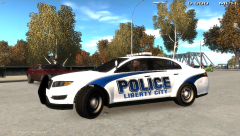
From the album: The GTA models Gallery
A quick design for my LCPD based of Indialantic,FL Police skin. Just to see how it looks ingame and if everything match up. Working on polishing it up and making a pack out of it. Thoughts?? Actual car: -
Thanks! That font looks pretty spot on. I did a quick design and this is how it looks ingame. IMO very much like the actual font
-
I need help finding out what font Indialantic Police uses on their new livery. I'm creating this simple design for GTAV models but cant find this font. It looks a lot similar to the one used in school team uniforms and stuff but different in its own way. does anyone know the name of it?
-
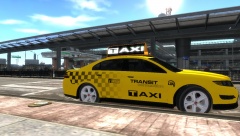 Could be but according to the GTA Wiki, LTA is just a transportation service that operates the bus,tram & subway lines. I didn't see anything about it being a government agency but I could be wrong and probably misread it. The last line says rumors though. :)
 -
From the album: The GTA models Gallery
CEO of Bellic Enterprise, Roman Bellic, has acquired LCC taxi company and has renamed it Transit Connections. TCT will service Liberty City and Alderney with joint connections to LTA services. Rumors are that Mr.Bellic is looking to also purchase LTA and all of its services and merge LTA into TCT. Skin based of Ford Transit Connect van http://www.fleetsandfuels.com/wp-content/uploads/Ford2014TransitConnectTaxi-1111.jpg Taxi model by Yard1 and found @ -
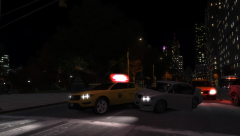
From the album: KP's Random Screenshots
A Motor Vehicle accident on Topaz st. and Frankfort Ave blocks traffic on the northbound lane. Police and EMS are in route. -
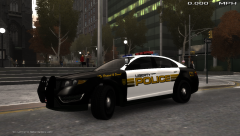
From the album: The GTA models Gallery
GTAV Vapid Interceptor with a Liberty Police skin slightly based of Paterson,NJ police. -
Does anyone have a Bravado Gresley PPV version. I'm looking of a Bravado Gresley from GTA V converted to IV and made into a police SUV with a GTA V ELS lightbar (lt.caine or yard1, doesn't matter), police wheels or stock wheels and a template included. An unmarked police version will do as well. The only vehicle we have that is an SUV from V is the Granger and I would like to see others. I took a liking to the Gresley because it of its resemblance to a Dodge Durango. Below is my GTA V Bravado that I mostly use online, painted in classic black, offroad tires with steelies and dark tinted windows.
-
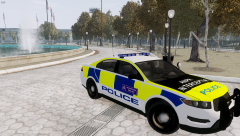
From the album: The GTA models Gallery
So I decided to actually work on an actual pack of this. I was watching a UK police show on youtube about traffic cops and was inspired to make something like this. the skins will be for GTA V models and will have several style of livery. -
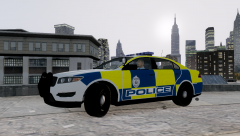
From the album: The GTA models Gallery
I was bored and made this. Not something I'm willing to fully make unless people do like it. I was just bored and was messing around with creating reflective tape/livery. -
Must be a PS4 and Xbox One exclusive because I have PS3 still and only have the tailing mission, hacking, some racing mission and a fixer vs helicopter race type mission that I forgot the name of. but no free roam online.
-
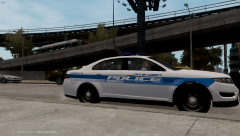
From the album: KP's Random Screenshots
My attempt at Watch Dogs CPD style livery for GTA V models. I want the livery for GTA V models so I gave it a go but couldn't get everything right. The font is wrong, stripes and checkered design is all wrong, the colors are wrong. It still looks good in my opinion but not like the actual livery. Thoughts? -
The front looks like Arial Bold and the side Eurostile Bold. Eurostile Bold: Arial Bold: I could be wrong but I know the font on the side is Eurostile because I use that font.
-
Cars. Cars are the culprits causing my game to crash. I'm limited to certain cars that are at least 2mb size on .WFT and less than 1mb on .WTD. sometime when a car is about 2mb on WTD I remove the extra police liveries and replace dirt texture with a black texture. It seems to drop the file down to below 1mb. Its a shame because there are so many beautiful cars out there and I cant use them because of the amount of detail put in to them. I'm stuck with either vanilla IV/V cars and cars by GFXLE and Lt.Caine. The two moddelers that have decent game friendly cars IMO. The rest of the crashes are just GTA IV going full retard at random times.


