cros1625
Members
-
Joined
-
Last visited
Everything posted by cros1625
-
Yeah, regular speech recognition works. Just tested it. Still not working in game tho.
-
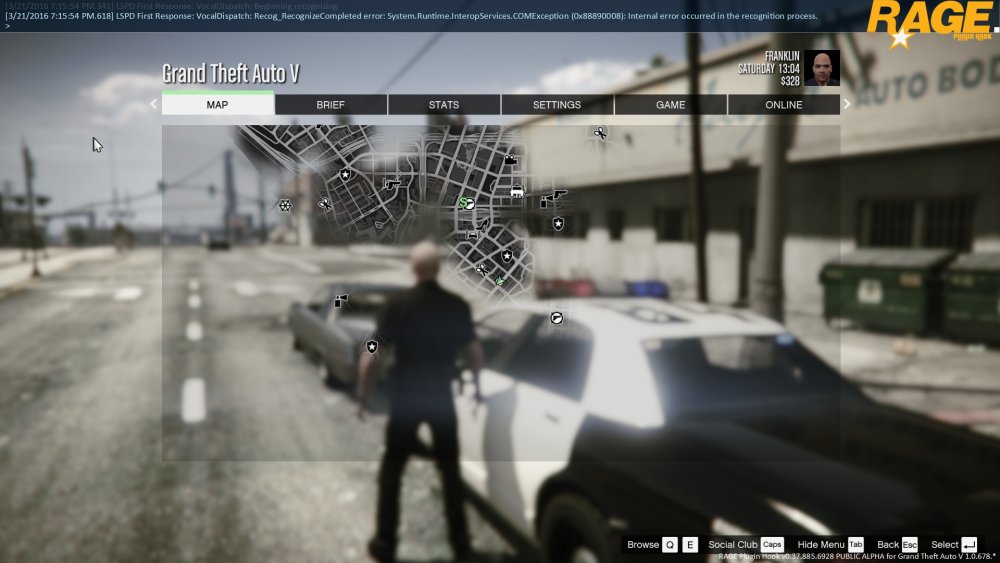
Hi ya! I seem to be getting an error when trying to use this plugin and the game won't respond to my voice. I'm running Windows 10 and ran through the speech recognition training on Windows. Microphone is defaulted to my Blue Snowball on Windows and picks up my voice. Also, the plugin does play the PTT sound when I press alt, just doesn't listen. I included the log and a screenshot of right after I press the alt button in the console. EDIT: Should also note I'm using ragehook 39. In the log you can see the error when I press right alt: [3/21/2016 7:11:26 PM.232] LSPD First Response: VocalDispatch: Beginning recognizing. [3/21/2016 7:11:26 PM.488] LSPD First Response: VocalDispatch: Recog_RecognizeCompleted error: System.Runtime.InteropServices.COMException (0x88890008): Internal error occurred in the recognition process. RagePluginHook.log