



ODSTGeneral
Members
-
Joined
-
Last visited
Everything posted by ODSTGeneral
-
 Did you paste this on the bottom by chance? If so remove the variation data you added and place this further up in the code, it looks like you placed it after the code ends.
- 27 comments
- 2 reviews
-
Is there any way to prevent that part from doing that?
-
Ok so I am working on a couple of new models, and I have run into an issue that I cannot find a fix for. When I lose a door or a bumper the vehicle will be duplicated and stay attached to the object that has been lost. Any assistance resolving this or pointing me in the right direction would be much appreciated.
-
It needs to be before the <Item> line other then that it looks good as far as I can tell.
- 27 comments
- 2 reviews
-
It should be lncluded as part of the standard carvariation file, it should be under </CVehicleModelInfoVariation> and above <Item>
- 27 comments
- 2 reviews
-
-
I am not super knowledgeable on lighting, it may be an issue with the texture as the light is taken from Lundy's fire truck and worked fine there. But the problem is it doesn't have a texture on the model he released.
- 27 comments
- 2 reviews
-
-
Install instructions and carvariation data are in the read me file. make sure to install these properly as they can cause the game to not launch properly if not installed correctly. Known bugs: Glass doesn't break Arrested suspects will clip through on rare occasion.
- 27 comments
- 2 reviews
-
-

- 9
-
-
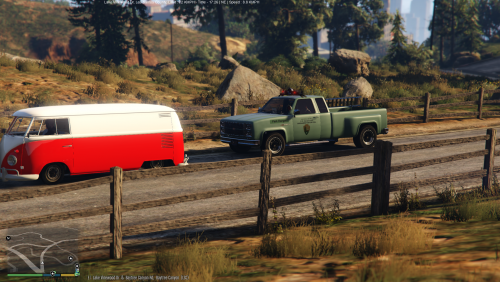 I have heard at least one other person ask for that, I will probably update soon with a version w/o a ladder in an extra file.
 -
-
-
It sounds like an issue with the carvariations file, have you gotten it fixed yet?
-
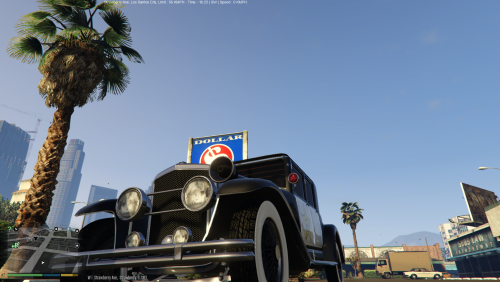 My second modification is a edit of the Roosevelt model from the Valentines DLC, Installation instructions can be found in the read me included in the download. Note that I still haven't figured out how to make breakable windows as such this model does not have any.
- 11 comments
- 1 review
-
-
- 7
-
-
http://imgur.com/a/Z1c1W So I have started work on my second vehicle, however with this one I am not using a light bar but I would like to convert the left extra light (the red one) to a steady burn when the sirens on. But I also need to disable it as a standard high beam. The second issue I need assistance with is getting windows breakable, someone was kind enough to clarify that I can set material type on the windscreen and that will get them to be breakable, but didn't clarify how I could do so. Any help would be appreciated.
-
Hey guys this is my first modification, as such it has some bugs I still don't know how to fix or have plans to fix at a later point. If you do find any such bugs please give feedback! Installation instructions can be found in the read me included in the download. Changelog 1.1.0 Added new variant without a ladder Changed spotlight from red to white
-
This may be a good place for you to start.
-
Having not done this before I am having a hard time wrapping my head around it, is there any tutorials that show how to do this? My search results didn't reveal this exact part.
-
I am not finding the cwgv files for some reason.
-
Is there anything specific you seek help with, if its general help regarding modeling there are many tutorials for blender all of which should work for your needs even if indirectly related to GTA modeling.
-
http://imgur.com/lhlziZn
-
Yep that did the trick, thanks a lot for the help!
-
So work is progressing on my Park ranger bobcat, however I have noticed an issue in which the driver clips through the seat and as a result the hands do not appear to hold the steering wheel. Any help as to what I need to edit in order to fix this would be much appreciated.
-
So I decided to make an old school park ranger vehicle using the bobcat, I have managed to get it in game and working with the lights and sirens. However I cannot figure out how to set up the liveries on it, I have tweaked carvariations so it spawns in the correct color. However I would like to put a number of park service decals on the vehicle as well and I am unsure how to adjust that. Edit so I attempted to create a texture using Z modeler and while the texture appears in Zmodeler it appears faded. I tried to transfer it into Open IV just to see if it was Z modeler and and the truck is completely black where the texture was.
-
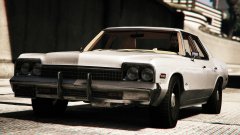 Well there is a broken Monaco for GTA V too....glad to see this will be getting added properly. I am really looking forward to it.

