
ODSTGeneral
Members
-
Joined
-
Last visited
Files posted by ODSTGeneral
-
This file is my first foray into the world of ped editing, this retextures the in game military to reflect the 70's U.S. Army and Marines. This is unfinished but I wanted to put it out to help discover any bugs or textures that need to be redone.
- 175 Downloads
- 4 Comments
Updated -
Hey guys this is my first modification, as such it has some bugs I still don't know how to fix or have plans to fix at a later point. If you do find any such bugs please give feedback!
Installation instructions can be found in the read me included in the download.
Changelog 1.1.0
Added new variant without a ladder
Changed spotlight from red to white
- 714 Downloads
- 11 Comments
Updated -
Install instructions and carvariation data are in the read me file. make sure to install these properly as they can cause the game to not launch properly if not installed correctly.
Known bugs:
Glass doesn't break
Arrested suspects will clip through on rare occasion.
- 808 Downloads
- 27 Comments
Submitted -
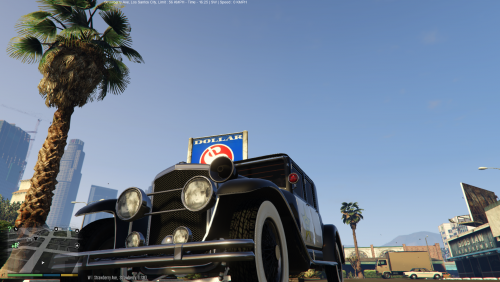
My second modification is a edit of the Roosevelt model from the Valentines DLC, Installation instructions can be found in the read me included in the download.
Note that I still haven't figured out how to make breakable windows as such this model does not have any.
- 384 Downloads
- 11 Comments
Submitted