si239
Members
-
Joined
-
Last visited
Everything posted by si239
-
updated lml loaded 1st time thank you very much its really appreciated a few errors popped up but its to do with my mods think they also need updating.
-
no i haven't updated LML i will update this and see if it works and if not ill will also try your solution thank you
-
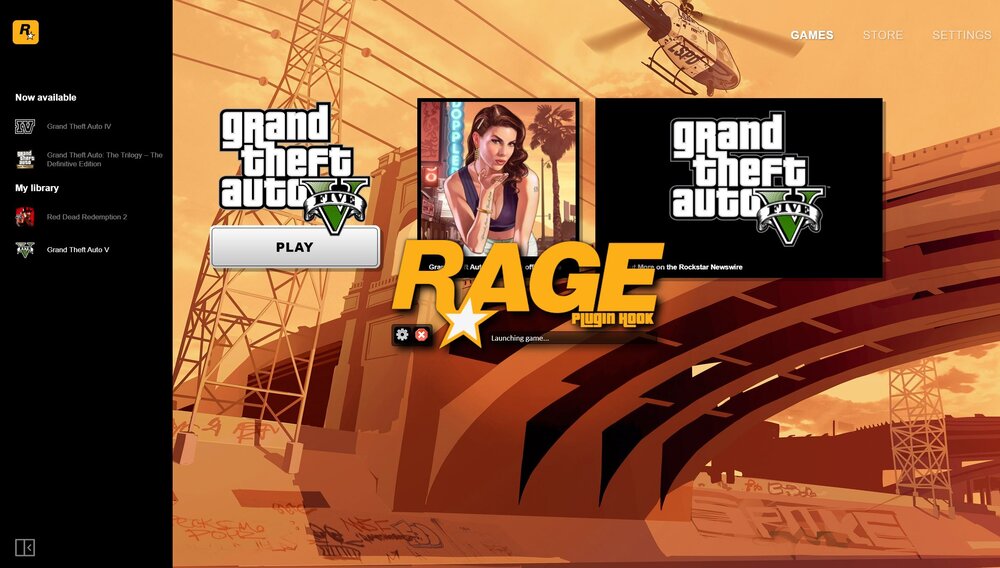
Just updated lspdfr and scripthook game just crashes after ragehook launches tried most of the faqs but not joy i have included my crash log any advice would be appreciated thanks i also have updated rage native recent update is 5th feb 2023
-
i just check my hard drive where i have my copy's of lspfr & my GTA 5 original installed it may depend on where you have your copy's.
-
i did is the last post thanks
-
apols for the delay in reply my issue was due to having multiple copy's of gta5 on my hard drive and the launcher was loading the incorrect installation when i amended to path and renamed the correct folder it worked for me.
-
many thanks i eventually fixed it appreciate everyone who helped with there advice. It was to do with the rockstar launcher.
-
ok got the game working eventually but crashes everytime i try and go on duty i have included to ragehook log any advice would be appreciated thank you. RagePluginHook.log
-
i have validated but it was the same outcome thanks for the advice i have noticed something i just got a fresh install to work of lspdfr i noticed the rockstar launcher when checking the game file location is not showing my lspdfr folder but my original gta5 copy and i think it has something to do with that for the reason it is not loading so if i can get the launcher to recognise my modded version im hoping i can get it to work.
-
tried that thanks still no luck game still frozen on launching game basically the update has broken lspdfr for me.
-
just done a fresh install out of curiosity and surprising enough it has exactly the same issue
-
Does Exactly the same as before Thanks.
-
RPH show "hooking game instance" to "slow system or insufficent permissions" to "ERROR could not hook game process,insufficent permissions or bad anti virus" then RPH pops up another window saying same "could not hook game process,insufficent permissions or bad anti virus" please try again later or restart your computer.
-
Thankyou for a quick reply i have tried both suggestions without any success.
-
Hi Recently updated LSPDFR to 2845 had no issues prior to last update the game is now stuck on loading screen ragehook loads the rockstar launcher as normal but sits there i have included last ragehook log but its from previous update so not sure if it is any help,i do have scripthookv.dll installed version v1.0.2824.0 but not sure if its the cause of the issue i have removed to files just to check but it is still the same eiher way any help or advice would be appreciated also included screenshot of ragehook. forgot to mention i also have it loading on force window mode and borderless hope this helps. thankyou RagePluginHook.log