


AdmiralKoloth
Members
-
Joined
-
Last visited
Everything posted by AdmiralKoloth
-
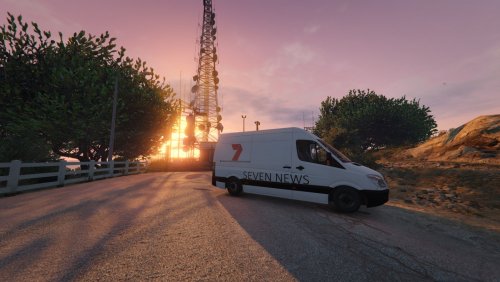 7 News is reporting live from Los Santos! This skin is intended to be used with THIS VAN. Enjoy.
- 5 comments
- 5 reviews
-
-

- 6
-
-
Still need to do State and maybe FIB. (the middle two are just unmarked, but I thought I might aswell put something in the middle)
-
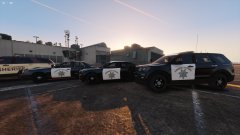
From the album: All of my skins so far
[complete] -
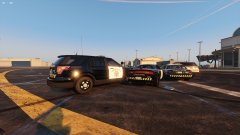
From the album: All of my skins so far
[complete] -
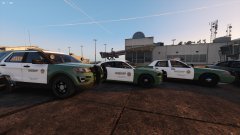
From the album: All of my skins so far
[90%] Emblem is still needed to be done, that one isn't mine -
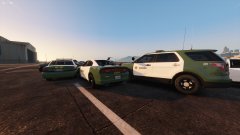
From the album: All of my skins so far
[90%] -
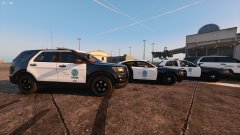
From the album: All of my skins so far
[complete] -
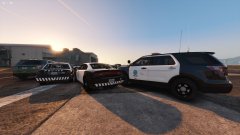
From the album: All of my skins so far
[complete] -
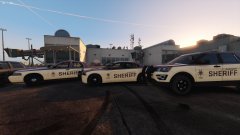
From the album: All of my skins so far
[completed] -
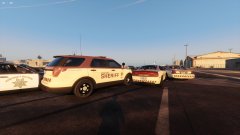
From the album: All of my skins so far
[completed] -
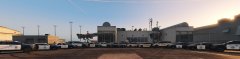
From the album: All of my skins so far
-
I've noticed if I edit car.headlight.day.emissive.on the game crashes but if I leave it default everything is fine. So if you try to use Radiance V (or any mod that edits this file) you can just change it to the default value, which is "car.headlight.day.emissive.on 10.00"
-
[for some reason I can't seem to edit this any more so I'll have to say this here] It's fixed. It seems to be working after I installed Visual V + the compatibility patch for Radiance V. Since that was all auto it leads me to believe that I was installing it wrong, although it seems to have installed in the same place I was installing it sooo... I don't know what was going on.
-
For some reason when I get close to a cop car with its lights on they go dull but from far away they are fine. The headlights and all of that are fine but not the emergency lights. I've tried all of the mods that are supposed to make the lights brighter but they don't work, graphics settings are maxed out (including Post FX and shaders). The problem persists across 3 separate car packs, however vanilla cars are fine. Any and all help is appreciated. Also: I have a legit copy of GTAV (Steam) and I'm on the newest version. My specs: i7 6700k @ 4 GHz MSI 980ti 32 GB of DDR4 ram @ 2133 Mhz Pictures of the issue:

