Watch who you trust, even your teeth bite your tongue now and again. SL is a dangerous mixture of RL thoughts, emotions, & entirely too much anonymity, an amazing world where people & places come & go in the blink of an eye.
|WeSC| |Fodalo|
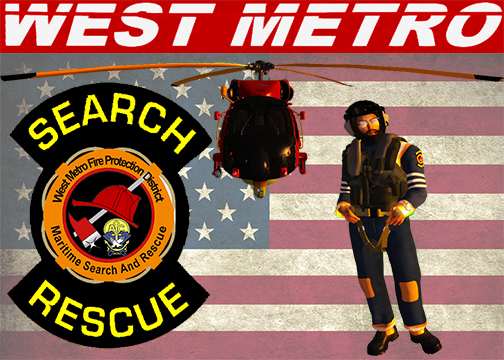
I'm mostly a PC gamer, Steam user, I also have a PS3 & PS4. I do not like XBox and never have. I play mostly MMORPG and simulation games. I am most often on Second Life, but also GTA on PC and PS4, APB, Farming Simulator on PS4, and 9-1-1 First Responders on PC. I am the President of a Role Play group in Second Life called the Second Life International Association of Firefighters (SLIAFF) the largest and longest running collective group of Emergency Service role players as of May 2016 we have 416 members. I am also a Division Chief for the West Metro Fire Protection District. If your interested in more information about Second Life and/or role playing in Emergency Services message me anytime!
I am married with 4 kids, 2 Daughters and we foster our 2 nieces, I am a Firefighter/EMT-B, and I work for the family business doing CCTV and IP surveillance, commercial and home network engineering, home automation and integration, home theater systems, as well as commercial audio, access control, fire alarms, and intrusion alarms. I regularly attend church athttp://FusionChurch.cc/ where my wife and I serve on the Media/Production team.
My Rig;
CPU: AMD FX-8350 4.0GHz 8-Core Processor
CPU Cooler: Cooler Master Hyper TX3 54.8 CFM
Motherboard: MSI 970 GAMING ATX AM3+
Memory: G.Skill Sniper Series (2 x 8GB) DDR3-2133
Storage A: Sandisk Z400s 128GB 2.5" Solid State
Stoage B: Western Digital Purple 8TB HDD
Video Card: Gigabyte Radeon R9 390 8GB SOC
Case: Rosewill STAR PREDATOR ATX Mid Tower
Power Supply: Rosewill 700W Semi-Modular ATX
Optical Drive: Asus DRW-24B1ST/BLK/B/AS DVD/CD
Operating System: Microsoft Windows 10 (64-bit)
Monitor: AOC G2460PF 144Hz 27.0" Monitor
Keyboard: Roswill RGB 80 Mechanical