Skip to content
View in the app

A better way to browse. Learn more.

LCPDFR.com

A full-screen app on your home screen with push notifications, badges and more.

To install this app on iOS and iPadOS
  1. Tap the Share icon in Safari
  2. Scroll the menu and tap Add to Home Screen.
  3. Tap Add in the top-right corner.
To install this app on Android
  1. Tap the 3-dot menu (⋮) in the top-right corner of the browser.
  2. Tap Add to Home screen or Install app.
  3. Confirm by tapping Install.

Shadesman89

Members
  • Joined

  • Last visited

Files posted by Shadesman89

  1. Simple repaint i did on my free time.
     
    replace original file file this one
    requires Lt. Matt Jeters Stanier
     
    • 30 Downloads
    Submitted
  2. Using Buffalo S template by Matt Jeter and original by Century
    replace the original texture file in the location where your buffalo S is installed
     
    I could not find HD textures for the SPD logo i will add improvements
    • 58 Downloads
    Updated
  3. First Addition,
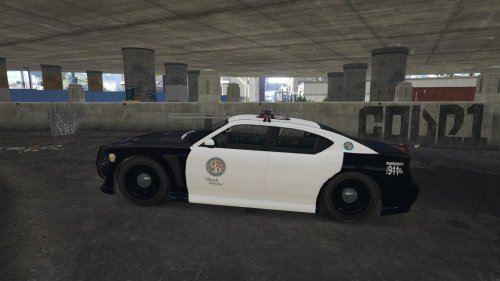
    LSPD Livery for buffalo S template made by Lt.MattJeter 
    download http://www.lcpdfr.com/files/file/8248-dev-templated-buffalo-s/
    install just replace the original policenew_sign_1.png
    https://gyazo.com/9da6091be41998bce17d54a4eba47bea
    • 231 Downloads
    • 4 Comments
    Updated

Account

Navigation

Search

Search

Configure browser push notifications

Chrome (Android)
  1. Tap the lock icon next to the address bar.
  2. Tap Permissions → Notifications.
  3. Adjust your preference.
Chrome (Desktop)
  1. Click the padlock icon in the address bar.
  2. Select Site settings.
  3. Find Notifications and adjust your preference.