


Officer19
-
Joined
Everything posted by Officer19
-
-
-
 Okay Thank you for that it worked finally but i met another issue The headlights do not turn off :(
- 269 comments
- 67 reviews
-
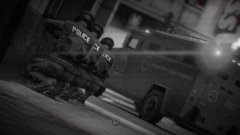
From the album: LSPDFR [WIP]
We have to find a way to get in the bank .. -

From the album: LSPDFR [WIP]
-
 I need a quick respond where can i setup this car because he didn't locate which file i am going to select patchday4ng Could anybody here locate the place where can i setup this vehicle :D ?
- 159 comments
- 53 reviews
-
-
I have a question in the directory that you have written it i can't find sheriff name :( ?
- 269 comments
- 67 reviews
-
You can check this for your question Here
-
-
Did you install it from another browser ?
-
What you are going to need is two somethings Firstly you are going to need to read @Hystery's topic in the same section here Secondly you have to check Finkone's tutorials about Cars and LSPDFR 0.3.1 and to mod... :D
-
Can you try to download LSPDFR 0.3.1 from another browser .. ?
-
I can't understand why do you want to do that but what ever Grand Theft Auto V PC is an online game and i think if you want to play online you won't be able to play online and if you want to downgrade the game for playing LSPDFR only so you can use Rage Plugin Hook to do this option Check Rage Plugin Hook's Settings :D Hope that help
-
You can check this :
-
Yes Good idea you should wait an answer from him soon !
-
Do you use MODS folder in your main directory ?
-
Just Appreciated you effort and your work Thank you mr.Hystery
-
So this is not the only one ?
-
Its impossible to disable them because they are just one no more "Pursuit Callout" so you can install more mods to feel interested Its a stock option with the game as the keyboards key bindings (You Can Not Change It)
-
I think you can report that problem to the author of the file OR you have to check your installation steps carefully
-
You are welcome at any time i am here for help glad to do that :D
-
-
-
You can follow FinKone's Tutorials on youtube channel and you can check his tutorials .. If you didn't find one you can find a README ini file as a notepad you can open it to read instructions of installation Or You can ask the author of the file :D (N:B this is to install Sirens PROPERLY)



