



Zues
Members
-
Joined
-
Last visited
Everything posted by Zues
-
Simple As Title Says
-
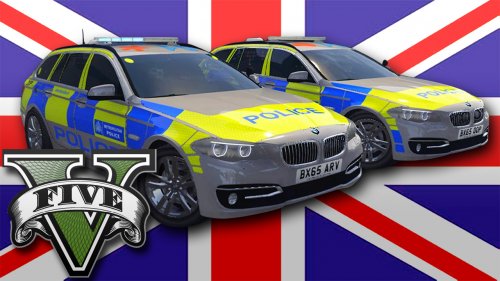 The ARV vehicle doesnt have any stand out features that say "I AM A ARMED RESPONSE VEHICLE"
- 17 comments
- 7 reviews
-
As someone that sees these cars almost everyday (I live in near london) i must say they're amazing quality!
- 17 comments
- 7 reviews
-
Oh. So theres not template for it? Nvm
-
gamer2010 . Thanks. Okey and once i have opened the .yft in OpenIV what do i do to edit it
-
Hey, How do i change my "Rank". If you see at the moment it is Newbie. Any way i can do this or is it up to a admin
-
Hi, can anyone direct me the directory of the police maverick on OpenIV. I am starting work on a new texture for it. If this post is in the wrong forums please move it :) I have found the location of the polmav. But now i am faced with another issue. When opening the .ytd files in texture editor they dont actually have a texture with them, and then when i open the .yft s nothing shows and texture editor has this layout http://i.imgur.com/EqiUzYy.png
-
@Double Doppler You should try and make a K9 BMW

