


tirendaz
Members
-
Joined
-
Last visited
Everything posted by tirendaz
-
İ played before with this laptop lcpdfr 0.95 without any crash,it works fine with els,cars other scripts
-
İ take game crash still after 10 minutes maybe. Am i try to manual install? Or return the Windows 7 version? Posts merged - Staff
-
İ have original copy of game,i uptated EFLC 1.1.2.0,i installed links. My system specifications:İntel Core i5-2450M CPU 2.50GHz 4GB RAM / 64bit / 1GB Display Card İm using ELSV8 and Pack LCPD v1.1(Liberty City Police Department Pack - Charger, CVPI & Tahoe) cars Liberty Fire Rescue Firetruck and Ambulance from Mattesolo ScriptHook.log ScriptHookDotNet.log AdvancedHook.log LCPDFR.log
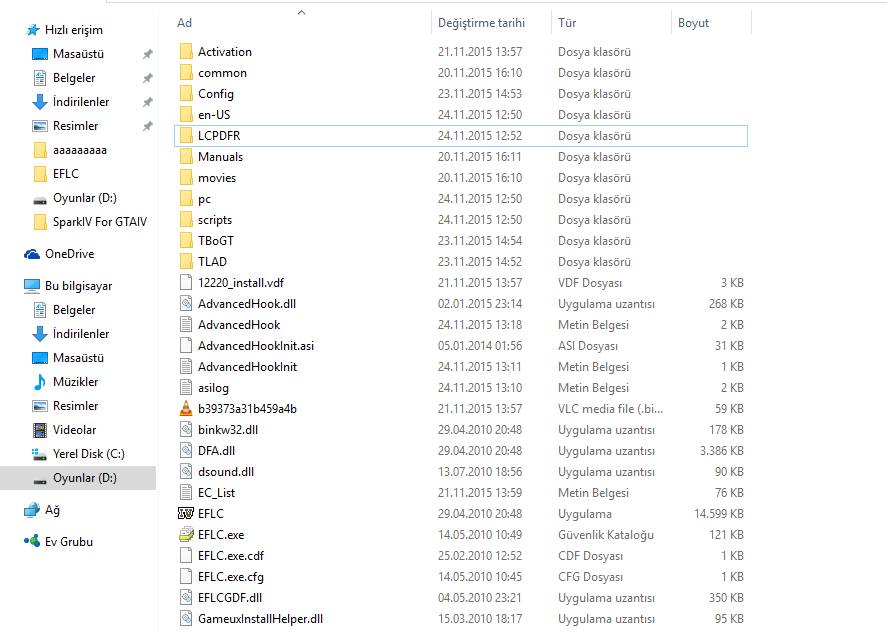
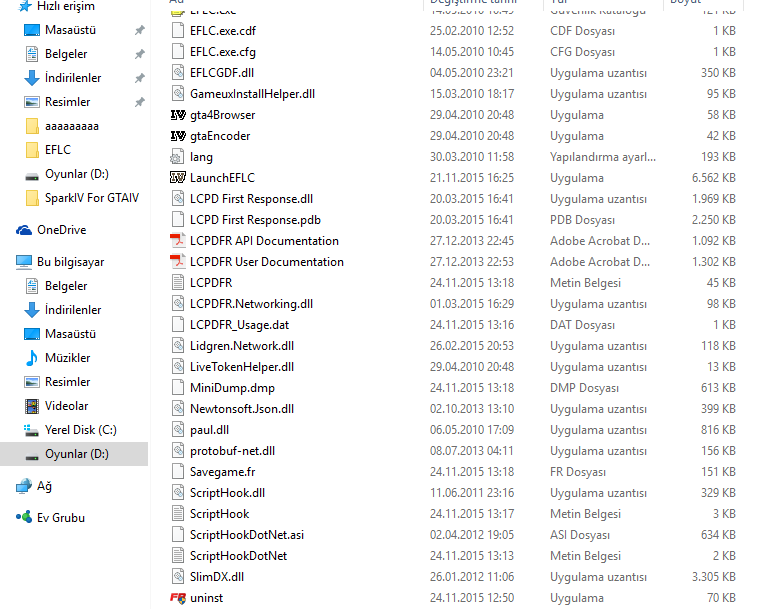
-
İ open Dignastic Tool and check the installation and i see log check bar red i take this log file. İm using laptop,WİN10,İ downloaded LCPDFR 1.1,i dont use any other scripts.İ have ELSV8 and els cars.
-
Same problem...
