Skip to content
View in the app

A better way to browse. Learn more.

LCPDFR.com

A full-screen app on your home screen with push notifications, badges and more.

To install this app on iOS and iPadOS
  1. Tap the Share icon in Safari
  2. Scroll the menu and tap Add to Home Screen.
  3. Tap Add in the top-right corner.
To install this app on Android
  1. Tap the 3-dot menu (⋮) in the top-right corner of the browser.
  2. Tap Add to Home screen or Install app.
  3. Confirm by tapping Install.

Copman553

Members
  • Joined

  • Last visited

Everything posted by Copman553

  1. thanks man for your support!
  2. ok but im sorry its my first mod and i didnt mean to post it in the gta 5 slot
  3. thank you for commenting
    • 82 downloads
    • Version 1.0.0
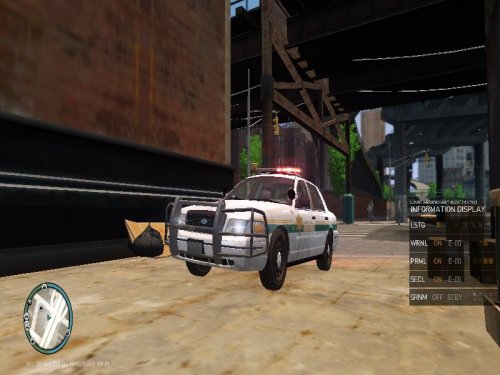
    thanks leave comments and tell me how the car is its my first build thx.
  4. Hello i have had Gta 4 for about a year or two and i've just recently decided to create my own police car and i ran into a problem. And the problem is that when i try to export the vehicle it gives me an error saying that i have duplicated extra_1 and i' tried to delete it i've renamed it i've dragged my parts like alpr and light bar and ram bar below chassis like i watched on youtube but I cant find resolution to this problem if you can help me i would be thankful for it but thats the only problem i have so far and my build is zmodeler 2.24 registered thanks and God Bless -Copman553

Account

Navigation

Search

Search

Configure browser push notifications

Chrome (Android)
  1. Tap the lock icon next to the address bar.
  2. Tap Permissions → Notifications.
  3. Adjust your preference.
Chrome (Desktop)
  1. Click the padlock icon in the address bar.
  2. Select Site settings.
  3. Find Notifications and adjust your preference.
