


ZJBlank
Members
-
Joined
-
Last visited
Everything posted by ZJBlank
-
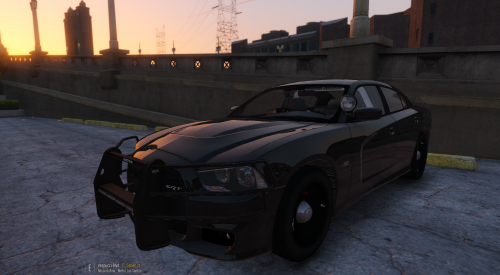 This car is bloody gorgeous. The model is excellent, the model's reflections are perfect, and I love the off-centre lights inside the windshield. I only have three (fairly small) gripes about the vehicle: - When the emergency lights are running, in addition to the wig-wags, the upper and lower portions of the running lights on the trunk alternate as well. - There are issues with the vehicle's LOD, resulting in the pushbar vanishing after moving a certain distance from the vehicle. - The colour if the lights on the sides of the pushbar doesn't match the associated corona (the flashy bit) of the light. If the texture of the light is blue, the corona is red, and vice versa. And I guess making the pushbar an extra would be cool too, but I'm happy without. Currently I'd give it a 4/5 or a 4.5/5, but if those couple issues were fixed, it'd be a definite 5/5. Thanks for the excellent vehicle, and keep it up!
- 38 comments
- 23 reviews
-
-

- 2
-
-
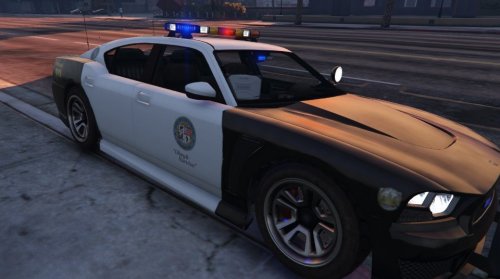 Any plans to update the vehicle to have PPV rims? Or is there a way to do it myself? Aside from that detail, this is absolutely flawless. Thank you so much!
- 54 comments
- 19 reviews
