


Continuum
Members
-
Joined
-
Last visited
Everything posted by Continuum
-
 I'll probably try and modify a skin for the F-350 Ambulance model someone release earlier this month to have some county EMS and possibly a GHS skin as well. thehurk's model that I provided a link to has an option to replace the red/blue default to an all blue/blue setup. That is how I am using this vehicle in my game.
- 5 comments
- 1 review
-
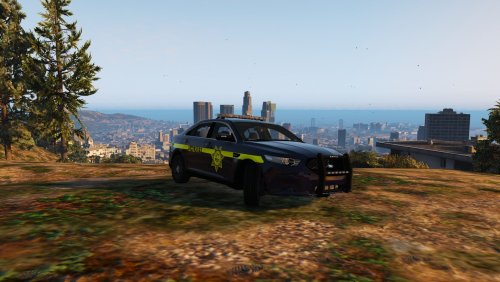
This is a refresh of my old Greenville County Sheriff's Office pack I made last year. I will be updating this pack with skins for varying vehicles using local designs from Greenville County, South Carolina. For example, I am currently working on a 2014 SCHP Charger skin for Carper's Charger. Feel free to leave any suggestions for improvement to the skins. Currently Requires: @Thehurk's Ford Interceptor Model http://www.lcpdfr.com/files/file/10796-2013-los-santos-police-fpi/
- 5 comments
- 1 review
-
-

- 1
-
-
 This is the vehicle I have been waiting for to use with LSPDFR. It is very well modeled and the lighting setup is diverse. I cannot wait to create some skins to use on this vehicle. Thank for the install help @Thehurk
- 112 comments
- 36 reviews
-
Okay... I'm having some issues here. I've been trying to install the vehicle, but I have no idea where the correct files are supposed to go because there are no installation instructions. I've installed vehicles before, but had to clear out my GTA to update. I placed the police3.ytd and .yft files in mpluxe, but the model didn't load. I then replaced the default police3 models in patchday4ng, x64.rpf, and also in patchday3ng. I was finally able to get the model to load by replacing the 4ng files. Then, as the light file says, I added the lines to the carvariations.meta related to mpluxe. However, when I open the game, the lighting bug is still present. Are there any ways you recommend to install, as I have had no problems installing before?
- 112 comments
- 36 reviews

