


campincarl37
Members
-
Joined
-
Last visited
Everything posted by campincarl37
-
Both of these guys already have .wtf and .wtd files. Where do I get these from? And I have searched this on google and youtube. All videos already have them, but when I download a mod all I get is a picture or two.
-
when I download it all I get are pictures. Where do I get the .wtf and .wtd files?
- 17 comments
- 8 reviews
-
Perfect, thank you.
-
... Thanks but I still get confused with this. Where specifically do I place a vehicle skin? C:Program Files (x86)SteamsteamappscommonGrand Theft Auto IV is where GTA IV is locates, but I hear a lot about having to place the mod in vehicles.img or something but I can't find it in any of the GTA IV folders. Where from here do I need to place files? Thanks again.
-
-
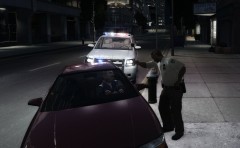 I like that SUV, it reminds me of the ones here in phoenix.
 -
I would like to start off by letting the supporter know that you don't have to bother with this if you don't want to (I know there are videos and other things), but thank you so much if you do anyway. I just want to know how to download mods, like vehicle skins for STEAM. I've watched videos, but I find them hard to follow, and I get confused along the way. I know that it has something to do with winrar and sparkiv, but I cannot figure out how to unzip files, or any of that. I'm pretty bad with downloads and installations if you can't tell. Does anyone have a detailed list of steps for installing mods on STEAM (including what I need to download and where to place that download file)? An example to go with it would be great. Once again thank you so much for anyone who devotes their time to me. I am sorry if this is considered a re-post.
-
Nevermind, i re-downloaded and it works.
-
Thanks.
-
Hello everyone! I have GTA IV on the ps3 but I bought it for the pc on steam so I could play this mod. So when I go on duty, a message in red pops up, "A new version is available: 0.95RC2" I am 99% sure that I have this update. But can someone post the link to it? Or is it just up there as a glitch? Thank you.
-
No It doesn't work for me either. When I press Alt-T my mini map zooms out.
