MrGhostman
Members
-
Joined
-
Last visited
Files posted by MrGhostman
-
Also recommended with SirenMastery as well.
Update (11/10/2016):
All tones have been re-sampled and are now better quality and loudness.
Update (08/15/2016):
Resampled the yelp once again and included a hi-low tone in a separate .rar file.
Update (08/10/2016):
I did some minor fixes and resampled the wail from a new video.
Update (07/19/2016):
I've sampled the siren from a new video and have done some edits. This is a complete re-work on the siren sound mod. A Hi-Low version will be coming out soon this year.
*Important Note: In order for the sirens to work successfully without the vehicles.awc to exceed over 15.75MB, please extract the fix included in the .rar folder to the folder where you are extracting to for this siren mod. This fix is made by GravelRoadCop on lcpdfr.com.*
*Also Important: For those with the Rockstar version or non-steam version of GTA 5, you must create a mod folder to avoid having the game to auto-update and remove any mods or changes made to the game's data via OpenIV. For more information on how to create a mod folder successfully, visit openiv.com (http://openiv.com/?p=1132)*
Be sure to download the latest version of OpenIV and run it as administrator
1 – Run OpenIV, Select GTA V for Windows. However be sure to locate the folder where the game have been installed.
2 – Find audio file you want to edit by going into x64 folder
3 - Then click on audio folder where you should see one folder and two files.
4 - Click on the sfx folder and then select and click on the file: RESIDENT.rpf
5 - Upon opening the RESIDENT.rpf file, you should see 16 items shown. One of them is the vehicles.awc file.
6 - Right click on vehicles.awc and export to openFormats (.oac) to any folder you like (e.g downloads folder).
7 - Extract the vehicles folder (containing the four audio files of the siren) from the .rar file to the same folder that was exported in.
8 – Afterwards, go to edit mode in OpenIV. There will be a warning upon editing mode so be careful.
9 - Import the .oac file by either draging the file to OpenIV or go to new and click on Import openFormats to select the .oac file then click on open.
10 - Click on ok
11 - Click on edit mode again (if you are in edit mode already) to exit edit mode.
12 - To ensure everything works, click on the vehicles.oac file twice and click on either 0x0D329446 or SIREN_2 to see if the files were successfully replaced.
13 - Exit OpenIV and play GTA V.
Preview:
- 2,551 Downloads
- 13 Comments
Updated -
--Important: Other sirens are available in this pack such as the D&R Magnum (including multiple tones) for the Sheriff Granger, Code 3 RLS Siren for both the main police cars and FIB vehicles, Carson SA-361 for the Ambulance and the Code 3 V-Con for the Fire Trucks.--
--Also Important: For those with the rockstar version or non-steam version of GTA 5, you must create a mod folder to avoid having the game to auto-update and remove any mods or changes made to the game's data via OpenIV. For more information on how to create a mod folder successfully, visit openiv.com (http://openiv.com/?p=1132) --
Note: I was not able to create a Federal Signal PA500 siren for the police bikes as the file sizes of the two modded audio files would cause the audio vehicles archive to go over 15.75MB thus causing the sirens to be muted in game. A separate police bike siren mod will be included in a .rar file.
List of sirens
-------------------
Whelen Cencom - Ambulance/Police
Code 3 RLS - Main Police Cars/FIB Vehicles
Code 3 Scorpion - Sheriff Granger
D&R Intimidator - Main Police Cars/FIB Vehicles
D&R Magnum - Sheriff Granger/Main Police Cars
E-Q2B - Fire Truck
Code 3 V-Con - Fire Truck
Federal Signal PA-500 - Police Bike
Carson SA-361 - Ambulance
Federal Signal Smart Signal 2000SM - Main Police Cars
Whelen Beta - FIB Vehicles
Federal Director PA-15A series 1D - Fire Trucks
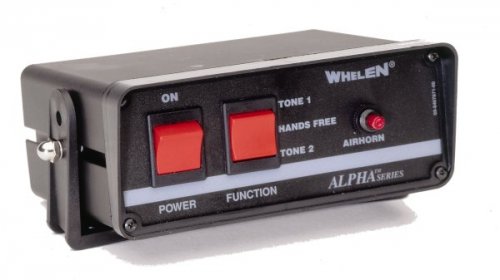
Whelen Alpha - Police/Ambulance
*Coming Soon in v1.3 with some tone re-tweaking and new siren additions!
Please note that the looping might contain clipping sounds and the sounds themselves are not perfect in terms of quality, volume, etc.
Be sure to backup the vehicles and vehicles.oac file and folder respectively before installing this siren sound pack at your own risk.
1 – Run OpenIV, Select GTA V for Windows. However be sure to locate the folder where the game have been installed.
2 – Find audio file you want to edit by going into x64 folder
3 - Then click on audio folder where you should see one folder and two files.
4 - Click on the sfx folder and then select and click on the file: RESIDENT.rpf
5 - Upon opening the RESIDENT.rpf file, you should see 16 items shown. One of them is the vehicles.awc file.
6 - Right click on vehicles.awc and export to openFormats (.oac) to any folder you like (e.g downloads folder).
6.1* If you have 7-zip or winrar, create a new .rar and rename it to something like vehicles_backup.rar.
6.2* Then copy the unmodded vehicles folder and the vehicles.oac to the .rar file (e.g vehicles_backip.rar) just in case something goes wrong regarding file/folder size of the vehicle folder/vehicle.awc file.
7 - Extract the vehicles folder from the .rar file to the same folder that was exported in.
8 – Afterwards, go to edit mode in OpenIV. There will be a warning upon editing mode so be careful.
9 - Import the .oac file by either draging the file to OpenIV or go to new and click on Import openFormats to select the .oac file then click on open.
10 - Click on ok
11 - Click on edit mode again (if you are in edit mode already) to exit edit mode.
12 - To ensure everything works, click on the vehicles.oac file twice and click on either 0x1C98C4D5 or SIREN_2 to see if the files were successfully replaced.
13 - Exit OpenIV and play GTA V.
*Optional but necessary to do.
Credits
---------------
Danman16
Laikmuay
Prophet
flyer2359
Tools Used
------------------
Audacity
AVS Audio Editor
MP3 Converter
OpenIV
- 4,038 Downloads
- 26 Comments
Updated -
Remember the police sirens in GTA 3 we all know and love? Well you're in luck! The siren from GTA 3 is here in GTA 5!
--Important: For those with the rockstar version or non-steam version of GTA 5, you must create a mod folder to avoid having the game to auto-update and remove any mods or changes made to the game's data via OpenIV. For more information on how to create a mod folder successfully, visit openiv.com (http://openiv.com/?p=1132)--
Be sure to download the latest version of OpenIV and run it as administrator. Also be sure to backup your files just in case something wrong happens.
Preview:
(New version coming soon!)
Credits:
sc2142 (The original owner of the GTA 3 sirens for GTA 4 mod)
If you have any questions regarding this siren mod please let me know in the comments below. I hope you all like this. =)
I don't own the original GTA 3 sirens nor the GTA 3 siren for GTA 4 mod. I only helped on editing the siren sound for GTA 5 with his permission.
- 557 Downloads
- 23 Comments
Updated -
Warning
There are reports that certain audio archives have been muted in game regardless of rather the sound mods were installed properly or not. To ensure that the audio archives for vehicles won't be muted in game make sure that the vehicle.oac file or the vehicle.awc file doesn't exceed over 15.7 MB in size (you can check the size of the vehicle.awc file in OpenIV under RESIDENT.rpf) and make sure that the siren sound audio files have the appropriate bitrate/sample-rate/etc (32000hz, 16bit mono, 512kbps) for the vehicles.awc file.
Hopefully this will resolve the issues regarding muted sirens in game. If not then please let me know so I can farther troubleshoot this. Other than that, please enjoy this siren sound mod!
Update: Oops. There was a mistake in the description and the readme file. I apologize. >.<
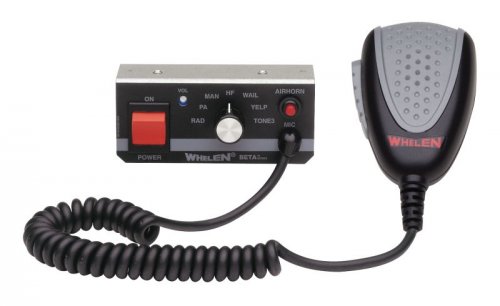
This is a Whelen Beta siren sound mod to replace the FIB vehicles sirens in the game.
Be sure to download the latest version of OpenIV and run it as administrator. Also be sure to backup your data before installing this siren mod.
Preview:
https://www.youtube.com/watch?v=G3GsSSUIQlY
If you have any questions regarding this siren mod please let me know in the comments below. I hope you all like this. =)
Tools Used:
AVS Audio Editor (for file conversion)
Audacity (for audio editing and tweaking)
Credits:
EMSLights (Youtube Channel)
- 542 Downloads
- 11 Comments
Updated -
Warning: There are reports that certain audio archives have been muted in game regardless of rather the sound mods were installed properly or not. To ensure that the audio archives for vehicles won't be muted in game make sure that the vehicle.oac file or the vehicle.awc file doesn't exceed over 15.7 MB in size (you can check the size of the vehicle.awc file in OpenIV under RESIDENT.rpf) and make sure that the siren sound audio files have the appropriate bitrate/sample-rate/etc (32000hz, 16bit mono, 512kbps) for the vehicles.awc file. Hopefully this will resolve the issues regarding muted sirens in game. If not then please let me know so I can farther troubleshoot this. Other than that, please enjoy this siren sound mod!
This is a Federal Signal PA-15A 1E Series siren sound mod to replace the main police sirens in the game. To be honest this is one of my favourite sirens to work with for this game next to the Code 3 RLS siren mainly not only it was much more easier to sample a higher quality sound from a siren demo video but it sounds very awesome in my personal opinion.
Be sure to download the latest version of OpenIV and run it as administrator. Also be sure to backup your data before installing this siren mod.
Preview:
If you have any questions regarding this siren mod please let me know in the comments below. I hope you all like this. =)
Tools Used:
AVS Audio Editor (for file conversion and sampling)
Audacity (for audio editing and tweaking)
Credits
- 6,090 Downloads
- 7 Comments
Updated -
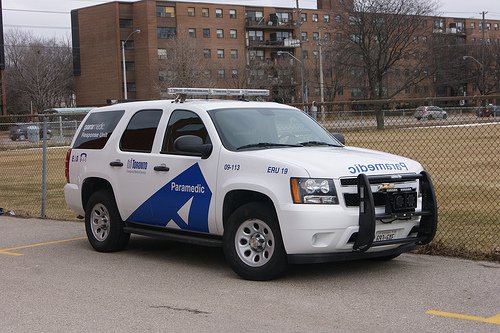
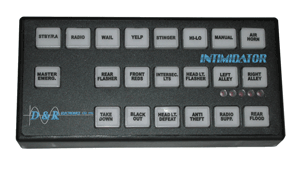
Note: The updated O.P.P D&R Intimidator police siren mod for GTA 4 belongs to Laikmuay. However I did some very minor edits and tweaks for the siren sound mod to work in GTA 5. I also added a reverb effect on the sirens so it'd sound similar to the D&R Magnum or at least sounding similar to Toronto's Emergency Response Unit EMS SUVs sirens. So all credit goes to him.
This is a D&R Intimidator siren sound mod to replace the sheriff SUV sirens in the game. Other tones such as the yelp and priority are included in their respective folders.
0x0E0DA7BC - Granger Primary (wail)
0x16E74B3E - Granger Secondary (yelp, hyper-yelp, or priority/super hyper-yelp)
Be sure to download the latest version of OpenIV and run it as administrator.
Also be sure to backup the vehicles and vehicles.oac file and folder respectively before installing this siren mod.
Preview:
1 – Run OpenIV, Select GTA V for Windows. However be sure to locate the folder where the game have been installed.
2 – Find audio file you want to edit by going into x64 folder
3 - Then click on audio folder where you should see one folder and two files.
4 - Click on the sfx folder and then select and click on the file: RESIDENT.rpf
5 - Upon opening the RESIDENT.rpf file, you should see 16 items shown. One of them is the vehicles.awc file.
6 - Right click on vehicles.awc and export to openFormats (.oac) to any folder you like (e.g downloads folder).
6.1* If you have 7-zip or winrar, create a new .rar and rename it to something like vehicles_backup.rar.
6.2* Then copy the unmodded vehicles folder and the vehicles.oac to the .rar file (e.g vehicles_backip.rar) just in case something goes wrong regarding file/folder size of the vehicle folder/vehicle.awc file.
7 - Extract the vehicles folder from the .rar file to the same folder that was exported in.
8 – Afterwards, go to edit mode in OpenIV. There will be a warning upon editing mode so be careful.
9 - Import the .oac file by either draging the file to OpenIV or go to new and click on Import openFormats to select the .oac file then click on open.
10 - Click on ok
11 - Click on edit mode again (if you are in edit mode already) to exit edit mode.
12 - To ensure everything works, click on the vehicles.oac file twice and click on either 0x0E0DA7BC or 0x16E74B3E to see if the files were successfully replaced.
13 - Exit OpenIV and play GTA V.
*Optional but necessary to do.
Credits:
Laikmuay
Tools used:
Audacity
OpenIV
- 214 Downloads
Updated -
Warning
There are reports that certain audio archives have been muted in game regardless of rather the sound mods were installed properly or not. To ensure that the audio archives for vehicles won't be muted in game make sure that the vehicle.oac file or the vehicle.awc file doesn't exceed over 15.75 MB in size (you can check the size of the vehicle.awc file in OpenIV under RESIDENT.rpf) and make sure that the siren sound audio files have the appropriate bitrate/sample-rate/etc (32000hz, 16bit mono, 512kbps) for the vehicles.awc file.
Hopefully this will resolve the issues regarding muted sirens in game. If not then please let me know so I can farther troubleshoot this. Other than that, please enjoy this siren sound mod!
Note: The original Ontario Provincial Police (old) D&R Intimidator siren mod for GTA 4 belongs to Laikmuay. However I did some very minor edits and tweaks for the siren sound mod to work in GTA 5. So all credit goes to him.
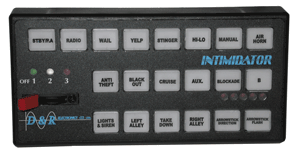
This is a D&R Intimidator siren sound mod to replace the main police sirens in the game.
Preview:
0x0EA58C7C - Generic Bullhorn
0x0D329446 - Police Primary (Wail)
SIREN_2 - Police Secondary (Yelp)
POLICE_WARNING - Police Priority (Hyper-Yelp)
Be sure to download the latest version of OpenIV and run it as administrator
1 – Run OpenIV, Select GTA V for Windows. However be sure to locate the folder where the game have been installed.
2 – Find audio file you want to edit by going into x64 folder
3 - Then click on audio folder where you should see one folder and two files.
4 - Click on the sfx folder and then select and click on the file: RESIDENT.rpf
5 - Upon opening the RESIDENT.rpf file, you should see 16 items shown. One of them is the vehicles.awc file.
6 - Right click on vehicles.awc and export to openFormats (.oac) to any folder you like (e.g downloads folder).
7 - Extract the vehicles folder (containing the four audio files of the siren) from the .rar file to the same folder that was exported in.
8 – Afterwards, go to edit mode in OpenIV. There will be a warning upon editing mode so be careful.
9 - Import the .oac file by either draging the file to OpenIV or go to new and click on Import openFormats to select the .oac file then click on open.
10 - Click on ok
11 - Click on edit mode again (if you are in edit mode already) to exit edit mode.
12 - To ensure everything works, click on the vehicles.oac file twice and click on either 0x0D329446 or SIREN_2 to see if the files were successfully replaced.
13 - Exit OpenIV and play GTA V.
If you have any questions regarding this siren mod please let me know in the comments below. I hope you all like this. =)
Credits
Laikmuay
- 560 Downloads
- 4 Comments
Updated -
This is a Whelen Howler siren sound mod to replace the Ambulance sirens in the game. I quite enjoy the Whelen Howler as it's basically a Whelen Cencom with a rumbler effect and it sounds awesome! It fits quite well with certain fire trucks and even some ambulances (and paramedics SUVs). =3
0x1C98C4D5 - Ambulance Primary (Wail)
0x144C8602 - Ambulance Secondary (Yelp)
Be sure to download the latest version of OpenIV and run it as administrator
Preview:
1 – Run OpenIV, Select GTA V for Windows. However be sure to locate the folder where the game have been installed.
2 – Find audio file you want to edit by going into x64 folder
3 - Then click on audio folder where you should see one folder and two files.
4 - Click on the sfx folder and then select and click on the file: RESIDENT.rpf
5 - Upon opening the RESIDENT.rpf file, you should see 16 items shown. One of them is the vehicles.awc file.
6 - Right click on vehicles.awc and export to openFormats (.oac) to any folder you like (e.g downloads folder).
7 - Extract the vehicles folder from the .rar file to the same folder that was exported in.
8 – Afterwards, go to edit mode in OpenIV. There will be a warning upon editing mode so be careful.
9 - Import the .oac file by either draging the file to OpenIV or go to new and click on Import openFormats to select the .oac file then click on open.
10 - Click on ok
11 - Click on edit mode again (if you are in edit mode already) to exit edit mode.
12 - To ensure everything works, click on the vehicles.oac file twice and click on either 0x1C98C4D5 or 0x144C8602 to see if the files were successfully replaced.
13 - Exit OpenIV and play GTA V.
If you have any questions regarding this siren mod please let me know in the comments below. I hope you all like this. =)
Credits:
Sirennet (Youtube channel)
Tools Used:
Audacity
AVS Audio Editor
MP3 Converter
OpenIV (For installing siren sound mods)
- 314 Downloads
- 6 Comments
Updated -
Warning
There are reports that certain audio archives have been muted in game regardless of rather the sound mods were installed properly or not. To ensure that the audio archives for vehicles won't be muted in game make sure that the vehicle.oac file or the vehicle.awc file doesn't exceed over 15.7 MB in size (you can check the size of the vehicle.awc file in OpenIV under RESIDENT.rpf) and make sure that the siren sound audio files have the appropriate bitrate/sample-rate/etc (32000hz, 16bit mono, 512kbps) for the vehicles.awc file.
Hopefully this will resolve the issues regarding muted sirens in game. If not then please let me know so I can farther troubleshoot this. Other than that, please enjoy this siren sound mod!
This is a D&R Intimidator siren sound mod to replace the Ambulance sirens in the game.
Be sure to download the latest version of OpenIV and run it as administrator
Preview:
1 – Run OpenIV, Select GTA V for Windows. However be sure to locate the folder where the game have been installed.
2 – Find audio file you want to edit by going into x64 folder
3 - Then click on audio folder where you should see one folder and two files.
4 - Click on the sfx folder and then select and click on the file: RESIDENT.rpf
5 - Upon opening the RESIDENT.rpf file, you should see 16 items shown. One of them is the vehicles.awc file.
6 - Right click on vehicles.awc and export to openFormats (.oac) to any folder you like (e.g downloads folder).
7 - Extract the vehicles folder from the .rar file to the same folder that was exported in.
8 – Afterwards, go to edit mode in OpenIV. There will be a warning upon editing mode so be careful.
9 - Import the .oac file by either draging the file to OpenIV or go to new and click on Import openFormats to select the .oac file then click on open.
10 - Click on ok
11 - Click on edit mode again (if you are in edit mode already) to exit edit mode.
12 - To ensure everything works, click on the vehicles.oac file twice and click on either 0x159C9182 or 0x161768E7 to see if the files were successfully replaced.
13 - Exit OpenIV and play GTA V.
If you have any questions regarding this siren mod please let me know in the comments below. I hope you all like this. =)
Thanks to TheRealNBK71 (aka awesomeburodude on youtube) for giving me permission to edit and re-upload his GTA 4 D&R Intimidator siren mod.
Credits:
TheRealNBK71
Tools Used:
AVS Audio Editor
Audacity
- 349 Downloads
- 2 Comments
Updated -
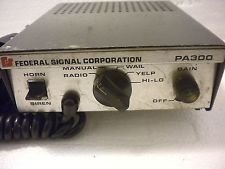
This is a Federal Signial PA-300 D&R siren sound mod to replace the Sheriff Granger sirens in the game.
Be sure to download the latest version of OpenIV and run it as administrator
Preview:
1 – Run OpenIV, Select GTA V for Windows. However be sure to locate the folder where the game have been installed.
2 – Find audio file you want to edit by going into x64 folder
3 - Then click on audio folder where you should see one folder and two files.
4 - Click on the sfx folder and then select and click on the file: RESIDENT.rpf
5 - Upon opening the RESIDENT.rpf file, you should see 16 items shown. One of them is the vehicles.awc file.
6 - Right click on vehicles.awc and export to openFormats (.oac) to any folder you like (e.g downloads folder).
7 - Extract the vehicles folder (containing the four audio files of the siren) from the .rar file to the same folder that was exported in.
8 – Afterwards, go to edit mode in OpenIV. There will be a warning upon editing mode so be careful.
9 - Import the .oac file by either draging the file to OpenIV or go to new and click on Import openFormats to select the .oac file then click on open.
10 - Click on ok
11 - Click on edit mode again (if you are in edit mode already) to exit edit mode.
12 - To ensure everything works, click on the vehicles.oac file twice and click on either 0x0E0DA7BC or 0x16E74B3E to see if the files were successfully replaced.
13 - Exit OpenIV and play GTA V.
If you have any questions regarding this siren mod please let me know in the comments below. I hope you all like this. =)
Tools Used:
AVS Audio Editor (for file conversion and sampling)
Audacity (for audio editing and tweaking)
- 354 Downloads
- 5 Comments
Updated -
Warning: There are reports that certain audio archives have been muted in game regardless of rather the sound mods were installed properly or not. To ensure that the audio archives for vehicles won't be muted in game make sure that the vehicle.oac file or the vehicle.awc file doesn't exceed over 15.75 MB in size (you can check the size of the vehicle.awc file in OpenIV under RESIDENT.rpf) and make sure that the siren sound audio files have the appropriate bitrate/sample-rate/etc (32000hz, 16bit mono, 512kbps) for the vehicles.awc file. Hopefully this will resolve the issues regarding muted sirens in game. If not then please let me know so I can farther troubleshoot this. Other than that, please enjoy this siren sound mod!
This is a Whelen Alpha siren sound mod to replace the ambulance sirens in the game.
Preview:
Be sure to download the latest version of OpenIV and run it as administrator. Also be sure to backup your data before installing this siren mod.
1 – Run OpenIV, Select GTA V for Windows. However be sure to locate the folder where the game have been installed.
2 – Find audio file you want to edit by going into x64 folder
3 - Then click on audio folder where you should see one folder and two files.
4 - Click on the sfx folder and then select and click on the file: RESIDENT.rpf
5 - Upon opening the RESIDENT.rpf file, you should see 16 items shown. One of them is the vehicles.awc file.
6 - Right click on vehicles.awc and export to openFormats (.oac) to any folder you like (e.g downloads folder).
7 - Extract the vehicles folder from the .rar file to the same folder that was exported in.
8 – Afterwards, go to edit mode in OpenIV. There will be a warning upon editing mode so be careful.
9 - Import the .oac file by either draging the file to OpenIV or go to new and click on Import openFormats to select the .oac file then click on open.
10 - Click on ok
11 - Click on edit mode again (if you are in edit mode already) to exit edit mode.
12 - To ensure everything works, click on the vehicles.oac file twice and click on either 0x159C9182 or 0x161768E7 to see if the files were successfully replaced.
13 - Exit OpenIV and play GTA V.
Just in case that you might need better understanding on how to install and/or replace sounds using OpenIV, here's a video that will definitely help a lot better:
https://www.youtube.com/watch?v=ymLrNTjGBXA
If you have any questions regarding this siren mod please let me know in the comments below. I hope you all like this. =)
Tools Used:
AVS Audio Editor (for file conversion and sampling)
Audacity (for audio editing and tweaking)
- 772 Downloads
- 1 Comments
Submitted -
Warning: There are reports that certain audio archives have been muted in game regardless of rather the sound mods were installed properly or not. To ensure that the audio archives for vehicles won't be muted in game make sure that the vehicle.oac file or the vehicle.awc file doesn't exceed over 15.75 MB in size (you can check the size of the vehicle.awc file in OpenIV under RESIDENT.rpf) and make sure that the siren sound audio files have the appropriate bitrate/sample-rate/etc (32000hz, 16bit mono, 512kbps) for the vehicles.awc file. Hopefully this will resolve the issues regarding muted sirens in game. If not then please let me know so I can farther troubleshoot this. Other than that, please enjoy this siren sound mod!
This is a Code 3 V-Con siren sound mod to replace the fire truck sirens in the game. The Code 3 V-Con is an interesting siren and it sounds nearly similar to some of the new Federal Signal PA-300 models. It does fit emergency vehicles such as Fire Trucks and Fire Vans quite well in my personal opinion though I had to lower the pitch in this siren sound mod.
Preview:
Be sure to download the latest version of OpenIV and run it as administrator. Also be sure to backup your data before installing this siren mod.
1 – Run OpenIV, Select GTA V for Windows. However be sure to locate the folder where the game have been installed.
2 – Find audio file you want to edit by going into x64 folder
3 - Then click on audio folder where you should see one folder and two files.
4 - Click on the sfx folder and then select and click on the file: RESIDENT.rpf
5 - Upon opening the RESIDENT.rpf file, you should see 16 items shown. One of them is the vehicles.awc file.
6 - Right click on vehicles.awc and export to openFormats (.oac) to any folder you like (e.g downloads folder).
7 - Extract the vehicles folder from the .rar file to the same folder that was exported in.
8 – Afterwards, go to edit mode in OpenIV. There will be a warning upon editing mode so be careful.
9 - Import the .oac file by either draging the file to OpenIV or go to new and click on Import openFormats to select the .oac file then click on open.
10 - Click on ok
11 - Click on edit mode again (if you are in edit mode already) to exit edit mode.
12 - To ensure everything works, click on the vehicles.oac file twice and click on either 0x159C9182 or 0x161768E7 to see if the files were successfully replaced.
13 - Exit OpenIV and play GTA V.
Just in case that you might need better understanding on how to install and/or replace sounds using OpenIV, here's a video that will definitely help a lot better:
https://www.youtube.com/watch?v=ymLrNTjGBXA
If you have any questions regarding this siren mod please let me know in the comments below. I hope you all like this. =)
Tools Used:
AVS Audio Editor (for file conversion and sampling)
Audacity (for audio editing and tweaking)
- 394 Downloads
- 6 Comments
Updated -
This is a Federal PA-15A siren sound mod to replace the Ambulance sirens in the game.
Preview:
https://www.youtube.com/watch?v=xYpIhijJUB4
Be sure to download the latest version of OpenIV and run it as administrator.
If you have any questions regarding this siren mod please let me know in the comments below. I hope you all like this. =)
Credits
Henry455 (Youtube Channel)
- 302 Downloads
- 8 Comments
Updated -
Note: I've sampled the PA-5 siren from a youtube video and the quality is excellent. So all credits for the siren demo in the video goes to SP99
https://www.youtube.com/watch?v=JShL7o7oN1c
This is a Federal Signal PA-5 siren sound mod to replace the Fire Truck sirens in the game. I honestly don't like the E-Q2B models that much mostly because its higher pitch variations and the more lengthy wails in which both sounds a bit grating in my personal opinion. However the Federal Signal PA-5 sounds decent for the fire trucks.
Be sure to download the latest version of OpenIV and run it as administrator
Preview:
If you have any questions regarding this siren mod please let me know in the comments below. I hope you all like this. =)
Tools Used:
AVS Audio Editor (for file conversion and sampling)
Audacity (for audio editing and tweaking)
- 247 Downloads
- 2 Comments
Updated


.thumb.jpg.1c0694e0a203c20f1dbec33f8f03aa26.jpg)