



Brettig
Members
-
Joined
-
Last visited
Everything posted by Brettig
-
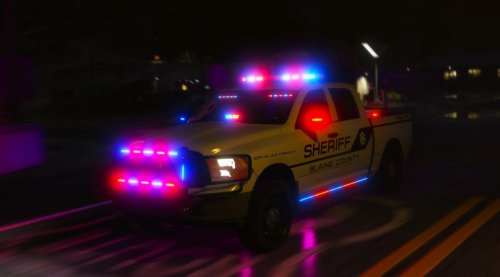 Well, it may be an OpenIV issue. I put it into server and it looked fine in game with the default livery. However; when I tried to change the livery out to see if my one worked, I now crash when I try to spawn it. @B. McDonald Figured it out, I was crashing because the ytd was too big I guess ¯\_(ツ)_/¯ Made my livery 2k and now it looks fine in game.
- 61 comments
- 6 reviews
-
-

- 1
-
-
@B. McDonald I've figured out it's got something to do with the "Body Colour" box in the top left. Put any color in there and everything minus the tailgate / hood turns that color. I thought removing everything from it so there's no color there would fix it but that didn't work :/.
- 61 comments
- 6 reviews
-
Having the same issue; only the things on the tailgate/hood appear, rest of the truck is solid color.
- 61 comments
- 6 reviews
-
-
- 1
-
-
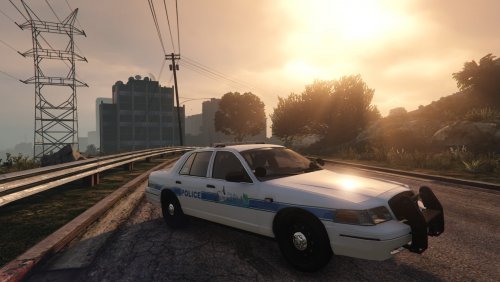 SPD texture for Izick's CVPI. Vic.
 -
 @A. Smith Depending on how things go for me in a RP community I'm a part of, I may or may not be making a pack for them. Unknown at this time.
- 1 comment
- 2 reviews
-
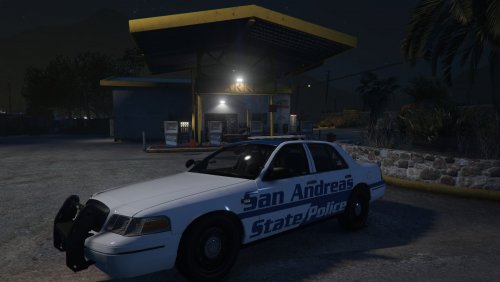
First texture ever please don't kill me Anyway something I think looks good. Needed model is Izick's CVPI. Crown Vic Needed
- 1 comment
- 2 reviews
-
-
- 4
-
-
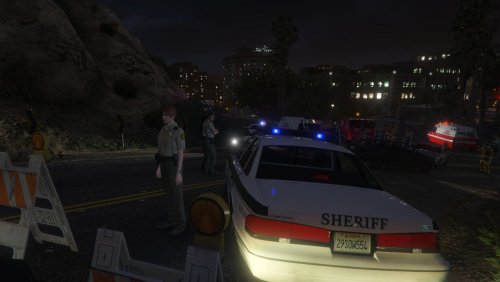 Sorry for not being clear, this is a map made for the map editor by Guadmaz. https://www.gta5-mods.com/scripts/map-editor
 -
Crash scenario in kinda-Vinewood. It amazes me that I have to say this, but the vehicles in the screenshots do not come with this mod. They are based upon your models you have installed. As you can see, I have a 80s-90s theme. Yours will not look like that. Unless of course you're Lundy.
-
-
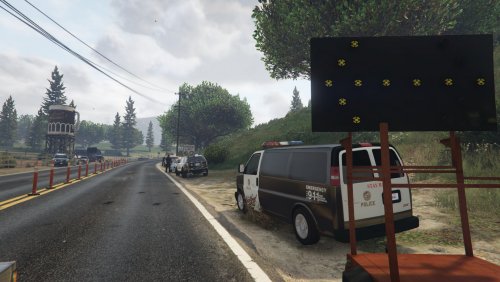 As I am not affiliated with G17 Media or Guadmaz all the support I can offer is to check whether Map Editor and Rage Plugin Hook are updated. I hope you get the issue resolved quickly.
 -
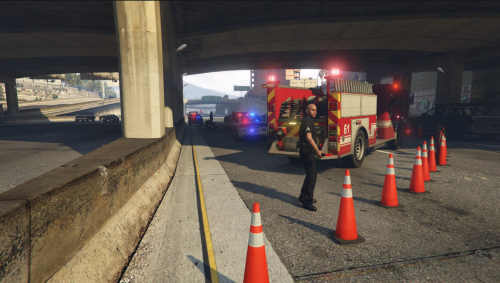 A quick crash scenario on the four highway I think? Anyway latest version of map editor and Rage Plugin Hook are needed. Copy 'Motorcycle Crash.xml' into your route GTA5 directory. When in game open map editor, (default key F7) and select load map. Type 'Motorcycle Crash' without the quotes. Happy playing! Please contact me with any bugs or problems with the map. DO NOT REUPLOAD.
- 1 review
-
-
- 1
-
-
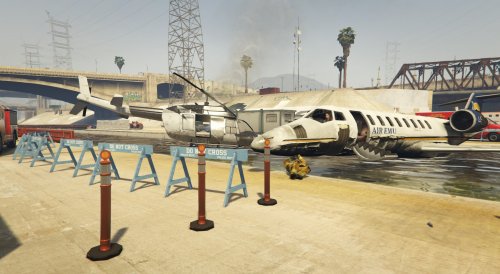 My second mod for GTA! The story behind this one is that the Shamal took off from LSIA and was on route to Somewhere, when the pilots of the Buzzard flew in front of the Shamal over South LS crashing them both in the LS River. INSTALL: You will need the latest version of ScripthookV, ScripthookVDotNet, NativeUI, and the map editor. Once you have them installed copy the "Aircraft Crash.xml" to your root GTA 5 directory. Then launch GTA and open up the map editor, default key F7. Select "Load Map" Select "XML" Then type "Aircraft Crash" EXACTLY LIKE THAT BUT WITHOUT THE QUOTES! Have Fun! Crash site is where the LS River splits, or just check the screenshots. Great for Role Play Clans! DO NOT REUPLOAD WITHOUT MY EXPLICIT PERMISSION.!.!.!
 -
Currently working on an aircraft crash scenario in the LA/LS River hopefully should be up soon.
-
Today I present to you my first mod for GTA V! It isn't much, just a simple checkpoint that will probably get lost in the spew of other checkpoints out there. But i wanted to give it a try and see if i liked it at all. Requirements and install are included in the readme. Works best with LSPDFR and Breathalyzer! DO NOT RE UPLOAD TO ANOTHER SITE WITHOUT MY EXPLICIT PERMISSION.
-
 Absolutely amazing! Its the only car that i use now! I cant thank you enough.
- 95 comments
- 38 reviews


