coryglover
Members
-
Joined
-
Last visited
-
its the newest one, VCF is placed in the ELS/pack_default Seems my ELS is okay <FILEV> Found file: [ sheriff2.xml ]. <FILEV> Verifying vehicle model name [ sheriff2 ]. (OK) Is valid vehicle model, assigned VMID [ 8 ]. Parsing file. *A crash before all clear indicates faulty VCF.* VCF Description: CHP SHERIFF2 VCF Author: Thehurk (OK) Collected data from: 'ADMIN'. (OK) Collected data from: 'INTERFACE'. (OK) Collected data from: 'EOVERRIDE'. (OK) Collected data from: 'MISC'. (OK) Collected data from: 'CRUISE'. (OK) Collected data from: 'ACORONAS'. (OK) Collected data from: 'SOUNDS'. (OK) Collected data from: 'WRNL'. (OK) Collected data from: 'PRML'. (OK) Collected data from: 'SECL'. (OK) ALL CLEAR -- Configuration file processed. <FILEV> Vehicle information retrieved. Loaded [ 9 ] ELS-enabled model(s). ASI Loader is loading it LOADER: Loading *.asi plugins ASI: Loading "C:\Program Files (x86)\Steam\steamapps\common\Grand Theft Auto V\AdvancedHookV.asi" "AdvancedHookV.asi" => 00007FF94EA40000 ASI: Loading "C:\Program Files (x86)\Steam\steamapps\common\Grand Theft Auto V\ELS.asi" "ELS.asi" => 00007FF915D90000 ASI: Loading "C:\Program Files (x86)\Steam\steamapps\common\Grand Theft Auto V\OpenIV.asi" "OpenIV.asi" => 00007FF933A10000 ASI: Loading "C:\Program Files (x86)\Steam\steamapps\common\Grand Theft Auto V\TrainerV.asi" "TrainerV.asi" => 00007FF908230000 LOADER: Finished loading *.asi plugins Is my ScriptHook okay? [19:41:08] CORE: Requesting thread creation [19:41:08] CORE: Creating threads [19:41:09] CORE: Started control thread, id 38 active 1 [19:41:09] CORE: Started thread 'ELS.asi' (0x00007FF915DC50E0), id 39 active 1 [19:41:09] CORE: Started thread 'TrainerV.asi' (0x00007FF90836C590), id 40 active 1 [19:41:09] CORE: Launching main() for 'ELS.asi' (0x00007FF915DC50E0), id 39 [19:41:09] CORE: Launching main() for 'TrainerV.asi' (0x00007FF90836C590), id 40 [19:42:56] UNINIT: Unregistering script 'TrainerV.asi' [19:42:56] UNINIT: Unregistering script 'ELS.asi'
-
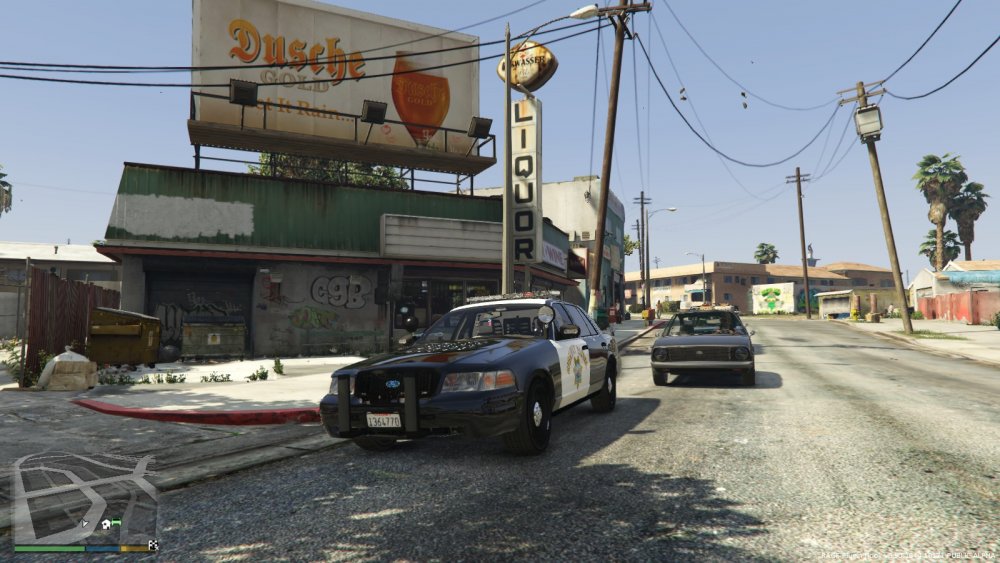
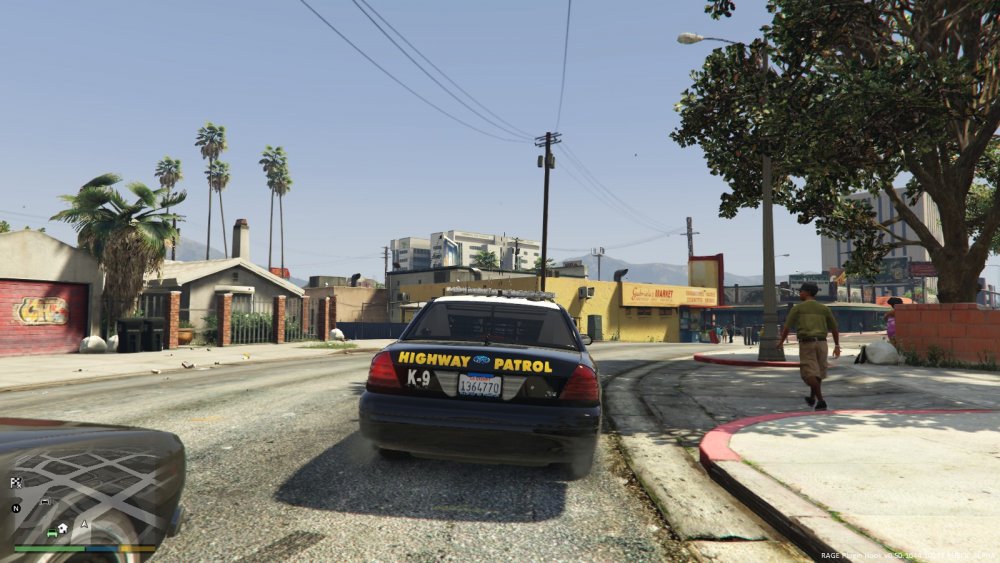
Hello, so im super confused about this and it maybe a simple fix. But I cant find it, out of all these people asking about ELS there isnt any answer that ive found. So my problem is I have installed everything correctly, yes they are unblocked. Car pack is the mega chp pack and they are all installed correctly. When I get in game my ELS is either barely working or not working at all by that I mean I havent got a clue because the keybindings work and my tail lights will flash but my light bars are none functional and visor lights etc. basically it allows me to use take down lights and spot light siren etc. but nothing else works. Ive got the latest scripthook, both Advancedhooks, asi loader etc. As you can see in the pictures provided there is a red light on my light bar and my tail lights are functional. Please help if you can. Thank you.