Skip to content
View in the app

A better way to browse. Learn more.

LCPDFR.com

A full-screen app on your home screen with push notifications, badges and more.

To install this app on iOS and iPadOS
  1. Tap the Share icon in Safari
  2. Scroll the menu and tap Add to Home Screen.
  3. Tap Add in the top-right corner.
To install this app on Android
  1. Tap the 3-dot menu (⋮) in the top-right corner of the browser.
  2. Tap Add to Home screen or Install app.
  3. Confirm by tapping Install.

Jax765

Members
  • Joined

  • Last visited

Files posted by Jax765

  1. Intended to replace the LSSD SEB ped added by RDE. Originally based off of Yard's LSSD SEB ped. Includes Bad Company's remapped tactical pants model, NotReid's rolled-sleeve BDU & Slick's pistol model that's placed in the holster.
     
    Will be included in RDE 4.0.
    • 448 Downloads
    Submitted
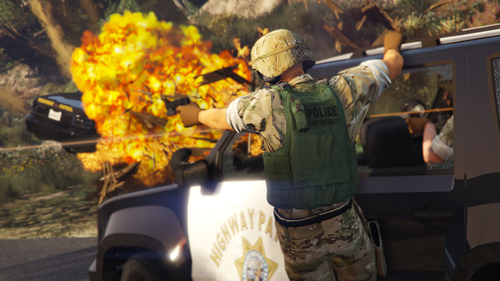
  2. Intended to replace the SAHP SWAT ped added by RDE. Originally based off of Yard's SAHP SWAT ped. Includes Bad Company's remapped tactical pants model, as well as Slick's pistol model that's placed in the holster.
     
    Will be included in RDE 4.0.
    • 388 Downloads
    Submitted
  3. A model replacer for the standard s_m_y_swat_01 ped, originally based off of Yard's LSPD SWAT ped. Includes Bad Company's helmet edit, as well as Slick's pistol model that's placed in the holster.
     
    Will be included in RDE 4.0.
    • 1,531 Downloads
    • 12 Comments
    Updated

Account

Navigation

Search

Search

Configure browser push notifications

Chrome (Android)
  1. Tap the lock icon next to the address bar.
  2. Tap Permissions → Notifications.
  3. Adjust your preference.
Chrome (Desktop)
  1. Click the padlock icon in the address bar.
  2. Select Site settings.
  3. Find Notifications and adjust your preference.