


Guadmaz
Members
-
Joined
-
Last visited
Everything posted by Guadmaz
-
Every time you call SpeedoMeterMain(); you attach a new event handler to Game.FrameRender, without detaching the old one, thus drawing the TimerBar multiple times in one frame. You can detach the event handler in KillSpeedoMeter(); Game.FrameRender -= Process;
-
.thumb.PNG.af07c1ba4e56e747e420ef5393b352d0.PNG) Alright you got me there. You should be taking controls from http://docs.ragepluginhook.net/html/2CBB6E81.htm Please send me your RagePluginHook.log instead of the rcr file. Only RPH developers can open those.
Alright you got me there. You should be taking controls from http://docs.ragepluginhook.net/html/2CBB6E81.htm Please send me your RagePluginHook.log instead of the rcr file. Only RPH developers can open those.- 68 comments
- 14 reviews
-
That's because RagePluginHook's GameControl enumeration differs from scripthookvdotnet's
- 68 comments
- 14 reviews
-
That's not where you place the file. Place it inside Plugins/LSPDFR/ folder. The name is CellphoneUp.
- 68 comments
- 14 reviews
-
Well then update it? It only works with 0.3 now. Post your RagePluginHook.log
- 68 comments
- 14 reviews
-
-
You can change your list item's position within UIMenu.MenuItems list.
-
It should be a Popup. If it doesn't appear that means it's already unblocked.
- 68 comments
- 14 reviews
-
Sounds like something I'm currently working on, except it's inspired by LA Noire.
-
Not that I know of.
-
The installation instructions are in the post. It goes in Plugins/LSPDFR/ It won't work otherwise.
- 68 comments
- 14 reviews
-
The original LSPDFR's computer blocks the keys because they use GTA5's user input, which blocks any script from running while it's open.
-
You'll have to replace game's texture mpgroundlogo_cops, located inside 3dtextures to be able to replace the logo.
- 68 comments
- 14 reviews
-
I downloaded that mod to see how it works. It doesn't take GTAV controls in mind, so I can't disable it without doing keyhook voodoo magic. The current workaround is rebinding PoliceRadio's OpenCloseRadio bind, to something like OemBackslash, which is the key left of Z ("\"). In the next version I'll add a way to change the toggle key, but it will be through controls, so for example, VehicleGrapplingHook or ReplayAdvance would be activated on DPAD Right, and CreatorRT will be activated when you press the C button. For all controls, see https://github.com/crosire/scripthookvdotnet/blob/34d6a088033ebb71f34cc3b2aa42c6cbe06a0433/source/Controls.hpp
-
Im gonna need more info than that, when did the crash occur? What were you doing? Also post your log.
- 68 comments
- 14 reviews
-
I'll add it as a helptip on the on-screen keyboard screen.
-
I'm afraid I can't really disable external plugins' keys, so you'd have either rebind the hotkey or bear with it.
-
You can change the "Launch Grenade" keybind in your game's menu.
-
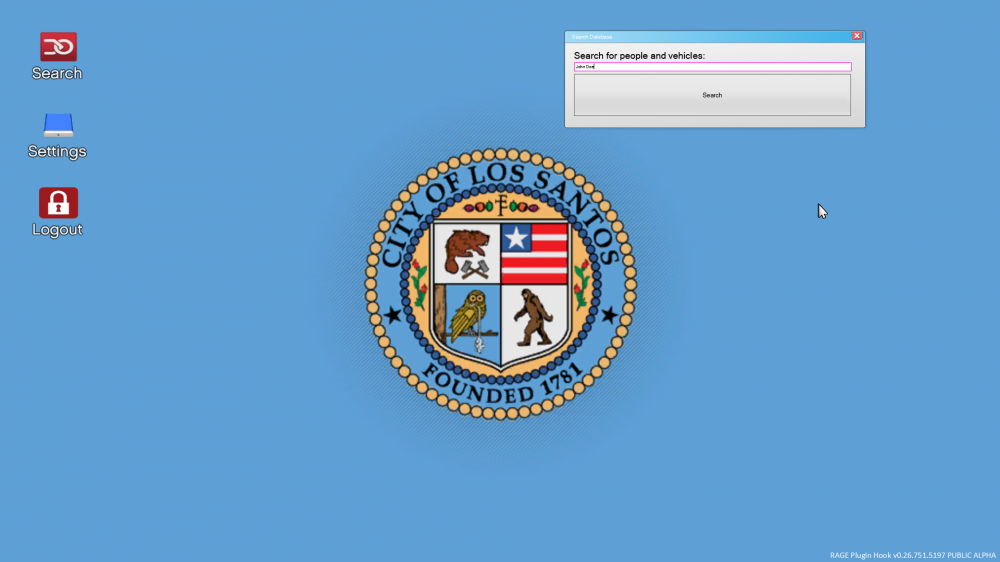
Should I continue with this or the current UI is fine? The window is not final of course.
-
That can be easily done with GWENForms. But do people want this? I think the current one is better because of it's simplicity. I also can include both.
- 68 comments
- 14 reviews
-
-
-
Hm, are you running the game as admin? If so, the file should be in Plugins\LSPDFR I just downloaded it and the file was created.
- 68 comments
- 14 reviews
-
-
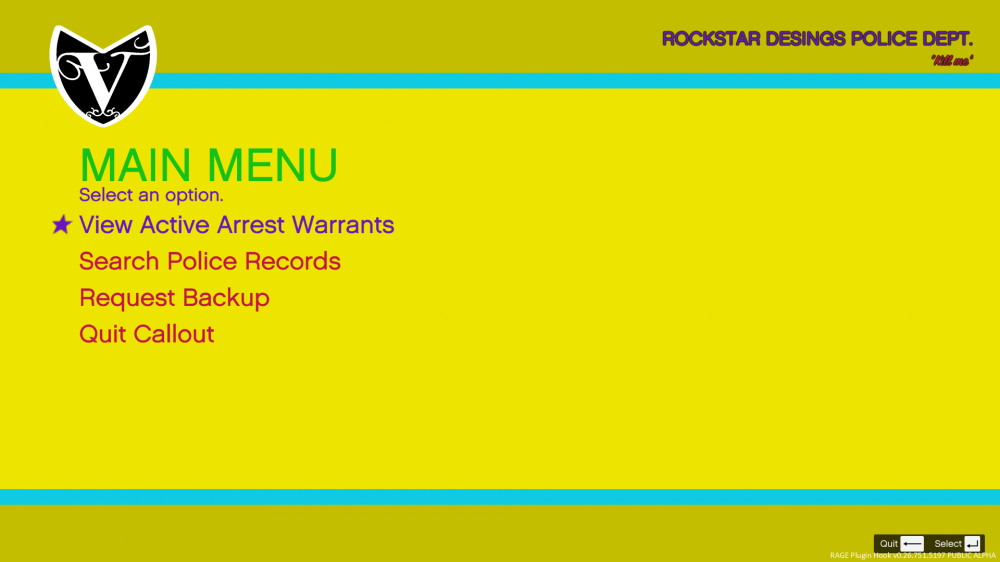
New 1.1 version available! You can now customize basically everything. And to show what you can customize, check this abomination I made
.thumb.PNG.af07c1ba4e56e747e420ef5393b352d0.PNG)


