


JRT
Members
-
Joined
-
Last visited
Everything posted by JRT
-
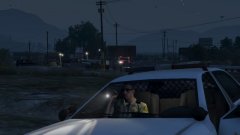 This is a picture of a Sheriff Deputy at the crime scene outside of SS where a male was shot down by police. Here we have a deputy's partner looking at the scene from his flashlight. This is a pretty good shot, in my opinion. This is apart of my first batch of pictures, so bare with me.
 -
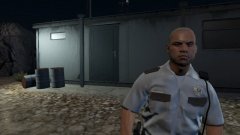 I got bored, so I took this picture of a security guard at the SS Construction sight, the one where the tonka truck is located. This was token shortly before I was knocked down and ordered to leave. This is apart of my first batch of pictures, so bare with me.
 -
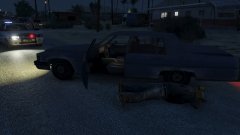 Police recently shot and killed an armed suspect after a high speed chase. This picture was made before EMS arrived, police left the scene, and the car was towed away. This is apart of my first batch of pictures, so bare with me.
 -
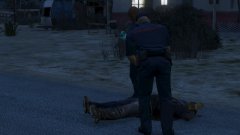 Here EMS are examining the body which was a victim of a police shooting in the trailer park in Sandy Shores. This is apart of my first batch of pictures, so bare with me.
 -
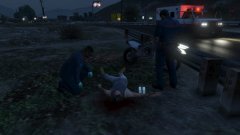 On Oct. 18th, 2015... a person was shot and killed by police after a high speed chase. Here we have Medical Units examining the body and doing paperwork. This is apart of my first batch of pictures, so bare with me.
 -
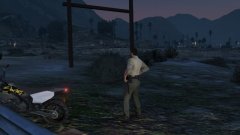 A person was shot and killed right outside of SS, here we have a LSSD Deputy checking out the victim's corpse. This is apart of my first batch of pictures, so bare with me.
 -
The countdown isn't even working for me, it's just stuck on the dots.
-
The use of irony to mock or convey contempt. Either your using it as well or you just don't know what it is... ---- Anyways, Maybe have some prison calls, like prison breaks, breaching, etc. I don't think its time to aboard the hype train just yet.
-
Y' Know, I have been thinking about this.. and I have two interesting ideas for future releases of LSPD:FR. First; Maybe, have it scripted to where if your in a pursuit on a highway, highway patrol will assist.. if your outside city limits, the sheriffs department will assist, and off course, in the city, LSPD will assist. Second; If you arrested somebody and you choose to get someone to transport the suspect(s) you are arresting, maybe have it so where a Riot Van or a regular LSPD Van take the suspect(s) arrested away, since those two vehicles are the closest to a prisoner transport vehicle, and it would be a bit more realistic. HM.. Actually one more idea.. Prison Duty! That would be great to have... maybe have scenarios like, prison escaping, shots fired, breachers, etc... Any-who, that's all I've got. Cheers!
