


Jeep
Members
-
Joined
-
Last visited
Everything posted by Jeep
-
 It's a ton of fun. I would like to see robberies reworked. I can go bank to bank without any police intervention at all. Also, the food / thirst system is a little rough. I have to click 1,000 times to get my thirst up. Would be nice to just "consume" something rather than have to click spam. Overall, however, bravo! Best mod I've ever used next to LSPDFR.
- 682 comments
- 28 reviews
-
-

- 1
-
-
Windows Defender, while not perfect, is unlikely to have very many false positives. As far as network activity, it went off during a download. You can get viruses through cookies and infected ads. Assume you are infected until you run something like Avast or Bitdefender on a Full Scan.
-
There's no virus in STP, but from what I can see, it appears there is already a virus on your computer that is tampering with network activity. I would install a strong antivirus from a USB ASAP, and change all passwords once you're sure it's gone.
-
 How do we know which car is which? Can we get a list? It's not practical to flip through 50 vehicles to find 1.
- 300 comments
- 22 reviews
-
 The callouts themselves are pretty good, though I could do without the unauthorized camping (a civil offense) However, you are forced into a "EULA" once you accept a call-out at first. This is un-necessary and overzealous. Please remove this and I will use your script. There is no reason for an EULA on a not-for-profit mod that implicitly is no warranty. Again, not a bad mod but prepare to enter a 6-page contract to use it - not joking.
- 546 comments
- 103 reviews
-
I ended up placing my car needlessly on an active rail not realizing it after a vehicle pursuit turned foot chase. Needless to say, EMS was called and staged in-station. Vehicle pushed to the sidewalk to prevent obstructing traffic as it was clearly totaled. Nobody was in the vehicle at the time.
-
LSPDFR* I don't know. I'm at a loss. It seems to be widespread. Some people see results with use of OpenIV, others don't.
-
I have AdvancedHookV.dll and .asi. Do I need the .asi? Interestingly, LCPD:FR also comes up with the generic "img" rainbow picture instead of its traditional picture when it loads. I suspect an issue with a common dependency.
-
Yep. VCF's are all there, and updated accurately. Still not working :/
-
-
Hello, All of a sudden, my ELS has stopped working. The plugin loads, and non-ELS vehicles can be activated by using its controls. However, anything that runs ELS does not work anymore. This is sudden, and I haven't added anything new in over a month. I tried uninstalling the two asi files through OpenIV, restarted my PC, updated ELS, but no luck. I'm at a loss. I've included my ELS log below. Thanks. ELS.log
-
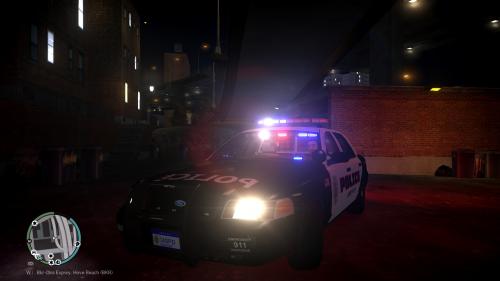 MagForce SA-441 Dual Siren This is a high quality port of the MagForce SA-441 dual siren. The files used in this were taken directly from the siren manufacturer and ported into the game seamlessly. What's so special? Loud, and clear tones.No clipping (mild clip on air horn, to be fixed)Includes dual-tones.What's included? Primary WAILPrimary YELPPrimary PHASERDual YELP / PHASER (for really clearing traffic)Preview https://youtu.be/zUXR5U5muxY
- 4 comments
- 6 reviews
-
-
- 1
-

