Alex_Ashfold
Insiders
-
Joined
-
Last visited
Everything posted by Alex_Ashfold
-
-

From the album: EUP Santé & Sécurité Publique - WIP
-

From the album: EUP Santé & Sécurité Publique - WIP
-

From the album: EUP Santé & Sécurité Publique - WIP
-

From the album: EUP Santé & Sécurité Publique - WIP
-

From the album: EUP Santé & Sécurité Publique - WIP
-
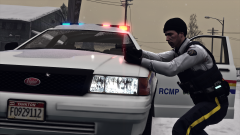
From the album: EUP Santé & Sécurité Publique - WIP
-

From the album: EUP Santé & Sécurité Publique - WIP
-

From the album: EUP Santé & Sécurité Publique - WIP
-

From the album: Emergency Uniforms Pack WIPs
-

From the album: Emergency Uniforms Pack WIPs
-
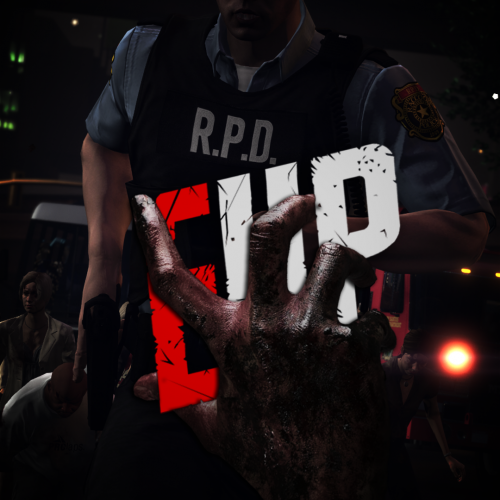 Welcome to Raccoon City, this pack will give you access to a wide array of apparel from the R.P.D, the Arklay Sheriff Department, the S.T.A.R.S. and more In order to for this mod to function properly you need the latest version of EUP Law & Order and EUP Serve & Rescue and make sure it loads after the main mods like in this: Do not use use install this mod with LML Mod manager if you are using the OpenIV version of EUP. I'll release the OpenIV version on gta5-mods.com when I get the chance This pack use the LML Mod manager Installation, which is absolutely required. Check out this guide for more info.
 -
-
@AC12 Officer Are you using LML mod manager? I updated LML, seeing it got an update on December 19th and now my game launch.
-
I'm stuck with the same issue, my mods fodler is disabled and my ASI loaders. I reisntalled the game. I'm techinally lauching the game without any mods (disabled or not used)
-
-
-
 I'm not gonna reupload the file just to change a number, official version is lsited as 9.3
- 2,353 comments
- 238 reviews
-
-
-
😉
-

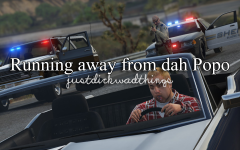
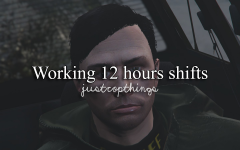
From the album: Dank cop memes ( ͡° ͜ʖ ͡°)
-
This album will feature some dank memes on LSPDFR, such as parody images of #justgirlythings
-
don't mistake this for formals, this is the honor guard uniform, it's pointless for LSPDFR. Would probably take more time to do than the some total of you actually using it in a lifetime.
- 2,353 comments
- 238 reviews
-
 There is no ultimate Backup version, for the simple reason that I don't use ultimate backup and likely never will.
- 73 comments
- 1 review
-
-

-

- 3
-