OrangeAgent
Members
-
Joined
-
Last visited
Everything posted by OrangeAgent
-
 Great car and lights but terrible LOD. The whole car disappears if you move away a few meters.
- 112 comments
- 36 reviews
-
.thumb.jpg.4066677156985e22489bfecddc2f6c45.jpg) I know. The point here is that I didn't know which exactly files the package would replace. I am aware the idea behind this package thing is to simplify the installation process, but in my case I had much more trouble than I normally have installing mods (which is none).
I know. The point here is that I didn't know which exactly files the package would replace. I am aware the idea behind this package thing is to simplify the installation process, but in my case I had much more trouble than I normally have installing mods (which is none).- 376 comments
- 81 reviews
-
I'm not one of these people who can't install the simplest of the mods but...this package thing is totally impractical since it replaces files that I wasn't aware it would, messing with my other cars. Great model, but a option with normal files would be much better.
- 376 comments
- 81 reviews
-
-
-
-
 Jsus man! Thank you so much. I love F5522's models but the slicktop version popping up constantly really left a bad taste in my mouth.
- 137 comments
- 22 reviews
-
Can I use a similar method to force the model to spawn with only one of the light bars?
- 137 comments
- 22 reviews
-
-
-
 Now that apparently NIGHTKID found a way to make all lights blue do you have any plan to release versions of your cars with blue lights in the future?
- 146 comments
- 24 reviews
-
 Finally all blue lights!!! I could kiss you...but not in the gay way, you know what I'm saying.
- 208 comments
- 59 reviews
-
-
Same here. 99% of the time police units spawn without lightbar. A version with only the 2 light bar options would be neat.
- 146 comments
- 24 reviews
-
-

- 1
-
-
There's anyway to have a version with only the great Code 3 21TR light bar? Or at least make the model spawn with only one of the 2 light bars?
- 146 comments
- 24 reviews
-
-
 Great! I was waiting for this for along time! XD But I have to ask, what is with the disappearing wheels when you are far away from the car?
- 183 comments
- 38 reviews
-
-
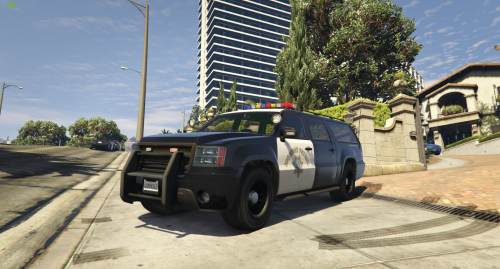 I like it...but I have to say, this car is too damn long. Can you do a version with the "Short Granger v3" by tall70
- 16 comments
- 2 reviews
-
I tried Sjaak's trainer but, in my opinion, it's a mess for the eyes. Organization was really not a concern there. Enhanced Native Trainer is much more organized.
-
"Enhanced Native Trainer" by Arewenotmen is the best one in my opinion. Besides I'm using "Bodyguard Menu 1.7" by Jedijosh920 and it's toggled by F3 :/
-
I don't get it! Why people are complaining about the damn F4 key? Just press F4 twice and you can use the Native Trainer just fine! C'mon people it's just a beta!
-
I'm having a blast with this mod. "Damn it feels good to be a cop" XD But for some reason the backup, during a pursuit, just spawn in the middle of the street and stay there like a rock. :/ Can't wait for the next updates.
-
I understand, but if you are not here to contributing to the mod development or have a opinion of how to MAKE a future mod better, keep your "asshole" to yourself. I see no reason why should I go to a modding section and say that mod shouldn't exist, even if there is a lot of people, like myself, that would love to see a ELS mod.
-
I don't get this kind of statement. Why wouldn't you want something that is OPTIONAL? All mods are optional by nature. There's a lot of police car mods for GTA IV that don't use ELS. And ELS is much more than pretty lights flashing. I would love to see a ELS mod for GTA V for, at least, be able to turn on the lights separate from the sirens.

.thumb.jpg.4066677156985e22489bfecddc2f6c45.jpg)
.thumb.jpg.54f04afcd6ae69e17f1388b62a696d8b.jpg)


.thumb.png.e88f1892e13ddb98db35e668d465c34b.png)